
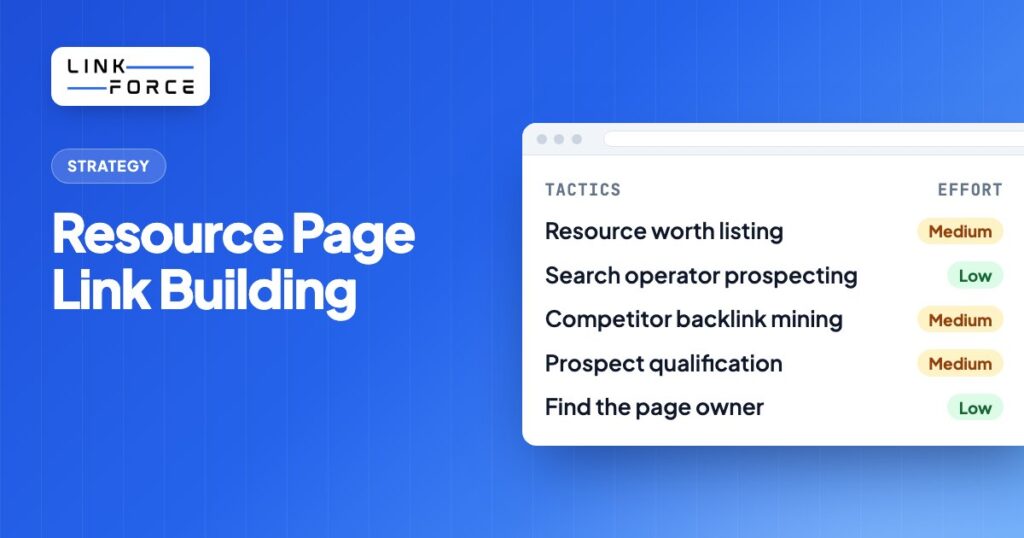
Resource page link building is the practice of finding curated pages that list helpful links on a topic, then asking the person who maintains the page to add your guide, tool or template because it genuinely helps their readers. It's one of the few outreach tactics where the page owner has already announced that they link out, so your job isn't to convince them to link, only to show that your page belongs on the list.
This guide covers what counts as a real resource page, how to find them with Google search operators and backlink data, how to qualify each prospect, and the outreach email and follow-up we recommend. It ends with the mistakes that quietly sink most campaigns and a short FAQ.
What Is Resource Page Link Building?
A resource page is a page whose main purpose is to point visitors to useful material elsewhere. You'll see them titled "Helpful Resources", "Useful Links", "Recommended Tools", "Further Reading" or "Resources for Students". Universities, libraries, professional associations, nonprofits, local governments and long-running niche blogs publish them because curating good links is part of serving their audience.
Resource page link building means earning a place on those lists. You find pages that already link to content like yours, check that they're maintained and relevant, and send a short note suggesting your page as an addition. When it works, you'll get an editorial link from a page that exists to send people to other sites, which is about as natural as a backlink can possibly get.
It's different from broken link building, where you pitch a replacement for a dead link, and from link roundups, which are recurring posts that collect recent content. Resource pages are evergreen lists, and they don't expire after a week. The three tactics overlap, and a single prospect can sometimes fit all of them: a resource page with a broken link is the best opportunity you can find.
Why Resource Pages Are Worth the Effort
Most outreach asks a stranger to change their content for your benefit. This doesn't. Resource page outreach asks them to keep doing what the page was built for. That difference shows up in several ways:
- The intent to link is already there. The page owner has published a list of outbound links on purpose. You aren't asking for an exception to their editorial policy.
- The links are editorial and relevant. A good resource page is organized by topic, so your link sits next to other material on the same subject. That context is what makes a link worth having, as covered in our guide to what makes a good backlink.
- Trusted domains publish them. Educational institutions, associations and public bodies are among the most common publishers of resource lists, and they rarely sell placements.
- The opportunity supply is wide. Almost every niche has resource lists, from accounting software for freelancers to beekeeping for beginners, so the tactic scales across topics.
The tactic has limits too. Many resource pages are abandoned, some are disguised link farms, and the people who maintain the good ones receive a lot of low-effort pitches. You'll also need a page that truly deserves to be listed. A product page or a thin blog post won't get added to a curated list, no matter how good your email is.
How to Build Resource Page Links in 7 Steps
The process below assumes you have one target page you want to promote. Run it per asset, because the search queries, prospects and pitch all depend on the topic of the page you're pitching.
Step 1: Create or pick a resource worth listing
Resource page curators list things that help their readers act or learn: in-depth guides, checklists, templates, calculators, free tools, glossaries, datasets and original research. Look at the links that are already on the pages you'd like to appear on and ask whether your page is at least as useful as the weakest one there.
If the honest answer is no, improve the page before you send a single email. Remove aggressive sales copy and gated downloads, make sure it loads quickly on mobile, and give it a clear title that says what the reader gets. Our guide to the linkable asset goes deeper into what makes a page link-worthy.
Step 2: Find resource pages with search operators
Google search operators let you filter results down to pages that are lists of links on your topic. Combine your topic keyword with operators that match how resource pages are usually titled and structured, then work through the results page by page. The next section lists queries you can copy, and the free Search Operator Generator by LinkForce builds them for any keyword.
Collect every candidate in a spreadsheet with the URL, page title, topic fit and a notes column. Don't qualify yet; speed matters more at this stage.
Step 3: Mine competitor backlinks for resource pages
Search operators only find pages that Google ranks for your query, and that's only part of the picture. Backlink data finds the rest. Take two or three competing pages that cover the same topic as yours, open them in a backlink tool such as Ahrefs Site Explorer or Semrush Backlink Analytics, and filter referring pages for words like "resources", "links", "tools" or "recommended" in the URL or title.
A link intersect report (Ahrefs calls it Link Intersect) is even more efficient: it shows pages that link to several of your competitors but don't link to you. Resource pages show up in these reports often, because a curator who lists two similar guides is a strong candidate to list a third. Our walkthrough on how to find competitor backlinks explains the filters step by step.
Step 4: Qualify every prospect
Qualification is where most of the results really come from. A short list of well-chosen pages beats a long list of random ones every time, because every unsuitable prospect costs you time and sender reputation. Check each page against these criteria:
- Topical fit. The page, or a clearly labeled section of it, covers your exact topic. A general "Useful links" page that mixes plumbers, casinos and recipe sites isn't a resource page. It's a link farm.
- Signs of maintenance. Recently added links, a visible "last updated" date or very few dead links all suggest someone still cares. Run the page through a broken link checker: a handful of dead links is an opening for a broken link pitch, while dozens means nobody is looking.
- Real audience. The site has organic traffic and the page is indexed. A quick
site:search for the URL confirms indexing. - Editorial links only. No "submit your link for a fee" form, no reciprocal link requirement, no sponsored labels on every entry. Google's spam policies treat paid and exchanged links meant to manipulate rankings as link spam.
- Domain strength in context. Metrics like Domain Rating help you prioritize, but read them alongside relevance. Our guide to domain metrics explains how to read DR, DA and Authority Score without overweighting them.
Mark each prospect as "pitch", "pitch as broken link" or "skip". Be strict. You'll thank yourself later. If you wouldn't be glad to see your brand on that page, skip it.
Step 5: Find the right contact
Resource pages are often maintained by one specific person: a librarian, a program coordinator, a content editor or the blog owner. Look for a name on the page itself, in the page footer, on the staff or team page, or in the department's contact list. A named person who owns the page is far more likely to act than a general info@ inbox, since it's their list.
If you have a name but no address, the free Email Permutator by LinkForce generates the common address formats for a name and domain, and an email finder can verify which one is real. Contact forms are fine for small sites where the owner reads everything.
Step 6: Send a short, specific pitch
Curators decide in seconds, and they've seen every generic pitch already. Your email should prove that you looked at their page, name the section where your resource fits, describe the resource in one sentence and make it easy to say yes. Don't ask for a link in exchange for anything, don't promise to share their page in return, and don't attach files. The template below follows that structure.
Personalize the first line for every prospect, no exceptions. Mentioning a specific link they've already listed, or the section heading where yours would sit, is enough to show that the email was written for them.
Step 7: Follow up once and track results
Send one polite follow-up if you don't get a reply, about a week after the first email, then stop. A second nudge rarely changes the answer and it's the fastest way to land in spam folders. Our guide on sending a follow-up email after no response has more examples.
Track every prospect in your spreadsheet: date contacted, follow-up date, reply, outcome and the live URL once added. Check live links again after a few months, because resource pages get reorganized and links disappear. If one of yours vanishes, don't panic: the process in our link reclamation guide applies.
Resource Page Search Operators You Can Copy
Replace keyword with your topic, for example "content marketing" or "email deliverability". Use quotation marks for exact phrases and try several variants, because curators title their pages in many different ways.
| Query | What it finds |
|---|---|
keyword intitle:resources |
Pages with "resources" in the title that mention your topic |
keyword inurl:resources |
Resource sections whose URL contains "resources" |
keyword "useful links" |
Classic link lists on small sites and blogs |
keyword "helpful resources" |
Curated lists, often on association and nonprofit sites |
keyword intitle:"recommended tools" |
Tool lists, ideal if you're promoting a free tool or template |
keyword "further reading" |
Articles and guides that end with a list of outbound links |
keyword site:.edu inurl:resources |
University and college resource pages (mostly US institutions) |
keyword site:.org intitle:links |
Link pages on nonprofit and association sites |
keyword inurl:links -inurl:tag |
Link pages, excluding blog tag archives |
"keyword" "resources for" intitle:resources |
Audience-specific lists such as "resources for small businesses" |
A few practical tips: search in a private window so personalized results don't hide prospects, look beyond the first results page, and swap "resources" for close variants such as "toolkit", "library", "guides" or "reading list". For local or non-English campaigns, translate the operators as well as the keyword, for example "nützliche Links" or "Linksammlung" for German sites.
Build Google search operator queries for link prospecting with the free Search Operator Generator.
Resource Page Outreach Email Template
Use this as a starting point and rewrite the first two lines for every prospect. Keep the finished email short enough to read on a phone without scrolling.
Subject: A resource for your [SECTION NAME] list
Hi [FIRST NAME],
I was reading your [PAGE TITLE] page while researching [TOPIC] and found [SPECIFIC LINK THEY LIST] really useful.
We recently published [RESOURCE NAME], a [GUIDE / CHECKLIST / FREE TOOL] that helps [AUDIENCE] [OUTCOME]. It might be a good fit for the [SECTION NAME] section: [URL]
No worries if it doesn't fit your list. Thanks for keeping the page up to date either way.
[YOUR NAME]
[ROLE], [COMPANY]
If the page has a dead link, lead with that instead, because pointing out a problem is more helpful than asking for a favor:
Subject: Broken link on your [PAGE TITLE] page
Hi [FIRST NAME],
Quick heads-up: the link to [DEAD RESOURCE NAME] in your [SECTION NAME] section now leads to an error page.
If you're looking for a replacement, our [RESOURCE NAME] covers the same ground and is kept up to date: [URL]
Either way, thanks for maintaining such a useful list. I've bookmarked it myself.
[YOUR NAME]
And one follow-up, sent about a week later as a reply in the same thread:
Subject: Re: A resource for your [SECTION NAME] list
Hi [FIRST NAME],
Just bringing this back to the top of your inbox in case it got buried. I'm happy to share a short summary of [RESOURCE NAME] if that helps you decide.
Thanks,
[YOUR NAME]
Mistakes That Sink Resource Page Campaigns
- Pitching a sales page. Curators list resources, not offers. That's the whole point of the page. If your page asks for a demo before it helps, you'll do better pitching a guide or tool instead.
- Skipping qualification. Sending the same email to every page with "resources" in the URL fills your list with abandoned pages and link farms and burns your sending domain.
- Generic personalization. "I love your blog" isn't personalization. Name the page, the section and a link they've already chosen to include.
- Offering something in return. Offering money or a reciprocal link frankly turns an editorial link into a link scheme, and many curators will simply stop reading.
- Following up too often. One follow-up is enough. If they haven't replied, they've likely decided. Persistence doesn't make your page a better fit.
- Ignoring broken links. Every resource page prospect is also a broken link prospect, and it's easy to forget that. Checking the page for dead links first gives you a stronger reason to write.
Where Resource Pages Fit in Your Link Building Mix
Resource page outreach works best as a steady, lower-volume channel next to tactics that scale differently. Pair it with broken link building on the same prospect lists, use link prospecting workflows to keep the pipeline full, and look at partner and integration links for pages that list tools in your category. Our overview of link building strategies shows how these tactics combine.
If you're a SaaS company, the strongest resource-style links often come from partners rather than strangers: integration directories, partner "recommended tools" pages and customer resource hubs. Those are relationship links, and they're easier to earn when you already know the people who maintain the pages.
800+ SaaS marketers swap partner, integration and content links. Free plan, no credit card.
Frequently Asked Questions
Is resource page link building white hat?
Yes, certainly, as long as the link is editorial. You suggest a useful page, and the curator decides whether to add it. It stops being white hat when you pay for the placement, trade links or target pages that exist only to sell links, all of which fall under Google's link spam policies.
What kind of content gets added to resource pages?
Content that helps the page's audience without asking anything of them: in-depth guides, checklists, templates, free tools, calculators, glossaries and original research. Ungated, ad-light pages with a clear title have the best chance.
Are .edu resource pages still worth targeting?
They can be, if the page is actually maintained and your resource genuinely serves students or staff. Many old university link pages aren't updated anymore, so check for recent additions and broken links before you pitch, and never pitch a commercial page to an academic list.
How many resource pages should I contact per campaign?
There's no fixed number. Contact every prospect that passes qualification and skip the rest. For a narrow topic that may be a few dozen pages; for a broad one it can be far more. Quality of fit matters far more than volume.
How is resource page link building different from broken link building?
Resource page outreach asks a curator to add your page to an existing list. Broken link building asks a site to replace a dead link with yours. The two often overlap, because resource pages tend to collect dead links over time, and a pitch that fixes a problem usually beats one that only asks for an addition.