

An email finder is a tool that locates a professional’s email address when you know their name and employer. Simple concept. You put in what you have: a name, a company domain, or a LinkedIn URL. The tool searches its database, runs verification, and returns a business email address you can actually send to. Hunter.io, Snov.io, and GetProspect are the most widely used options in 2026.
For anyone doing outreach (whether you’re prospecting for sales, pitching journalists, or building links), finding the right contact email is often the first bottleneck. It slows everything down. Email finders solve that problem at scale, letting you move from target domain to verified address in seconds. This guide explains how they work, what separates good tools from weak ones, and which options make the most sense depending on your use case.
What Is an Email Finder?
An email finder is software that searches for and returns professional email addresses. It works off identifying information: a first name, last name, and company name or domain are the standard inputs. The tool processes that input against its database and verification layer, then outputs a business email address with a confidence score indicating how likely it is to be deliverable.
Most email finders operate in two modes. The first is a person lookup: you provide a name and a company domain, and the tool searches its database and runs verification to return the most likely address for that individual. The second is a domain search: you enter a company domain and get back every indexed email address associated with that organisation. Domain search is the more powerful option for outreach. You don’t need to know specific contact names before you start.
Email finders are used across several disciplines: B2B sales teams building prospect lists, recruiters sourcing candidates, PR professionals hunting journalist contacts, and link builders finding webmasters and editors. The core function is the same in each case: bridging the gap between knowing who you want to reach and having their verified email address.
How Email Finders Work
Email finders combine several approaches to locate and verify addresses:
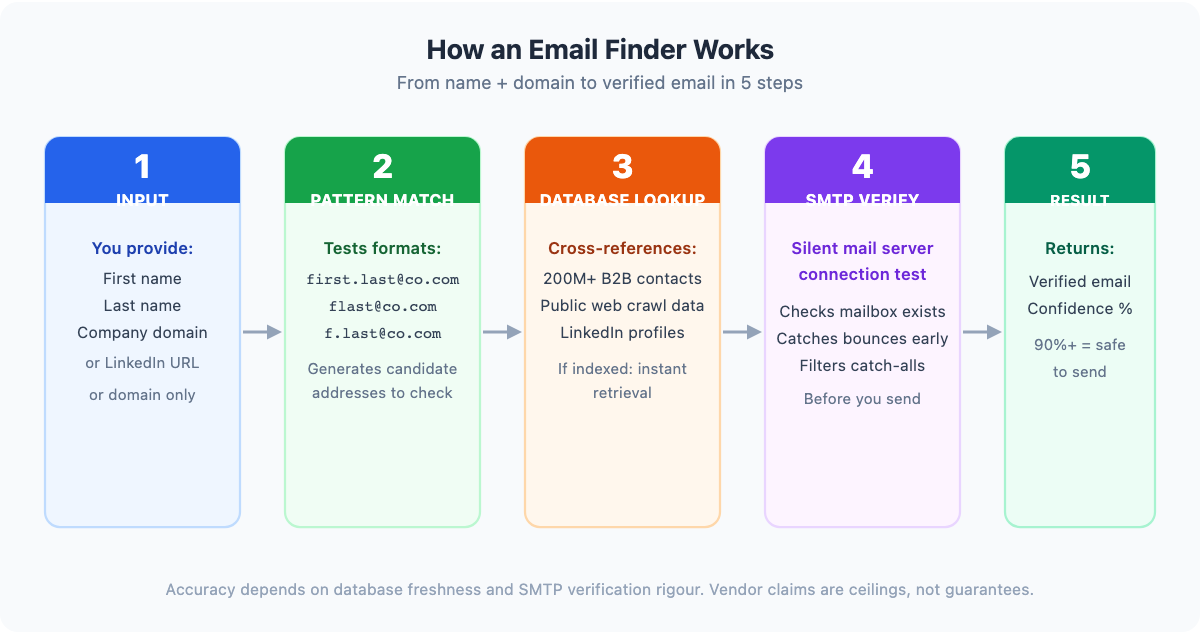
Pattern matching. Most companies use predictable email formats: first.last@company.com, flast@company.com, or f.last@company.com. Email finders test likely patterns against the given company domain to generate candidate addresses.
Database lookup. Established tools maintain proprietary databases containing hundreds of millions of verified B2B contacts, built from public web crawls, user-contributed data, and third-party data partnerships. If your target has been indexed before, retrieval is near-instant.
Real-time SMTP verification. Before returning a result, the better tools run a silent connection test against the recipient mail server. This catches inactive accounts, domains without working mail exchange records, and catch-all domains that accept anything regardless of whether the mailbox exists.
Confidence scoring. Results typically come with a confidence percentage reflecting how certain the tool is that the address is both correctly formatted and deliverable. A score above 90% generally indicates it is safe to send without additional verification.
Accuracy depends on two things: how fresh the database is, and how rigorously the SMTP check is applied. Vendor claims are ceilings, not guarantees. Every independent benchmark test that compares multiple tools against the same contact list shows lower real-world verified delivery rates than the figures vendors publish on their own marketing pages. Treat 95% claims with healthy scepticism.
Key Features to Look For in an Email Finder
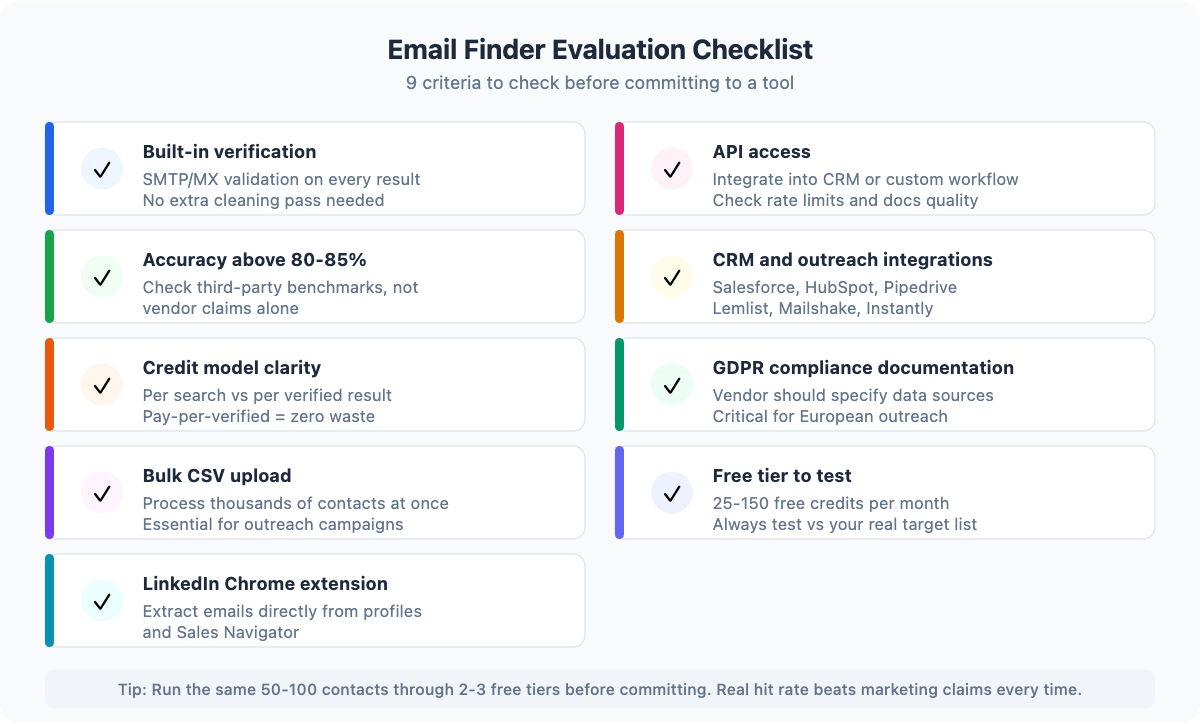
Not all email finders deliver the same utility. These are the criteria that distinguish good tools from mediocre ones:
Built-in verification. Finding and verifying should happen in one step. Tools that return unverified addresses force you to run a separate cleaning pass before sending (an extra cost and an extra point of failure). Prioritise tools that run SMTP or MX validation automatically on every result, and that tell you the confidence level on each address returned.
Verified accuracy rate. Look for tools with independently documented accuracy above 80-85%. Vendor-claimed accuracy figures are often optimistic. Check user reviews and independent comparisons for real-world numbers.
Credit model. Tools differ on what counts as a billable search: some charge per search attempt (even failed ones), others charge only per verified result. The pay-per-verified model (used by Anymail Finder, for example) is more budget-efficient if your target list has gaps.
Bulk upload. If you’re running outreach at any volume, you need to process CSV lists, not search one name at a time. Check whether bulk mode handles thousands of rows without manual intervention.
LinkedIn Chrome extension. For prospecting from LinkedIn or Sales Navigator, a Chrome extension that extracts emails directly from a profile page saves significant manual work. Nearly all major tools offer one.
API access. If you’re enriching a CRM, powering a custom workflow, or building email finding into a larger stack, API access is non-negotiable. Confirm rate limits and documentation quality before committing.
CRM and outreach integrations. The best tools push enriched contacts directly to Salesforce, HubSpot, Pipedrive, or your outreach platform (Lemlist, Mailshake, Instantly). Manual export-import is friction that slows every campaign.
GDPR compliance. Reputable vendors document their data sources and confirm compliance with applicable data protection regulations. For European outreach especially, choose a vendor that publishes a clear privacy policy and GDPR stance.
Free tier. Almost every serious email finder offers between 25 and 150 free credits per month. Use the free tier to test real-world accuracy against your specific target audience before committing to a paid plan.
Best Email Finder Tools in 2026: Quick Comparison
| Tool | Free Credits/mo | Accuracy (claimed) | Starts At | Best For |
|---|---|---|---|---|
| Hunter.io | 25 searches | ~91% | $49/mo | Domain search + cold email |
| Snov.io | 50 | ~90% | $39/mo | Outreach automation |
| GetProspect | 50 | 95% | $49/mo | LinkedIn + B2B database |
| Anymail Finder | 90 (trial) | varies | $29/mo | Pay-per-verified model |
| Skrapp.io | 150 | ~80% | $49/mo | LinkedIn prospecting at scale |
| Voila Norbert | 50 (trial) | 98% (claimed) | $49/mo | Simple one-off lookups |
| AeroLeads | 10 | varies | $19/mo | SMB sales prospecting |
| Reply.io | limited | varies | $49/mo | Full outreach platform |
| Findymail | 10 | ~97% (claimed) | $49/mo | High-accuracy outreach |
| Clearbit (HubSpot) | via HubSpot | varies | HubSpot plan | HubSpot ecosystem |
Top Email Finder Tools: Detailed Reviews
Hunter.io: Best Overall for Domain-Based Prospecting
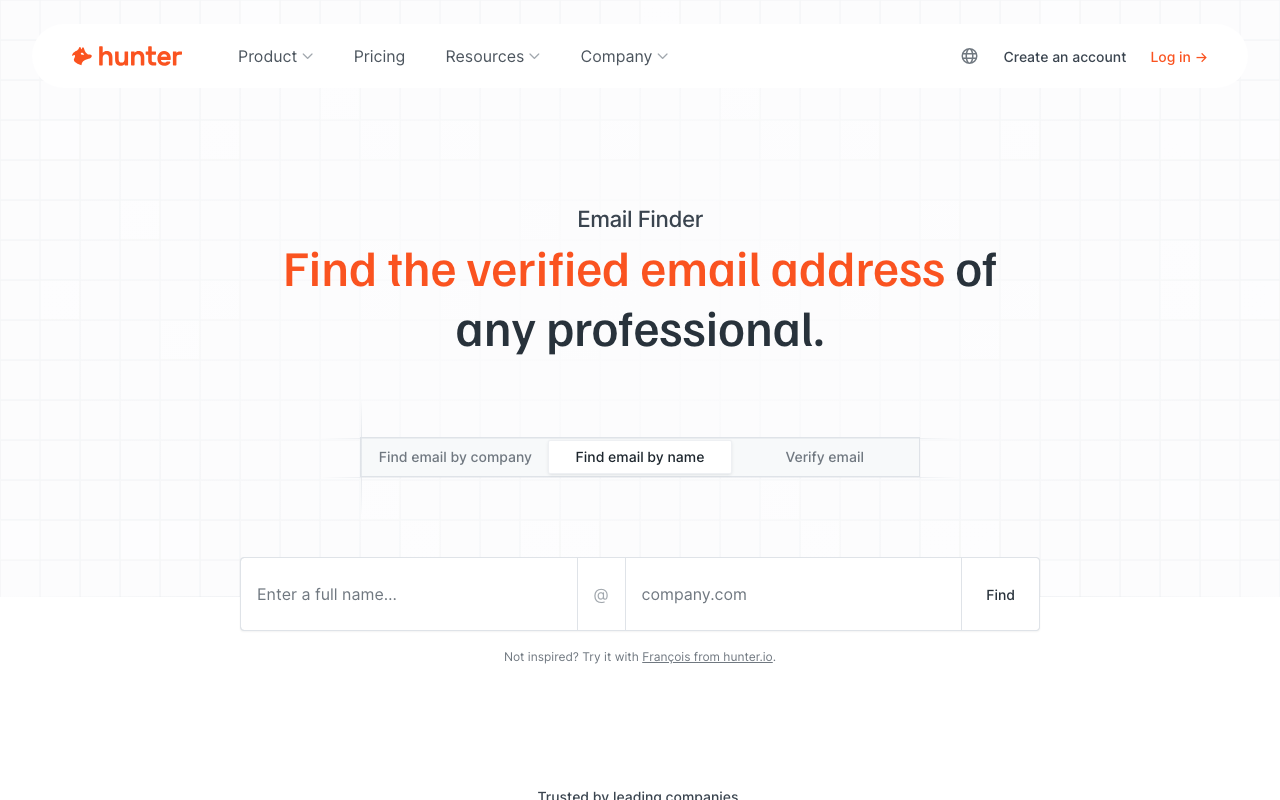
Hunter.io is the category benchmark. Its domain search feature is unmatched: enter any company domain and Hunter returns every email address it has indexed for that organisation, complete with the source URL where the address was found. This transparency is a significant differentiator: you can see exactly where the data came from.
The Email Finder works for name-based lookups when you already know who you’re trying to reach. Enter a first name, last name, and company domain and Hunter applies its pattern-matching and database lookup to return the most likely address with a confidence score.
Free plan: 25 searches per month. Paid plans start at approximately $49/month for 500 searches (pricing as of 2026). Hunter also integrates a native cold email tool, making it a reasonable all-in-one if you’re running outbound campaigns.
Best for: Teams that do domain-based prospecting and want a tool with a track record and clean UI.
Snov.io: Best for Outreach Automation
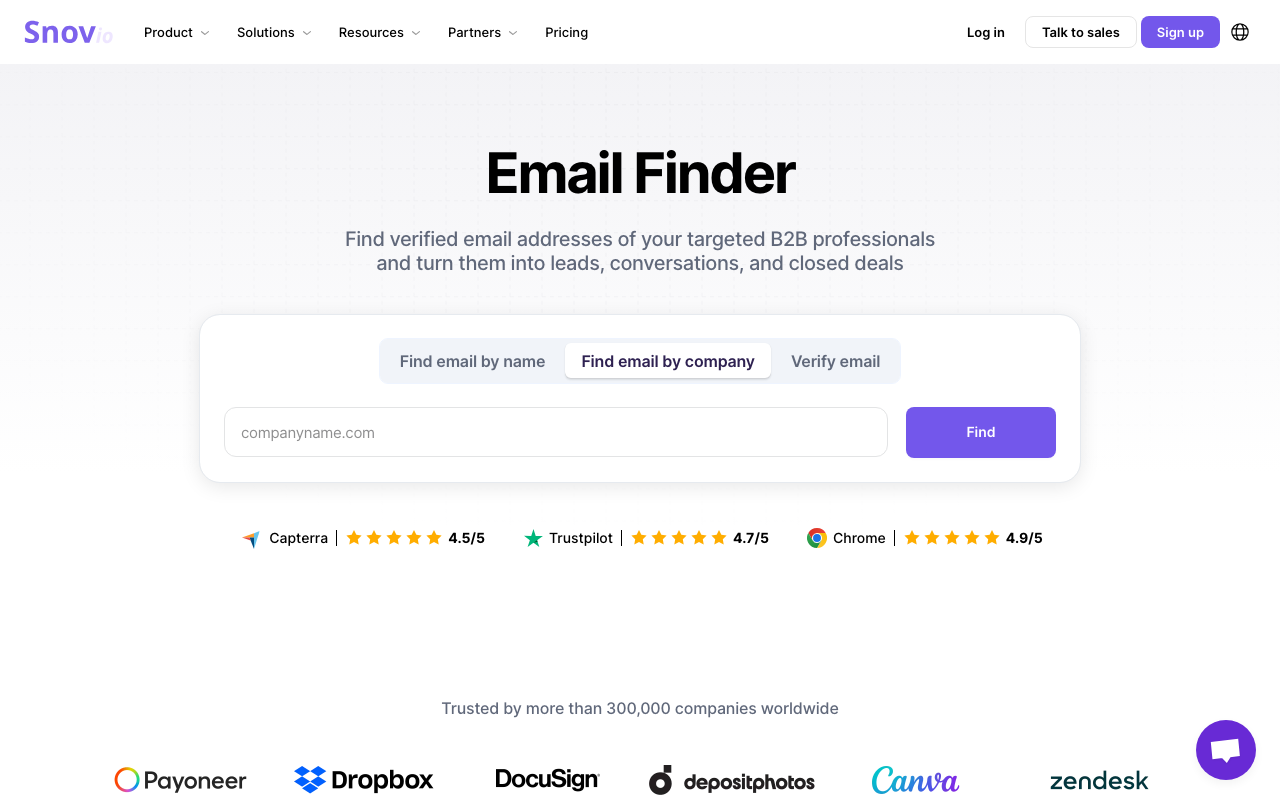
Snov.io combines email finding with a cold email sequencer, making it attractive for teams that want finder and sender in one platform without paying for two separate tools. The Chrome extension works on LinkedIn and company websites. Domain search is available alongside the name-based lookup.
The email verifier is included and runs automatically. The platform integrates with CRMs including Salesforce and HubSpot, and exports cleanly to CSV for use elsewhere.
Free plan: 50 credits per month. Paid plans start at approximately $39/month (pricing as of 2026). Snov.io is also featured in our comparison of outreach email software.
Best for: SDRs and outreach teams who want a combined prospecting and email sequence tool.
GetProspect: Best LinkedIn Email Finder
GetProspect’s core strength is its LinkedIn integration. The Chrome extension installs into LinkedIn and Sales Navigator and extracts contact emails and job data from profile pages with a single click. The tool can process bulk exports from saved LinkedIn searches, which is practical for building large prospect lists quickly.
The underlying database holds over 200 million B2B contacts. GetProspect claims 95% accuracy, with internal testing showing 84 valid addresses out of 100 contacts, ahead of most competitors in the same test, though independent benchmarks show typical real-world rates closer to 80-85%.
Free plan: 50 verified emails per month. Paid plans start at $49/month for 1,000 valid emails.
Best for: Teams heavily reliant on LinkedIn for prospecting who need bulk extraction capability.
Anymail Finder: Best Pay-Per-Verified Model
Anymail Finder takes a different approach to pricing: you only pay for emails that are fully verified. Every search either returns a confirmed deliverable address or returns nothing. Nothing costs nothing. This model eliminates the problem of paying for results you can’t use.
The tool offers a 90-credit trial, and paid plans start at $29/month, making it one of the more affordable options when your target list has a high proportion of difficult-to-find contacts.
Best for: Budget-conscious outreach teams where a significant percentage of targets won’t have publicly indexed emails.
Skrapp.io: Best for LinkedIn Prospecting at Scale
Skrapp.io leads on free credits: 150 per month on the free plan. Like GetProspect, it centres on a LinkedIn Chrome extension that extracts email addresses from profiles, searches, and Sales Navigator views. Bulk CSV upload allows processing of large lists. An API is available for integration into custom workflows.
Claimed accuracy is in the 80% range, which is lower than some competitors but acceptable for prospecting at high volume where unit economics matter more than per-contact accuracy.
Free plan: 150 emails per month. Paid from approximately $49/month (pricing as of 2026).
Best for: Teams running high-volume LinkedIn outreach who need generous free credits to test before committing.
Voila Norbert: Best for Simple One-Off Lookups
Voila Norbert is built for simplicity. Its interface is a single input form: first name, last name, company. The tool returns the most likely email address. There are no dashboards, filters, or LinkedIn integrations to navigate. If you occasionally need to find a specific contact and don’t want to learn a full platform, Norbert does the job without friction.
The vendor claims 98% accuracy, which is unusually high. Treat this as a best-case figure. A pay-per-email model is available as an alternative to subscriptions.
Free trial: 50 searches. Paid from $49/month.
Best for: Occasional users and non-technical teams who need a no-learning-curve email lookup.
Findymail: Best Accuracy for Outreach Deliverability
Findymail is a newer entrant focused specifically on accuracy for cold outreach. Its verification layer goes further than most tools by explicitly checking for catch-all domains and filtering them out. Catch-alls will accept any email sent to them, making it impossible to know if the specific mailbox exists. Filtering catch-alls reduces apparent hit rates but produces cleaner lists with lower real bounce rates.
This makes Findymail particularly suitable for link builders and outreach specialists where sender reputation is a priority.
Free plan: 10 credits. Paid from $49/month.
Best for: Link builders and outreach specialists prioritising deliverability over raw hit rate. If you need a broader look at tools for this workflow, see our roundup of blogger outreach tools.
Email Finders for Link Building Outreach
Link builders have a specific version of the email finding problem. Most outreach targets (blog owners, independent journalists, niche site operators) are not in standard B2B sales databases built around corporate roles and LinkedIn profiles. They are individuals running their own sites, and their professional contact emails are often only findable via domain search, not name search.
The most effective workflow for link building outreach is:
- Build your target list. Identify domains you want links from based on relevance and authority metrics.
- Run domain search. Use Hunter.io or a similar domain-search-capable tool to extract all indexed email addresses for each target domain.
- Identify the right contact. Filter for addresses that suggest editorial or owner contacts (
info@,editor@, first-name formats). - Verify before sending. Run the list through an email verifier to remove bounces before loading into your outreach sequence.
- Load into sequence. Push verified contacts into your outreach email software (Instantly, Lemlist, Mailshake, or Snov.io) and launch the campaign.
Hunter.io is the preferred tool for step 2 because its domain search is the deepest on the market and it surfaces the source URL alongside each address. Findymail is the better choice when accuracy matters more than volume, particularly for high-value targets where a hard bounce would damage your domain reputation.
One practical issue to anticipate: many small blog owners use catch-all email configurations or generic forwarding addresses. These will accept any email but may not reach a human. Domain search results from these sites will show low confidence scores. Treat them with caution and consider a manual contact verification step for high-priority targets.
For outreach at scale, a combination of Hunter (domain search) and Findymail (verification and catch-all filtering) offers the best balance of reach and deliverability.
Are Email Finders Legal? GDPR and Ethical Use
Using an email finder for B2B outreach is legal under GDPR and similar data protection frameworks in most jurisdictions, provided the use meets the legitimate interest standard. Professional email addresses published in a business context are generally considered legitimate targets for business communication.
The relevant legal boundaries are:
- Professional vs personal. Business email addresses associated with a professional role fall under the B2B legitimate interest basis. Personal email addresses used for non-work purposes require the individual’s explicit consent to contact.
- Opt-out provision. Every cold outreach email should include a clear and functional opt-out option. Recipients must be able to remove themselves from future contact with a single reply or click. See our email deliverability checklist for best practices.
- No list buying or selling. Purchasing or selling raw email lists without consent from address holders is a separate legal territory and carries higher regulatory risk.
- Purpose limitation. Emails found for one purpose (e.g., a sales pitch) should not be used for unrelated purposes without a fresh legitimate basis.
Most reputable email finder vendors publish GDPR compliance documentation and specify their data sources. Choosing a vendor with clear compliance documentation reduces your exposure if your outreach practices are ever questioned.
The ethical rule of thumb: if the person you’re contacting would recognise the legitimate purpose of your email and not consider it intrusive, you’re on solid ground.
How to Choose the Right Email Finder
The right tool depends on where your contacts live, what volume you’re running, and whether you need finding and sending in one place or as separate tools.
If your targets are mostly on LinkedIn: GetProspect or Skrapp.io. Both have the strongest LinkedIn extensions and the ability to process bulk extracts from Sales Navigator.
If you’re doing domain-based prospecting (e.g., link building): Hunter.io. Its domain search is the most thorough on the market and the source transparency is useful for editorial outreach.
If you want finding and outreach combined: Snov.io or Reply.io. Both include email sequencing tools alongside their finders.
If deliverability accuracy is the priority: Findymail. Its catch-all filtering produces cleaner lists even if the raw hit rate looks lower than competitors.
If you want pay-per-verified pricing: Anymail Finder. You won’t pay for results that don’t verify.
If you’re on HubSpot: Clearbit / HubSpot’s built-in Prospecting tool is the path of least resistance given existing integrations.
The most reliable evaluation method is to run 50-100 contacts from your actual target audience through each tool’s free tier and compare the verified hit rate. A tool that claims 95% accuracy against generic benchmarks may perform significantly differently against your specific prospect profile.
Frequently Asked Questions
What is the best free email finder?
Hunter.io, Snov.io, and GetProspect all offer 25-50 free credits per month with no credit card required at signup. Skrapp.io offers the most generous free tier at 150 credits per month.
How accurate are email finders?
Vendor claims range from 80% to 98%, but independent tests consistently show real-world verified delivery rates between 75% and 90% depending on the target audience and tool. Always verify results before sending to protect sender reputation. Landing in the spam folder is often a deliverability issue rather than an accuracy issue. See our guide on why emails go to spam for more.
Can email finders find personal email addresses?
Most email finders are designed for professional (business) email addresses. Personal email addresses (Gmail, Hotmail, and similar non-work accounts) are largely absent from B2B databases and would raise legal concerns if targeted for commercial outreach.
How do email finders get their data?
Most maintain proprietary databases built from public web crawls, user-contributed data generated as Chrome extension users interact with LinkedIn and company sites, and third-party data partnerships. The best vendors continuously re-verify their databases to remove stale addresses.
Is it legal to use an email finder for cold outreach?
For B2B professional contacts, yes, in most jurisdictions including the EU under GDPR, provided you use the data for legitimate business purposes and include an opt-out option.
What is the difference between an email finder and an email verifier?
An email finder locates an address you do not have. An email verifier checks whether an address you already have is valid and deliverable. Most modern email finder tools include verification as part of the lookup process. If you have an existing list of unknown quality, a standalone verifier (such as NeverBounce or ZeroBounce) is the more appropriate tool.