
Every backlink you earn takes time, effort, or both. So when a link disappears without warning, you lose real SEO value that took real work to build. Research from Ahrefs found that roughly 66.5% of links created in the last nine years are now dead. Most of the links you have ever earned are gone.
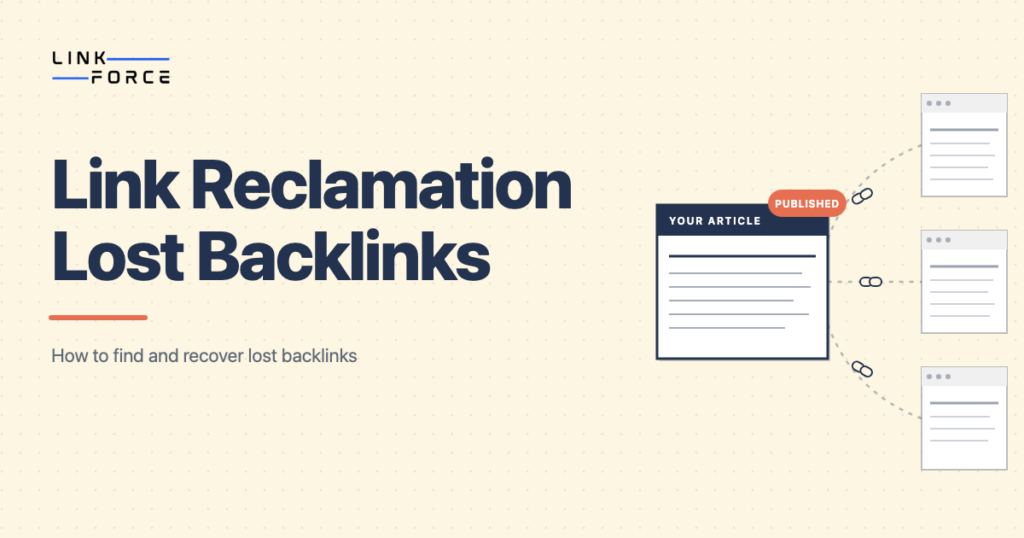
Link reclamation is the process of identifying backlinks that previously pointed to your site but are now lost or broken, then reaching out to reclaim them. Unlike traditional link building, you’re not starting from zero. The link was earned once. You are recovering something your site already had.
This guide covers how to find lost links, which ones to prioritize, how to verify before you reach out, how to reclaim link equity through targeted outreach, and how to set up monitoring so you catch new losses early.
What Is Link Reclamation?
Link reclamation is the process of recovering backlinks that once pointed to your site but have since been removed, deleted, or broken. The goal is to restore the link equity from those links without starting the link-building process from scratch.
Links get lost for several common reasons:
- A linking page was updated and your link was removed during a content refresh
- Your page moved or was deleted during a site migration and the linking page was never updated
- A redirect was set up incorrectly or broke over time
- The linking site redesigned its content and did not carry over older references
Not all lost links are worth pursuing. Some are high-ROI. Others aren’t worth a single email. The first step is knowing the difference.
Link Reclamation vs. Unlinked Brand Mentions
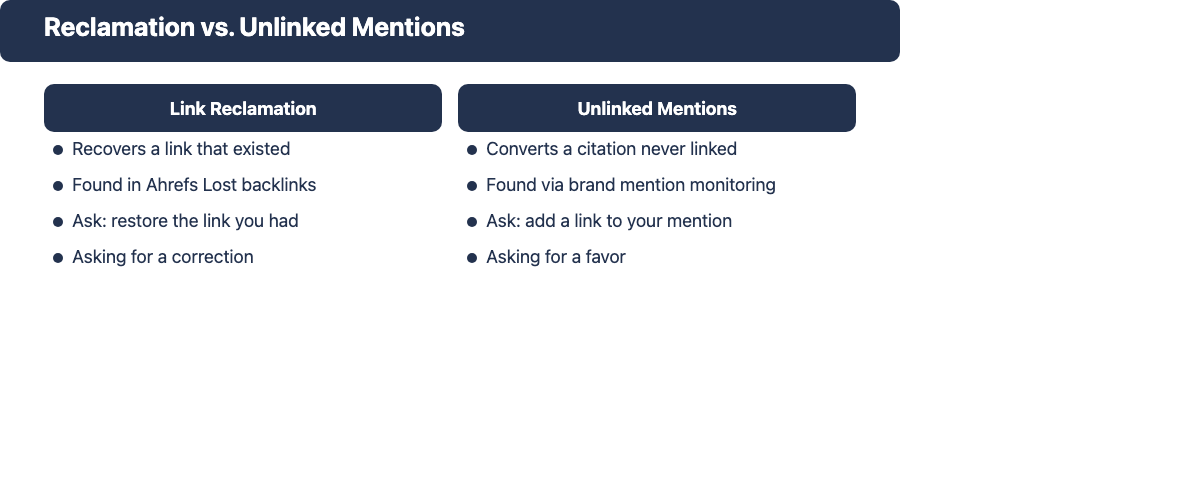
Link reclamation and unlinked mention outreach are often discussed together, but they are distinct tactics requiring different workflows.
Link reclamation applies when a link previously existed and has since disappeared. Unlinked mention outreach targets citations that were never linked in the first place.
| Link reclamation | Unlinked brand mentions | |
|---|---|---|
| What it is | Recovering a link that previously existed | Converting a citation that was never linked |
| How you find it | Ahrefs Lost backlinks report | Brand mention monitoring or Google alerts |
| What you ask for | Please restore or update the link you had | Please add a link to the mention you wrote |
The practical difference matters for your outreach angle too. When you reclaim a link, you’re asking for a correction: you can reference the specific URL that used to work. When you pursue an unlinked mention, you’re asking for a favor from someone who did not choose to link. That makes link reclamation outreach easier and typically more successful.
For unlinked brand mention workflows, see our guide to brand mentions for SEO and Ahrefs unlinked mentions.
Why Redirects Are Not Enough
A common assumption is that setting up a 301 redirect after a site migration solves the link equity problem. It doesn’t, at least not fully.
According to Moz (cited by multiple SEO sources), 301 redirects pass approximately 90 to 99 percent of link equity. That sounds close enough, but on a site with hundreds or thousands of redirected URLs, even a 1 to 10 percent equity loss per redirect compounds into a significant authority gap.
More critically, a redirect only helps if the linking page still points to your old URL. That’s not always what happens. When a site owner discovers that a link on their page leads to a 404, some of them remove the link entirely. They clean up their page, delete the broken anchor, and move on. No redirect can recover a deleted anchor. The linking page no longer references you at all.
Three situations where a redirect will not reclaim the link equity:
- The editor removed your link when they noticed the 404: no redirect can restore a deleted anchor
- The redirect chain is too long or misconfigured and search engines stop following it
- The linking site cached the old URL response and never rechecked after you put the redirect in place
Active reclamation closes the gap that passive redirects leave open.
Does Link Reclamation Still Work?
Yes, for the right categories of lost links.
Backlinks remain one of the strongest signals Google uses to evaluate page authority. Recovering a high-quality link that was lost translates to real improvements in page strength. The effort required is also far lower than building a new link from scratch: there’s no content to produce, no campaigns to run, and no waiting for editorial coverage. You are sending a targeted email about something that already happened.
Link reclamation works best when:
- The link was lost recently: response rates drop significantly after 90 days
- The linking domain has high authority: the equity at stake justifies the outreach time
- The content was research-driven or data-heavy: editors prefer keeping citations accurate
- The page returned a 404 rather than a redirect: the editor is more likely to accept an updated URL
Where reclamation is less effective: very old losses where the linking page has changed hands, low-authority links where the time cost exceeds the equity benefit, and cases where your original content no longer exists or has changed substantially.
How to Find Lost Backlinks
Using Ahrefs Site Explorer
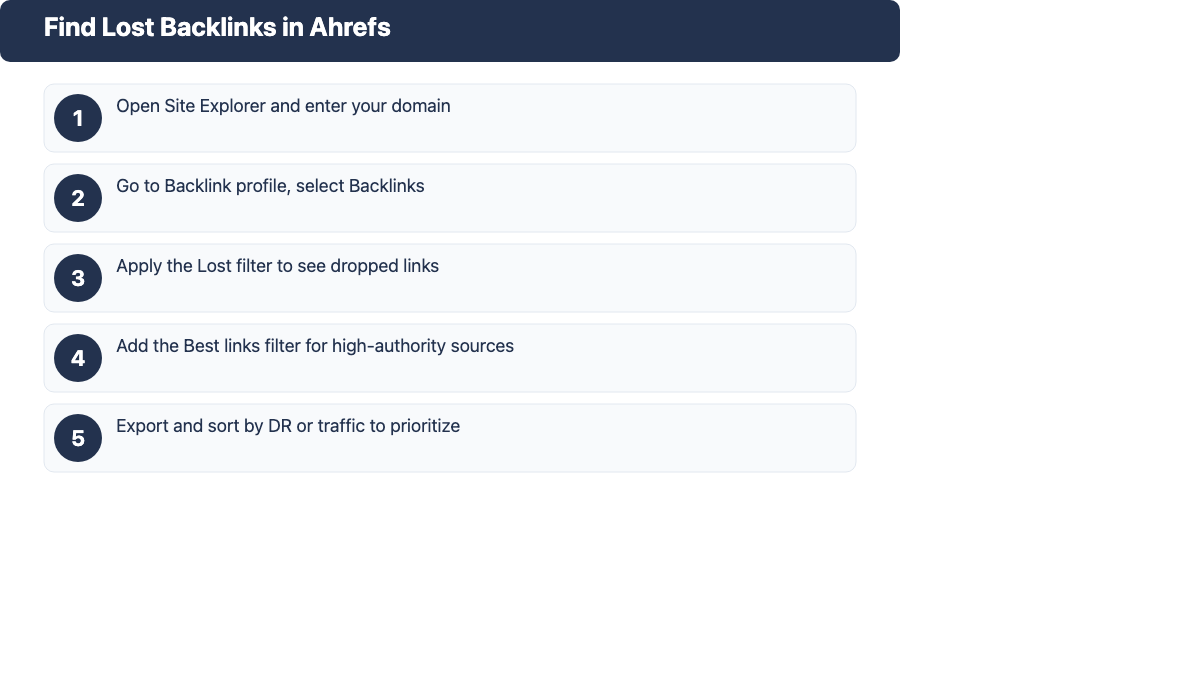
Ahrefs Site Explorer is the most efficient tool to find lost links at scale.
1. Open Site Explorer and enter your domain
2. Go to Backlink profile and select Backlinks
3. Apply the Lost filter to see links that disappeared within a chosen time window
4. Add the Best links filter to cut the list down to high-authority sources only
5. Export the filtered list and sort by DR or traffic to prioritize
The Status column in Ahrefs shows why each link was lost. This is the key input for the prioritization step below.
For a deeper look at your full backlink profile, see the guide to backlinks analysis.
Using Google Search Console
Google Search Console does not show historical backlink data over time, which makes it weaker than Ahrefs for lost link tracking. But it is useful for cross-referencing.
Check the Coverage report for pages that returned a 404 or were removed from the index. If those pages had backlinks pointing to them, you’ve got lost link candidates. Cross-reference removed pages against your Ahrefs export to identify which losses carry the highest-authority linking sources.
A full SEO backlink audit is the broader process that includes lost link identification as one step.
Finding Internal Broken Links
Internal link reclamation is the easiest version of this process because no outreach is required. Use Screaming Frog or the Ahrefs Site Audit to find internal 404s. Any internal link pointing to a removed or relocated page is losing equity internally. Fix these with a redirect or by updating the anchor directly: internal fixes are immediate wins with no dependency on a third party.
How to Prioritize Lost Links Worth Pursuing
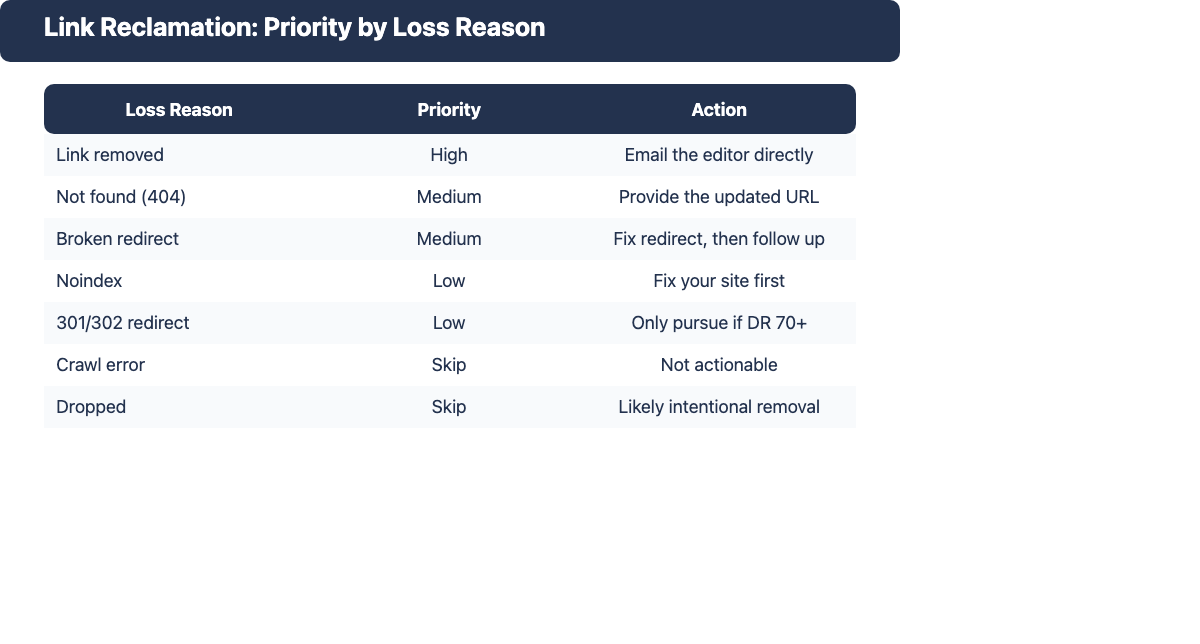
Not every lost link is worth the time it takes to reclaim. The loss reason from Ahrefs is the fastest first filter.
| Loss reason | Reclaim priority | Why |
|---|---|---|
| Link removed | High | The editor actively removed it. A direct request can restore it |
| Not found (404) | Medium | Page moved or deleted. Provide the new URL and request an update |
| Broken redirect | Medium | Redirect exists but points to wrong endpoint. Fix your redirect first |
| Noindex | Low | Your page is deindexed. Fix your own site before outreach |
| 301 or 302 redirect | Low | Equity passes at 90-99%. Only pursue for very high-authority sources |
| Crawl error | Skip | Usually a temporary issue on the linking site. Not actionable |
| Dropped | Skip | May have been removed intentionally or filtered as spam |
Beyond the loss reason, apply these additional filters before committing to outreach:
- Linking domain DR of 40 or above as a minimum threshold
- Linking page still exists and receives organic traffic
- The link was editorial in context: not paid, not a footer, not a comment section
- The loss happened recently: ideally within the past 90 days
How to Verify a Link Is Worth Reclaiming
Before writing a single email, spend two minutes checking the link context. Outreach without context checks wastes time and can flag your address with important editorial contacts.
Use the Wayback Machine at web.archive.org to pull a cached version of the linking page from before the link was lost. Ask:
- Was the link placed in a meaningful editorial position, or buried in a list of 50 references?
- Does the surrounding text still align with your current page content?
- Did the page treat your link as a substantive citation, or as incidental filler?
If the Wayback Machine confirms a quality editorial context, the outreach is worth sending. If the link was in a low-visibility location with no meaningful context, skip it.
Also confirm:
- The linking domain is still active and publishing new content
- The linking page itself still exists and has not been deleted or redirected
- The domain DR is still above your threshold: domains lose authority over time
Time investment rule: a link from a DR 70 domain is worth 30 minutes of outreach effort. A link from a DR 25 domain with low traffic is not worth 5 minutes.
How to Reach Out and Reclaim Lost Links
Finding Contact Information
Finding the right person matters more than the email. A good outreach message sent to a generic info@ address often goes nowhere.
- Check the linking page for an author byline and find that author on LinkedIn or their personal site
- Look for a Contact page on the linking site and use the most specific contact option available
- Use Hunter.io or Snov.io to find verified email addresses by domain
- As a fallback, search Google for “[domain name] editor email” or “[domain name] contact”
Writing the Outreach Email
Keep the email short. Editors are not waiting for a detailed explanation. They need to understand the problem in two sentences and see a clear request.
Subject line options:
- Broken link on [their page title]
- Quick fix request for [your domain]
Email template:
Hi [Name],
I noticed the link on [their page URL] pointing to [old URL] is currently returning a 404.
We moved the content to [new URL]: it covers [one-sentence description]. Would you be able to update the link?
Happy to return the favor if I can ever link to something relevant from our end.
Thanks,
[Your name]
Personalize the first line by naming their specific page or referencing something concrete you noticed about their site. Generic messages are easy to spot and easy to delete.
For broader outreach frameworks, see the guides to outreach emails and link building outreach.
Follow-Up Cadence
If you don’t hear back within 7 to 10 business days, send one follow-up. Keep it shorter than the original: a single line referencing your first email.
Two touches is the maximum. A third email rarely improves response rates and risks getting your address blocked. Log non-responses in your tracking sheet and move on.
How to Track and Monitor Reclamation Efforts
Outreach without a tracking system becomes unmanageable quickly. Build a simple spreadsheet with these columns:
- Source URL (the linking page)
- Target URL (where the link should now point)
- Loss reason (from Ahrefs)
- Domain DR
- Outreach date
- Status (contacted / confirmed fixed / no response / rejected)
- Notes
The earlier you catch a lost link, the better your reclaim success rate. Set up Ahrefs alerts for newly lost links so losses surface within days rather than weeks. A link that disappeared yesterday is far easier to reclaim than one that disappeared six months ago.
Review your tracking sheet monthly to confirm that promised fixes actually went live. Some site owners agree and then forget. A brief follow-up after 30 days is appropriate.
Link reclamation pairs naturally with brand mentions monitoring. Brand mentions that once included a link sometimes become unlinked during content refreshes. Running both workflows together gives you a complete picture of your off-page profile and surfaces recovery opportunities you would otherwise miss.
Where Link Reclamation Fits in Your SEO Strategy
Link reclamation is not a replacement for new link building. It is a maintenance layer that protects equity you’ve already earned.
The comparison is direct: reclaiming a lost link typically takes one or two emails. Earning a comparable new link can take weeks or months of content creation, pitching, and follow-up. That ratio makes reclamation the highest-ROI link building activity per hour of effort: as long as you prioritize correctly and avoid chasing low-value losses.
Where reclamation works best:
- After any site migration: run a full lost-link audit immediately post-migration
- During content consolidations: monitor backlinks on any page you merge or delete
- For sites with established organic authority and a meaningful backlink history
- As a quarterly maintenance habit alongside ongoing link building
Recommended cadence: run a full lost-link audit every quarter, set up Ahrefs alerts to catch new losses early, and combine it with brand mentions tracking for a complete off-page maintenance workflow.
Conclusion
Link reclamation works because the link was already earned. The process is straightforward: find lost links through Ahrefs or Google Search Console, prioritize by loss reason and domain authority, verify context with the Wayback Machine before reaching out, send a short and specific outreach email, and track everything in a spreadsheet.
The discipline that separates effective reclamation from wasted effort is prioritization. Focus on high-DR links lost recently in editorial contexts, and skip everything else. Build the process into a quarterly audit, set up alerts for ongoing monitoring, and combine it with brand mentions tracking for a complete off-page maintenance workflow.