

Link prospecting is the process of finding and evaluating websites that could link to yours as part of a link building campaign. It's the work that happens before outreach: identifying which sites are worth your time, confirming they meet your quality criteria, and finding the right person to contact.
Done well, link prospecting determines the ceiling of your entire link building program. A great outreach email sent to the wrong site produces nothing. A mediocre email sent to a relevant, high-authority site that's already linking to similar content has a real chance. That gap's almost entirely explained by prospecting quality.
This guide covers the complete process from tactic selection to prospect list management, including how to evaluate prospects, which tools to use, and the most common mistakes that'll waste time and damage deliverability.
What Is Link Prospecting?
Link prospecting is the process of finding and evaluating potential websites to acquire backlinks from. It means identifying sites that're topically relevant to your content, checking whether they meet your quality thresholds, and finding the right contact at each site before you begin outreach.
Quick definition: Link prospecting = finding + evaluating + qualifying potential link targets before any outreach begins. It's the research phase that determines which sites are worth contacting and why.
The goal isn't simply a list of websites. The goal's a filtered, qualified list where each site is relevant to your niche, has genuine authority and traffic, and shows a pattern of linking to content like yours.
Link prospecting is the first phase of link building outreach. You can't run a successful outreach campaign without completing it first. Prospecting identifies and qualifies targets; outreach's the process of contacting them. Conflating these phases consistently produces worse results than separating them.
Do
- Define the tactic before building the list
- Filter by relevance first, then check DR
- Prioritize Link Intersect prospects that link to several competitors
- Contact a named content manager or editor
- Move from a spreadsheet to a CRM tool above roughly 100-150 active prospects
Don't
- Target for DR instead of relevance
- Skip the manual vetting step
- Build lists too large to personalize
- Use generic addresses like info@, admin@ or contact@
- Ignore whether a site links out to external sources
Why Link Prospecting Matters for SEO
Not all backlinks carry the same weight. A link from a topically relevant site with real organic traffic signals to search engines that your content is trusted within a specific subject area. A link from an unrelated site with no traffic signals almost nothing, and it's certainly not worth pursuing.
Without a prospecting step, outreach campaigns default to targeting whatever is easy to find, which usually means high-DR sites regardless of topic relevance, or bulk lists that include paid-link directories and thin content farms. These links may count as coverage in a spreadsheet but they don't move rankings in practice.
Systematic prospecting filters for the links that actually matter: editorially placed links from sites your audience already reads and trusts. Those are the links that'll build ranking power, and they only come from sites worth targeting in the first place.
Build Google search operator queries for link prospecting with the free Search Operator Generator.
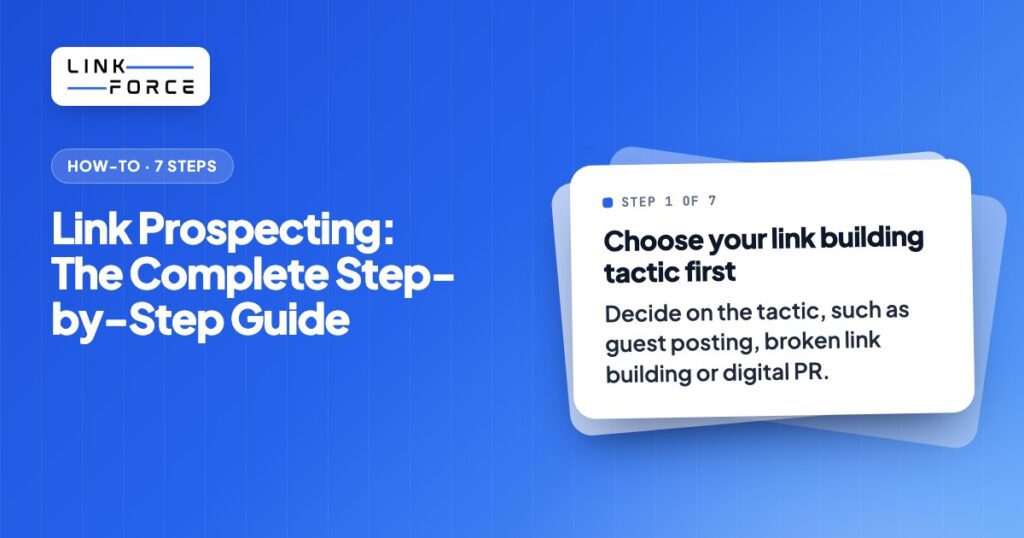
Step 1: Choose Your Link Building Tactic First
Your prospecting approach depends entirely on which link building tactic you're executing. Different tactics require different site profiles, different contact types, and different finding methods. If you don't choose the tactic first, you'll end up building the wrong list.
The main tactics and what each requires from prospecting:
- Guest posting: Sites that accept contributor articles. Look for "write for us" pages, active editorial calendars, and content managers who handle external submissions.
- Niche edits (link insertion): Existing published articles where your link would add value. Look for relevant articles that are missing a citation you can provide.
- Broken link building: Pages with 404 links that your content can replace. Look for resource pages and reference-heavy articles in your niche.
- Digital PR: Journalists, bloggers, and editorial sites that cover your industry. Look for publications with a pattern of citing data, studies, or expert sources.
- Skyscraper technique: Sites currently linking to a weaker version of content you plan to outperform. Look for the backlink profile of the top-ranking competitor article.
- Linkable asset promotion: Sites that've referenced similar tools, calculators, or data resources. Look for content that's already linked to comparable resources.
- Resource page link building: Curated "best of" or "resources" pages in your niche. Look for pages with titles like "best tools for X" or "resources for Y."
- Link exchanges: Sites of comparable authority in your niche that might benefit from a mutual link arrangement. Use sparingly and only where genuinely relevant.
Each tactic calls for a different search approach in step 3. Define the tactic before you start building the list.
Step 2: Set Your Evaluation Criteria
Before you search for prospects, define the minimum standards each site must meet. Applying these criteria consistently prevents wasted time on sites that'll never produce a valuable link.
Minimum criteria for every prospect:
- Domain Rating (DR) 40 or above: Below this threshold, the site typically doesn't have enough authority to pass meaningful link equity. The ideal range for most campaigns is DR 40-80. Above DR 80, sites are usually harder to reach and have stricter editorial standards.
- Organic traffic of 1,000 or more monthly visitors: A site with no traffic's often a sign of Google demotion or thin content. Most link building teams set a floor of 1,000 monthly organic visitors.
- Traffic value of $1,000 or more: Traffic value (estimated ad spend equivalent for the keywords a site ranks for) is a proxy for the commercial quality of the traffic. Sites with high traffic value attract and retain a professional audience.
- Topical relevance: The site must cover topics that overlap meaningfully with yours. A DR 80 site about cooking hasn't got any relevance for a fintech article. Relevance is the most important filter.
- Healthy inbound-to-outbound link ratio: Sites that link out aggressively relative to what links to them can be low-quality directories or link farms. Check that the site's got a reasonable balance.
- No spam signals: Check for paid link disclaimers, thin content, duplicate articles, and absence of original editorial content. Sites with "sponsored post" or "partner content" labels throughout their archive are monetizing links, not earning them.
- Recent content activity: At least one published article in the past six months confirms the site's active and the editorial contact is likely still reachable.
Relevance outweighs any single metric. A DR 50 site that covers your exact topic and's regularly linking to similar content is worth more than a DR 80 generalist site with no editorial overlap.
Step 3: Find Link Prospects
Once you've defined your tactic and criteria, use the following methods to build your prospect list.
Competitor Backlink Analysis
The fastest starting point for almost every tactic is studying who already links to your top competitors. If a site links to similar content once, it's already demonstrated it's open to the idea.
In Ahrefs, enter a competitor domain and open the Backlinks report. Filter by dofollow links and sort by DR. Export to CSV and filter for topical relevance. These sites have already cleared the basic quality bar: they've linked to content like yours.
For higher-probability prospects, use the Link Intersect tool. Enter three to five competitors. The output shows sites that link to multiple competitors but not to you. Sites that link to three or more competitors are especially receptive because they've demonstrated a clear pattern of linking in your space.
Google Search Operators
For guest posting and resource page targets, Google search operators return sites you wouldn't find through backlink analysis alone:
- your topic + "write for us"
- your topic + "guest post"
- your topic + "become a contributor"
- your topic + "submit an article"
- your topic + "resources" intitle:resources
- your topic + "best tools" inurl:resources
Filter results manually. Many "write for us" pages belong to low-quality directories. Only keep sites with original content, real organic traffic, and recent publishing activity.
Ahrefs Content Explorer and Web Explorer
In Ahrefs, Content Explorer allows you to search for published articles by keyword and filter by DR, traffic, and referring domains. This surfaces pages that are already ranking for your topic area and have earned links, which means they're the kind of content your target sites already link to.
Web Explorer (available in Ahrefs) extends this by searching across live web content rather than just indexed articles, which is useful for finding newer publications that haven't yet built up a large backlink profile but are gaining traction.
Broken Link Finder
For broken link building, go to the Best by Links report in Ahrefs for a competitor domain, then filter by "404 not found." These are pages that once ranked and accumulated links but no longer exist. Any site that's linking to them has a broken link you could propose replacing with your content.
Alternatively, install the Check My Links Chrome extension and run it on resource pages in your niche. It'll highlight all broken links on the page in red, giving you immediate visibility into replacement opportunities.
PR and Journalist Tools
For digital PR campaigns, journalist databases replace link intersect as the primary prospecting source. HARO (Help a Reporter Out) was shut down by Cision in 2024 and relaunched by Featured.com in April 2025. Current options:
| Tool | Coverage | Best For |
|---|---|---|
| Prowly | International, all industries | Editorial contacts + media monitoring |
| Roxhill | UK and European media | UK/EU PR campaigns |
| HARO (Featured.com) | US-focused, free | Source requests from journalists |
| Muck Rack | US and global | Journalist database + beat search |
For most PR campaigns, a combination of a journalist database and manual SERP research (find who's covered the topic in the past) produces the best prospect lists.
Step 4: Find Contact Information
Sending an outreach email to info@company.com or an admin address almost guarantees it lands in a shared inbox no one's monitoring for collaboration requests. The response rate for generic addresses is far below what you get when you reach the actual editor or content manager.
Contact role priority:
- Content manager or content strategist: owns the editorial calendar, most likely to approve link additions
- Editor or senior writer: controls specific articles, can approve changes
- Head of Marketing or SEO: decision-maker at smaller sites with lean teams
- Founder or CEO: last resort for very small sites, often responsive but usually too busy
Finding the email:
Hunter.io is the most widely used tool for discovering professional email addresses. Enter a domain and it'll return the confirmed email format plus individual addresses where available. Use bulk search to process large prospect lists via CSV upload. Always filter to verified addresses only before sending, since unverified sends will hurt your sender domain reputation.
If Hunter.io returns no results, check the site's About page, article bylines, and contact page directly. If Hunter.io doesn't turn up results for a specific contact, search for the company on LinkedIn, filter by the relevant role, and construct the email using the site's known format (firstname@domain.com or firstname.lastname@domain.com), then verify it before sending.
LinkedIn direct messages are a valid secondary channel, particularly for content managers who're active on the platform. For a detailed breakdown of the outreach process after prospecting, see the link building outreach guide.
Step 5: Vet and Qualify Your Prospects
Finding a site and confirming it actually meets your criteria are two different steps. The vetting step applies your criteria from step 2 to each prospect individually before they've entered your outreach queue.
Vetting checklist for each prospect:
- DR 40 or above
- Organic traffic 1,000 or more monthly visitors
- Topically relevant to your content, not just vaguely adjacent
- At least one published article within the past six months
- No "sponsored post," "paid partnership," or similar labels on most articles
- Content is original and well-written, not thin summaries or AI-spun text
- The site actually links out to external sources in its articles (check 3-5 recent posts)
- Inbound link ratio is reasonable (the site is linked to by others, not just a link-out farm)
- No obvious spam signals in Ahrefs: sudden DR spikes, unnatural anchor text distributions, high percentage of links from irrelevant countries
Red flags that should remove a site from your list:
- A "write for us" page that requires payment for placement
- More sponsored content than original editorial across the archive
- DR that jumped sharply in the last 90 days (often a sign of link manipulation)
- Traffic that comes almost entirely from a single country unrelated to your market
- Articles that are essentially identical to content on other sites
The vetting step is where most prospect lists shrink significantly. A typical starting list of 200 raw prospects often reduces to 60-80 qualified targets after applying these filters. That's expected and correct. Fewer, better prospects outperform large untargeted lists on every outreach metric.
Link Prospecting Tools
Most link prospecting campaigns use three to four tools: one for finding prospects through backlink analysis, one for building lists from search operators, one for finding and verifying contact emails, and optionally one for managing the pipeline once you've got a list to work from.
| Tool | Function | Approx. Pricing | Best For |
|---|---|---|---|
| Ahrefs | Competitor backlinks, Link Intersect, Content Explorer, broken link finder | From ~$129/mo | Core prospecting research |
| Semrush | Competitor backlinks, keyword gap, backlink audit | From ~$140/mo | Ahrefs alternative with similar feature set |
| Hunter.io | Email address discovery and verification | From ~$34/mo | Finding the right contact at each site |
| Google (free) | Search operators for guest post and resource page targets | Free | Finding sites not in backlink databases |
| Screaming Frog | Bulk broken link checking across multiple pages | Free up to 500 URLs | Broken link building at scale |
| Pitchbox | Prospect management, email sequences, CRM | From ~$210/mo | Teams running high-volume campaigns |
| Respona | Prospecting and outreach software, or done-for-you placements | From ~$198/mo (or from $100 per placement) | Solo practitioners wanting a single tool |
Pricing is approximate and changes frequently. For solo outreach or small teams, Ahrefs plus Hunter.io covers the core prospecting workflow at a manageable cost. Pitchbox or Respona become worth the price once you're managing more prospects than a spreadsheet can comfortably handle.
Link Prospecting Mistakes to Avoid
1. Targeting for DR instead of relevance. A link from a DR 80 site about an unrelated topic passes minimal link equity and doesn't build topical authority. Filter by relevance first, then check DR.
2. Skipping the vetting step. Finding a site isn't the same as qualifying it. Sites that pass the automated criteria can still have paid-link archives, thin content, or no real pattern of linking to external sources. Vetting every prospect manually before outreach prevents wasted sends.
3. Building lists that are too large to personalize. A prospect list of 500 unvetted sites encourages copy-paste templates that'll get ignored. A list of 60 well-qualified, relevant targets with verified contacts performs better by every metric.
4. Using generic contact addresses. Sending to info@, admin@, or contact@ almost guarantees your email lands in a shared inbox no one's checking for link opportunities. Always find the specific person who manages content or editorial decisions.
5. Ignoring outbound link behavior. A site that never links to external sources in its articles is unlikely to add your link regardless of how good your pitch is. Before you add a site to your list, check three to five of its recent articles. If outbound links are rare or absent, it's not worth your time.
How to Organize Your Prospect List
A prospect list without consistent tracking becomes impossible to manage once you've moved into outreach. Even a simple spreadsheet prevents duplicate contacts, lost responses, and missed follow-ups.
Minimum fields to track per prospect:
- Target site URL and domain name
- Domain Rating and monthly organic traffic (captured at time of prospecting)
- Contact name, role, and verified email address
- Date first added to the list
- Tactic (guest post, niche edit, broken link, etc.)
- Outreach status: not started / emailed / followed up / replied positive / replied negative / link live / declined
- Live link URL once confirmed
When to move from spreadsheet to a CRM tool:
A spreadsheet works well for campaigns up to around 100-150 active prospects at a time. Above that threshold, tools like Pitchbox, Respona, or Buzzstream provide built-in pipeline reporting, follow-up automation, and response tracking that'll reduce manual overhead significantly. For teams running simultaneous campaigns across multiple sites, a dedicated tool is clearly worth the cost.
Keep the prospect list separate from the outreach tracking log. The prospect list is a qualifying document; the outreach log is an operational record. Mixing them creates confusion when you're revisiting contacts or running multiple campaigns against the same list.
800+ SaaS marketers swap partner, integration and content links on LinkForce.
Frequently Asked Questions
What is link prospecting?
Link prospecting is the process of identifying and evaluating potential websites to acquire backlinks from. It covers everything from finding candidate sites to verifying they've met your quality criteria and finding the right contact before outreach begins.
What's the difference between link prospecting and link building outreach?
Link prospecting is the research phase: finding, filtering, and qualifying potential link targets. Link building outreach is the execution phase: writing emails, following up, and converting prospects into live links. Prospecting must come first because the quality of your prospect list really determines the ceiling of your outreach results.
What are the minimum criteria for a good link prospect?
Most link building teams set a floor of DR 40 and 1,000 monthly organic visitors. Beyond those thresholds, topical relevance is the most important filter. A DR 50 site in your exact niche will outperform a DR 80 site that's got no topical connection.
How many prospects do I need for a link building campaign?
A qualified list of 50-100 prospects is enough for a well-targeted campaign. Raw lists need to be much larger before vetting. Expect a typical reduction of 60-70 percent once you've applied your criteria and checked each site. That's normal.
What tools are used for link prospecting?
The core stack is Ahrefs (or Semrush) for competitor backlink analysis and finding methods, Hunter.io for email discovery, and Google search operators for finding guest post and resource page targets. Teams that've grown past those tools add Pitchbox or Respona to manage the pipeline.
Is competitor backlink analysis the best starting point for link prospecting?
For most tactics, yes. Competitors have already earned links from sites that are willing to link to content in your niche, so their backlink profiles are essentially a validated starting point. Link Intersect (sites linking to multiple competitors but not to you) is the highest-probability subset, and it's the list you should prioritize first.