

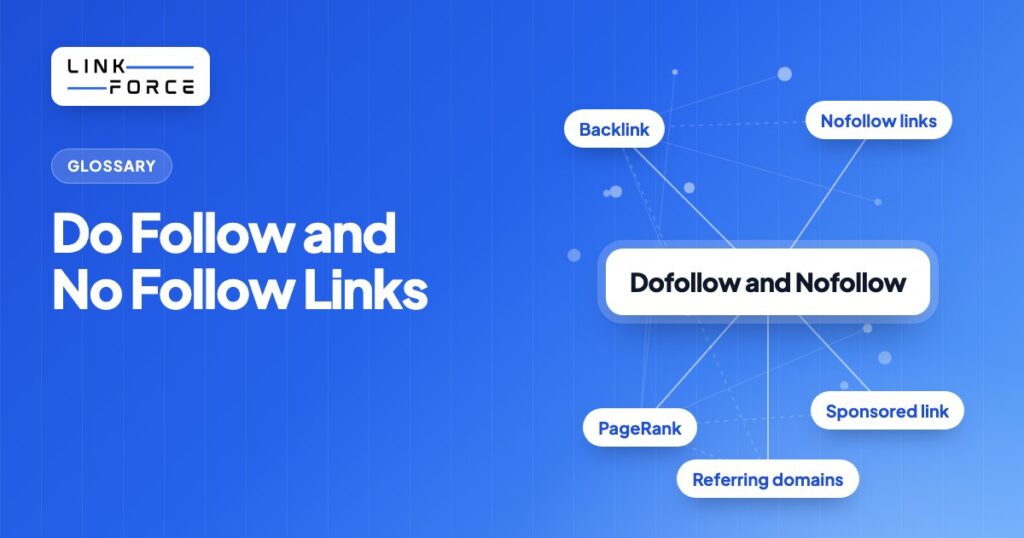
A dofollow link passes PageRank to the page it points to. A nofollow link doesn't. That single distinction sits at the foundation of every link-building strategy, every editorial guideline, and every SEO audit. You'll learn what both concepts are, how they work technically, when to use each type, and how to earn more high-value dofollow backlinks that move rankings.
What Is a Dofollow Link?
A dofollow link is the default state of any HTML hyperlink. It passes PageRank, link equity, and authority from the linking page to the destination. You don't need any special attribute. Any standard anchor tag without a rel attribute gets treated as dofollow by search engines.
<a href="https://example.com">Anchor text here</a>That's a dofollow link. There's no "dofollow" keyword in the HTML spec. The term is SEO community shorthand for "a link that follows the default behavior of passing authority."
How Dofollow Links Pass PageRank
When a page links out with a dofollow link, PageRank flows from the source to the destination. Search engines read this as an editorial endorsement: the linking site is signaling that the destination is trustworthy, relevant, and worth recommending. Accumulating dofollow backlinks from authoritative domains remains one of the most durable ranking signals in Google Search. Not every dofollow link carries that weight equally; see our guide on what makes a good backlink for the signals that separate the two.
Each new dofollow link from a unique referring domain contributes to your site's Domain Rating in Ahrefs (or Domain Authority in Moz). One link from a domain that has never linked to you before carries far more weight than a tenth link from a domain already in your profile. This concept is explored in depth in our guide to backlinks vs referring domains.
What Is a Nofollow Link?
A nofollow link contains the rel="nofollow" HTML attribute, which instructs search engine crawlers not to pass PageRank to the destination. Google introduced nofollow in January 2005 as a tool to fight comment spam. Back then, spammers were flooding blog comment sections with links purely to manipulate PageRank.
<a href="https://example.com" rel="nofollow">Anchor text here</a>The attribute tells crawlers: "I'm acknowledging this link exists, but I'm not vouching for the destination."
The History of Nofollow: Why Google Created It in 2005
In the early 2000s, blog comments became a major vector for link spam. Spammers would automate thousands of comment submissions, each containing a link to a target site, purely to accumulate PageRank. Google's Matt Cutts announced rel="nofollow" in January 2005 as a countermeasure. Site owners could now link to pages without passing any ranking signal. WordPress adopted automatic nofollow on comments almost immediately. Other major platforms followed.
The original behavior was binary. Nofollow was a hard directive: Google wouldn't crawl the linked page, wouldn't pass PageRank, and wouldn't count the link toward any authority metric.
Google's 2019 Update: From Directive to Hint
In September 2019, Google announced a significant policy change. Starting March 2020, nofollow would be treated as a "hint, not a directive." Google may crawl, index, and in some cases pass limited ranking signals through nofollowed links at its own discretion.
For link builders, this matters in two ways. First, nofollow links from high-authority domains can still result in Google discovering and indexing the destination page. Second, indirect signals from those links (referral traffic, brand co-citation, anchor text patterns) may influence rankings even without direct PageRank transfer. Nofollow links from a site like Forbes or the BBC aren't worthless, even post-2019.
rel=sponsored and rel=ugc: The Two Nofollow Variants
Alongside the 2019 hint update, Google introduced two new link attributes that complement or replace traditional nofollow in specific contexts.
rel=sponsored is intended for any link that exists because of a paid relationship. Sponsored posts, native advertising, affiliate links, and any other compensated placement all qualify. It's also the attribute required for FTC compliance on paid placements. Using a dofollow link on sponsored content risks a Google manual penalty.
rel=ugc (user-generated content) is designed for links appearing in blog comments, forum posts, and community Q&As. It signals to Google that the link comes from a third party whose quality the site can't guarantee.
You can also combine attributes when a link is both sponsored and UGC:
<a href="https://example.com" rel="nofollow sponsored">Sponsored link</a>Paste any domain into the free Domain Rating Checker by LinkForce.
Dofollow vs. Nofollow: Key Differences
Here's how dofollow and nofollow compare across the seven dimensions that matter most for SEO strategy.
| Feature | Dofollow | Nofollow |
|---|---|---|
| HTML syntax | no rel attribute needed | rel="nofollow" required |
| Passes PageRank? | Yes | No (or "hint" since 2019) |
| Passes link equity? | Yes | No |
| Affects Domain Rating / DA? | Yes, direct impact | Indirect at best |
| Default behavior? | Yes | No, must be added explicitly |
| Best use case | Editorial endorsements, internal links | Paid links, UGC, untrusted sources |
| Google penalty risk if misused | High (paid links left as dofollow) | Low, Google-recommended for paid links |
When to Use Nofollow Links
Use nofollow (or one of its modern variants) whenever you're linking to a page you can't or don't want to editorially endorse.
Paid and Sponsored Content
Any link that exists because money changed hands must carry rel="nofollow" or rel="sponsored". This applies whether you're buying the placement or selling it. Google's link spam policies are explicit on this point. Paid links left as dofollow are treated as an attempt to manipulate PageRank. The penalty can range from ranking suppression on specific pages to a sitewide manual action.
Run sponsored posts, display advertising with embedded links, or any form of native advertising? Mark every outbound link as sponsored before the content goes live.
Affiliate Links
Affiliate links are compensated relationships by definition. The destination site pays a commission when a user clicks and converts. That's a form of payment. Treat every affiliate link as sponsored and add rel="nofollow" or rel="sponsored" accordingly. Many WordPress affiliate management plugins handle this automatically, but verify the output HTML periodically.
User-Generated Content
Any link submitted by a visitor rather than your editorial team belongs in the UGC category. Blog comments, forum replies, community board posts, and Q&A answers all fall here. Apply rel="ugc" across the board. For a legitimate contributor who consistently adds valuable links, you can choose to manually upgrade specific links to dofollow. But the default should remain nofollow.
Untrusted or Unvetted Sources
Need to cite a source you can't fully vet? A forum thread, an obscure niche site, a reference found in another article: nofollow the link. You're acknowledging the citation without passing authority to a destination you can't confidently endorse.
Auto-Generated or Duplicate Pages
Pagination links, printer-friendly versions, faceted navigation pages, and parameter-based duplicates don't need to accumulate PageRank. Nofollowing them keeps crawl budget focused on the pages that actually matter for indexing.

When to Use Dofollow Links
Use dofollow links whenever you're making a genuine editorial recommendation or linking internally between your own pages.
The clearest cases are high-authority external resources you'd recommend regardless of any link-building benefit, citations to primary research or original data, and tools you've personally evaluated and trust. If a user clicking that link would benefit from visiting the destination, it's the right choice.
All standard internal links are dofollow by default and should stay that way. Internal links distribute PageRank across your own site. They also signal to Google which pages matter most. Don't add nofollow to internal links in an attempt to redirect PageRank to preferred pages. The PageRank sculpting section below explains why that approach backfires.
Understanding which external dofollow links come from new referring domains versus repeat domains is a core part of backlink strategy. A thorough backlinks analysis lets you see exactly which sources are contributing the most authority and where acquisition efforts should focus next.
PageRank Sculpting: Why Nofollowing Internal Links Does Not Work
PageRank sculpting was a popular tactic in the mid-2000s. The idea: add rel="nofollow" to internal links pointing at lower-priority pages so PageRank would flow preferentially to the pages you wanted to rank. Google's Matt Cutts invalidated this approach in 2009.
Here's why it fails. Rather than redistributing the PageRank that would have gone through a nofollowed internal link to the remaining links, Google removes it from the equation entirely. The equity evaporates rather than being redirected.
Practical implication: nofollowing internal links to "low-priority" pages doesn't boost your priority pages. It just wastes link equity. Want to suppress a page's PageRank accumulation? Use a canonical tag or restrict it via robots.txt. Want a page to rank well? Build a strong internal link structure toward it and keep those links dofollow.

How to Check If a Link Is Dofollow or Nofollow
Here's five methods, ranging from a 10-second manual check to a full-site bulk audit.
1. Browser Inspect Element (Quickest)
Right-click any link and select "Inspect" in Chrome, Firefox, or Edge (or "Inspect Element" in Safari). Your browser's developer tools will highlight the anchor tag. Look at the rel attribute:
- No rel attribute, or rel contains only "noopener" or "noreferrer": dofollow
- rel="nofollow", rel="sponsored", or rel="ugc": nofollow
Under 10 seconds for any individual link you're investigating.
2. SEO Browser Extension
Extensions like Ahrefs SEO Toolbar, MozBar, and SEOquake overlay visual indicators on every link on a page. Nofollow links typically appear highlighted in a distinct color or labeled with an icon. This method's ideal when you need to scan an entire page quickly. For example: checking whether a guest post opportunity site sets all outgoing links to nofollow before you invest effort in a pitch.
3. Ahrefs Site Explorer: Link Type Filter
For auditing your own backlink profile, Ahrefs Site Explorer is the most practical at-scale solution. Navigate to Site Explorer, enter your domain, open the Backlinks report, and use the "Link type" filter to toggle between dofollow and nofollow backlinks. You get a count of each type, the referring domains behind each, and the anchor text distribution for the dofollow subset.
The anchor text breakdown of your dofollow backlinks is a separate but related optimization. Our guide on anchor text in Ahrefs covers how to read and act on that data.
4. Screaming Frog (Bulk Crawl)
For auditing all outbound links on your own site at scale, Screaming Frog is the right tool. Crawl your site, navigate to the "Links" export, and filter the "Follow" column. Every outbound link is labeled "Follow" or "NoFollow." Export to CSV for spreadsheet analysis. This is especially useful when verifying that all affiliate or sponsored links have been correctly tagged across hundreds of pages.
5. Google Search Console (Indirect Signal)
Google Search Console's Links report doesn't explicitly label links as dofollow or nofollow. But the "Top linking sites" and "Top linked pages" data gives you a signal about which links Google is choosing to count. Use GSC alongside Ahrefs for a complete picture: GSC reflects what Google has processed; Ahrefs reflects what exists in the raw HTML.
What Is a Healthy Dofollow to Nofollow Ratio?
No official Google-mandated ratio exists, and estimates vary by source and niche. Some SEO practitioners cite roughly 60 to 70 percent dofollow as typical for a natural editorial profile, while others put established sites closer to 70 to 80 percent dofollow. Auditing the dofollow-to-nofollow balance in your backlink profile is still a useful quality signal even without one fixed target.
An unusually high dofollow percentage (especially when combined with low-quality referring domains) can signal a manipulative link-building pattern to Google's spam detection systems. On the flip side, a very high nofollow percentage might indicate that most coverage is coming from social media, comment sections, or sponsored placements rather than genuine editorial endorsements.
Skewing heavily toward nofollow? The corrective action isn't to remove nofollow links. It's to earn more organic dofollow placements through the tactics covered in the next section.
How to Get More Dofollow Links: Link Building Tactics
The most reliable sources of dofollow backlinks are editorial mentions, guest posts on authoritative blogs, resource page placements, and digital PR campaigns. All of these require the linking site to voluntarily endorse your content. That voluntary endorsement is exactly what makes the links valuable.
Guest Posting on Authoritative Blogs
A guest post on a relevant, high-authority blog typically earns at least one contextual dofollow link in the article body, sometimes an additional link in the author bio. Before pitching, you'll want to verify the site's Domain Rating (DR above 40 is a reasonable floor for most niches), confirm the site receives genuine organic traffic, and check that existing guest posts include dofollow links rather than nofollow body links.
Resource Page Link Building
Resource pages are curated lists of tools, guides, or references on a specific topic. Because the page exists specifically to link out to helpful resources, editors are receptive to adding new entries when the pitch matches what they're already listing. Find resource pages in your niche by searching for "[topic] useful resources" or "[topic] recommended reading," then pitch your most linkable content assets.
Editorial Mentions and Digital PR
Original data, original research, and genuinely useful tools attract organic dofollow citations at scale. A study with a quotable statistic, a free calculator, or an industry survey gives journalists and bloggers something to reference. HARO (Help a Reporter Out) and journalist outreach platforms connect you directly with writers actively seeking expert sources. A well-timed quote in a high-authority publication often earns a dofollow link in the same sentence.
Broken Link Building
Find pages in your niche that contain broken outbound links pointing to pages that now return a 404. Reach out to the page owner, flag the broken link, and suggest your own content as a replacement. The conversion rate is higher than a cold pitch because you're solving a problem the site owner already has.
What to Avoid: Link Schemes That Trigger Penalties
Paid links left as dofollow are the highest-risk practice in link building. Google's manual review team looks for these specifically. Consequences range from page-level ranking suppression to sitewide penalties, and recovery can take months.
Private blog networks (PBNs), reciprocal link exchanges at scale, and link farms all fall into the same penalty category. A clean backlink profile built through legitimate acquisition is worth far more than a large volume of links that Google discounts or penalizes outright. For a foundational understanding of what separates a qualifying backlink from a spammy one, see our guide on what counts as a qualifying backlink.
Do Dofollow Links Still Matter for AI Search and LLM Citations?
Yes, dofollow links still matter for AI search, because AI Overviews and similar AI-generated answers draw from the same pool of indexed, ranking-eligible pages that classic search results pull from. Google states there are no special optimizations required to appear in AI Overviews or AI Mode beyond meeting standard Search indexing and ranking eligibility. AI features may fan out across a wider set of related searches and surface a broader set of links than a classic results page, but a page still has to earn its way into that pool first. Dofollow links remain one of the clearest signals search engines use to build that ranking-eligible pool in the first place, so the link-building tactics covered above stay directly relevant even as more of the reader's answer surface shifts toward AI-generated summaries.

How to Manage Nofollow and Dofollow Links in WordPress
In WordPress, you can add rel="nofollow" manually or use a plugin to apply it at scale.
Adding Nofollow Manually in the Block Editor
When you add a link in the Gutenberg block editor, click the link, then click the settings gear icon to open the "Link details" panel. There's a toggle labeled "Mark as nofollow." Turn it on. If the toggle isn't visible in your version of WordPress, switch to the Code Editor view (the three-dot menu in the top right) and add the rel attribute directly to the HTML.
Using a WordPress Plugin
For sites with large volumes of affiliate or external links, a plugin's more efficient than manual implementation. Three strong options:
- Yoast SEO Premium: Adds nofollow and sponsored attributes directly in the link settings panel within the block editor.
- AIOSEO (All in One SEO): The Link Assistant module manages link attributes in bulk and flags links missing required attributes.
- External Links: A lightweight plugin that applies nofollow (and optionally opens links in a new tab) to all external links across the site based on configurable rules.
800+ SaaS marketers swap partner, integration and content links on LinkForce.
Frequently Asked Questions
Are nofollow links bad for SEO?
No, nofollow links aren't inherently bad for SEO, because a natural, healthy backlink profile includes both dofollow and nofollow links. Nofollow links from high-authority domains still drive referral traffic, contribute to brand visibility, and add anchor text diversity to your profile. A site with zero nofollow links looks unnatural. Editors, journalists, and social platforms all generate nofollow links as a matter of course.
Does Google crawl nofollow links?
Yes, Google can crawl nofollow links, and has been able to since the March 2020 enforcement of the "hint not a directive" policy. The nofollow attribute no longer guarantees that Google won't follow the link. It signals that the site owner isn't vouching for the destination, but Google retains discretion over crawling behavior.
What is the difference between a nofollow link and a nofollow meta tag?
A nofollow link attribute (rel="nofollow" on an individual anchor tag) affects only that single link. The nofollow meta tag placed in the head of a page instructs crawlers not to follow any link on that entire page. The meta tag's a page-level instruction; the link attribute's a link-level instruction.
Can nofollow links improve rankings indirectly?
Yes, nofollow links can improve rankings indirectly through two mechanisms. First, referral traffic from a high-authority nofollow link can increase engagement signals (time on site, pages per session) that correlate with ranking improvements. Second, brand co-citation (where your brand name appears alongside a topic even without a direct link) contributes to topical authority over time.
What happens if I use dofollow on a paid link?
You'll need to carry rel="nofollow" or rel="sponsored" on every paid placement, per Google's link spam policies. A dofollow paid link violates these policies and risks a manual penalty, which can suppress rankings for specific pages or reduce sitewide authority. Recovery from a manual action requires a reconsideration request after cleaning up the offending links, a process that can take weeks to months.
How long does it take Google to recognize a new dofollow link?
It's typically days to a few weeks for Google to recognize a new dofollow link, depending on how frequently the referring site's crawled. A link from a high-authority news site crawled multiple times per day may be recognized within 24 to 48 hours. A link from a low-traffic blog crawled infrequently may take several weeks to appear in GSC or Ahrefs data. Submitting your sitemap and using Google Search Console's URL Inspection tool can accelerate discovery for pages you control.