
Backlink monitoring is the ongoing habit of checking which links point to your site, whether they're still live, and whether their status has changed, so you catch a problem days after it happens instead of months later. It's different from a one-time backlink audit, which gives you a snapshot. Monitoring is the recurring check that keeps that snapshot accurate.
An unexplained ranking drop is often not a Google update at all. It's a link that disappeared, got switched to nofollow, or turned toxic, and nobody noticed. This guide walks through what to watch for, how to set up a simple monitoring routine, and exactly what to do when a valuable link goes missing. It's one piece of the broader backlink management process, the part that catches a problem while it's still fixable.
What Is Backlink Monitoring (and Why It's Different From an Audit)?
Backlink monitoring is the ongoing tracking of the links pointing to your site: who links to you, with what anchor text, and whether each link is still live and still dofollow. A backlink audit, by contrast, is a point-in-time review, a baseline you take once and compare against later.
Both matter, but they do different jobs. An audit tells you where your link profile stands today. Monitoring tells you what changed since the last time you checked, which is the only way to catch a lost or altered link while it's still fixable.
Do
- Check about once a month as a reasonable baseline
- Diagnose why a link disappeared before deciding how to respond
- Send a short, specific, non-accusatory recovery email
- Add a 301 redirect when your own URL change caused the loss
- Treat disavowing as a last resort for a large-scale manipulative pattern
Don't
- Assume every low-quality link needs to be disavowed
- Wait months between checks on your highest-value links
- Skip Google Search Console's free Manual Actions report when checking for a real penalty
- Restate unverified recovery-rate statistics as fact
The Four Backlink Changes Worth Watching
Not every backlink event needs the same reaction, but missing one of these for too long is exactly how a routine link loss turns into an unexplained ranking problem. It helps to sort what you see into four categories.
- New backlinks. A link you didn't have before. Worth a quick quality check: is the referring site relevant, and does the anchor text look natural?
- Lost backlinks. A link that's gone: the linking page now returns a 404, the link was removed from the page, or the page still exists but no longer points to you.
- Status-changed backlinks. The link is still there, but something about it changed: dofollow flipped to nofollow, the anchor text was edited, or the destination URL was swapped.
- Toxic backlinks. A link from a site with very low authority and no real traffic, an off-topic or spammy domain, or one of a large batch of links using the exact same commercial anchor text.
A healthy link profile keeps adding new links faster than it loses old ones, and keeps the toxic category close to empty. Watching all four categories, not just counting total links, is what actually protects your rankings.
| Backlink change type | What it looks like | Why it matters |
|---|---|---|
| New backlink | A link you didn't have last check | Confirms outreach is working; worth a quick quality check |
| Lost backlink | 404, removed, or no longer pointing to you | Often the hidden cause of an unexplained ranking drop |
| Status-changed backlink | Dofollow to nofollow, edited anchor text, swapped destination | Usually lower urgency, but worth tracking over time |
| Toxic backlink | Low-authority, off-topic, or exact-match anchor clusters | Only a problem at scale; rarely worth acting on in isolation |
How to Set Up a Backlink Monitoring Routine
You don't need a complicated system to get started, especially if your link profile is still small.
- Pull your current backlink list. Google Search Console's Links report is free and shows your top linking sites and pages. A dedicated backlink tool adds link-quality metrics on top of that.
- Flag your highest-value links. Not every link deserves the same attention. Mark the links from strong, relevant, hard-to-replace sites (press mentions, resource-page listings, partner sites) as the ones to watch most closely.
- Set a check cadence. Checking roughly once a month is a reasonable baseline for most sites. Tighten that to every one to two weeks while you're actively running an outreach campaign, publishing a lot of new content, or competing in a crowded niche. A small, stable site that isn't actively building new links can usually get away with a check every three months.
- Set alerts for your highest-value links, once you have a tool that supports it. You don't need alerts on every link from day one. Start by watching the links that would actually hurt to lose.
If you're only tracking a handful of links, this entire routine can obviously be done manually with Google Search Console and a spreadsheet. It's only once you're tracking dozens of valuable links across multiple pages that a dedicated monitoring tool starts to save real time.
Here's a simple version of this routine you can run before you need any paid tool at all.
- Export your current links from Google Search Console's Links report.
- Sort by referring domain and mark the ones you'd actually miss.
- Put a recurring monthly reminder on the calendar to re-check that short list.
- Note the date next to each link so a future check shows you exactly what changed and when.
What to Do When You Lose a Valuable Backlink
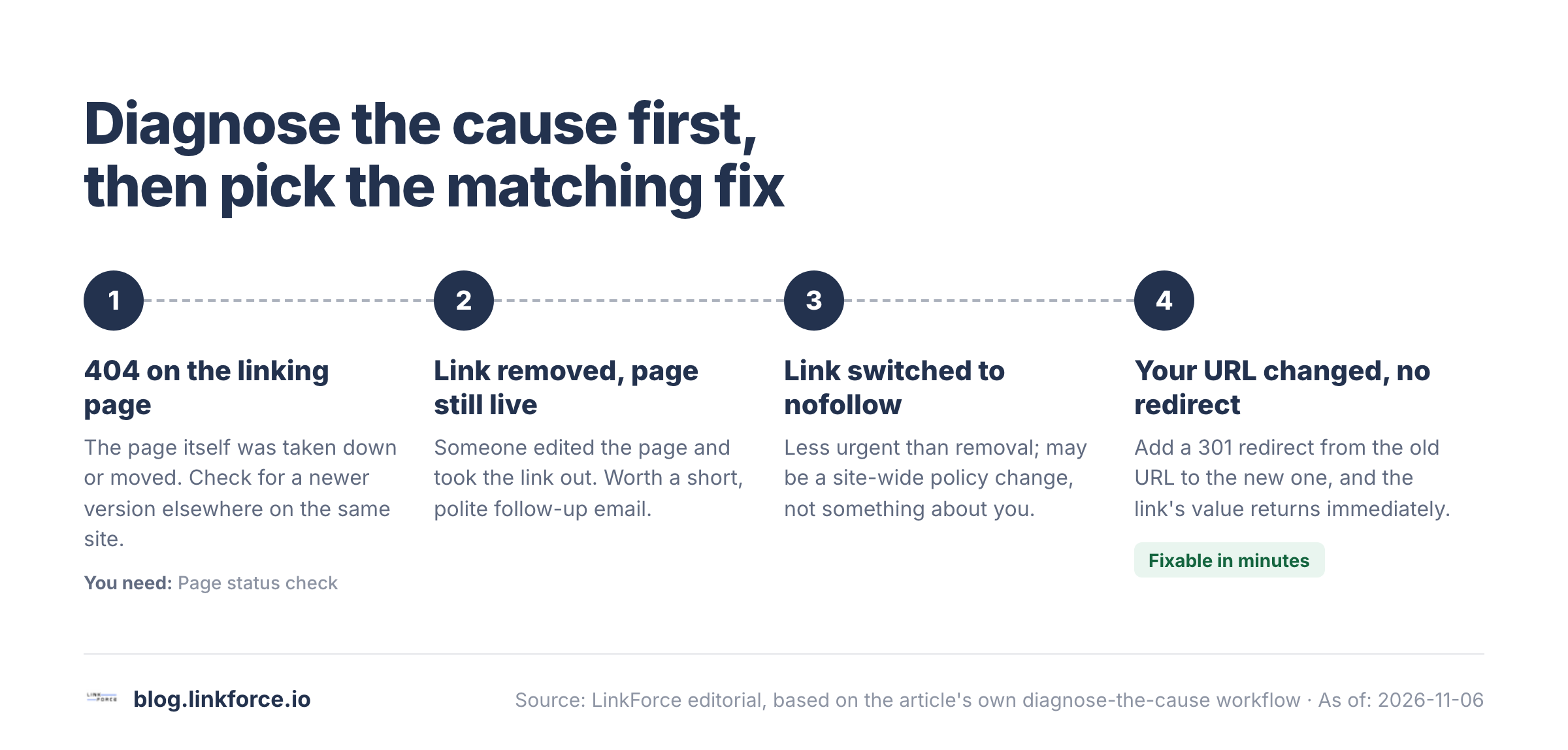
Losing a strong backlink is worth acting on quickly. The process is the same every time: diagnose why it disappeared, then decide whether to ask for it back or fix something on your own end.
Diagnose Why the Link Disappeared
There are four common causes, and each one points to a different fix:
- The linking page now returns a 404. The page itself was taken down or moved. Check if a newer version of that page exists elsewhere on the same site before giving up on it.
- The link was removed, but the page is still live. Someone edited the page and took your link out. Worth a polite, low-pressure follow-up asking why, and whether it can be re-added.
- The link was switched to nofollow. Less urgent than a full removal, but worth noting. It may be a site-wide policy change rather than anything about you specifically.
- Your own target URL changed without a redirect. This one's on you, and it's clearly the easiest to fix: add a 301 redirect from the old URL to the new one, and the link's value is passed on to the new URL again.
Once you know which of these happened, you'll know whether the next step is outreach or a fix on your own site.
Reaching Out and Recovering the Link
If the link was simply removed and the page is still live, a short, specific, non-accusatory email to whoever manages the page is the standard next step: name the page, name roughly when the link disappeared, and ask if it can be restored. Keep it brief. Sites remove links for all kinds of reasons that have nothing to do with you. A content refresh, a broken-link cleanup, or a redesign can all take out a perfectly good link, so there's rarely anything to apologize for or get defensive about.
Not every recovery request succeeds, and that's fine. The point of monitoring is catching the loss quickly enough that asking is still worth the five minutes it takes. For a deeper walkthrough of finding and recovering links you've already lost, including ones that have been gone for a while, see our guide to link reclamation.
Paste any domain into the free Domain Rating Checker by LinkForce.
How to Spot and Handle Toxic Backlinks
A toxic or spammy backlink usually shows a combination of warning signs: very low authority on the referring domain, little or no real organic traffic to that domain, an off-topic or irrelevant site (an unrelated foreign-language domain, a link farm, a scraper site), or membership in a large batch of links that all use the same exact-match commercial anchor text.
Google's own guidance on disavowing links is clear that most sites will never need this tool: Google says it can usually judge on its own which links to trust, and it explicitly warns that disavowing incorrectly can hurt your site's search performance rather than help it. Treat disavowing as a last resort for a clear, large-scale pattern of manipulative links, not a routine cleanup step for every borderline link you come across. If you want a closer look at spotting these links in the first place, see our guide to finding toxic backlinks.
Monitoring Competitors' Backlinks
Watching your own links is the defensive half of monitoring. Watching competitors' links is the other half, and it tells you two useful things: which of their pages are earning links that yours aren't, and whether they've suddenly picked up a wave of new links worth investigating (a real campaign, or occasionally a manipulative one).
This doesn't need to be constant. A monthly check of a handful of direct competitors is usually enough to spot a genuine gap, a type of content, a partnership, a mention, that's earning them links you could realistically go after too.
Choosing a Backlink Monitoring Tool
Before paying for a monitoring platform, it's worth checking three things: how many links you're actually tracking, whether you need automated alerts or a weekly manual check is enough, and whether you've already pulled what Google Search Console gives you for free.

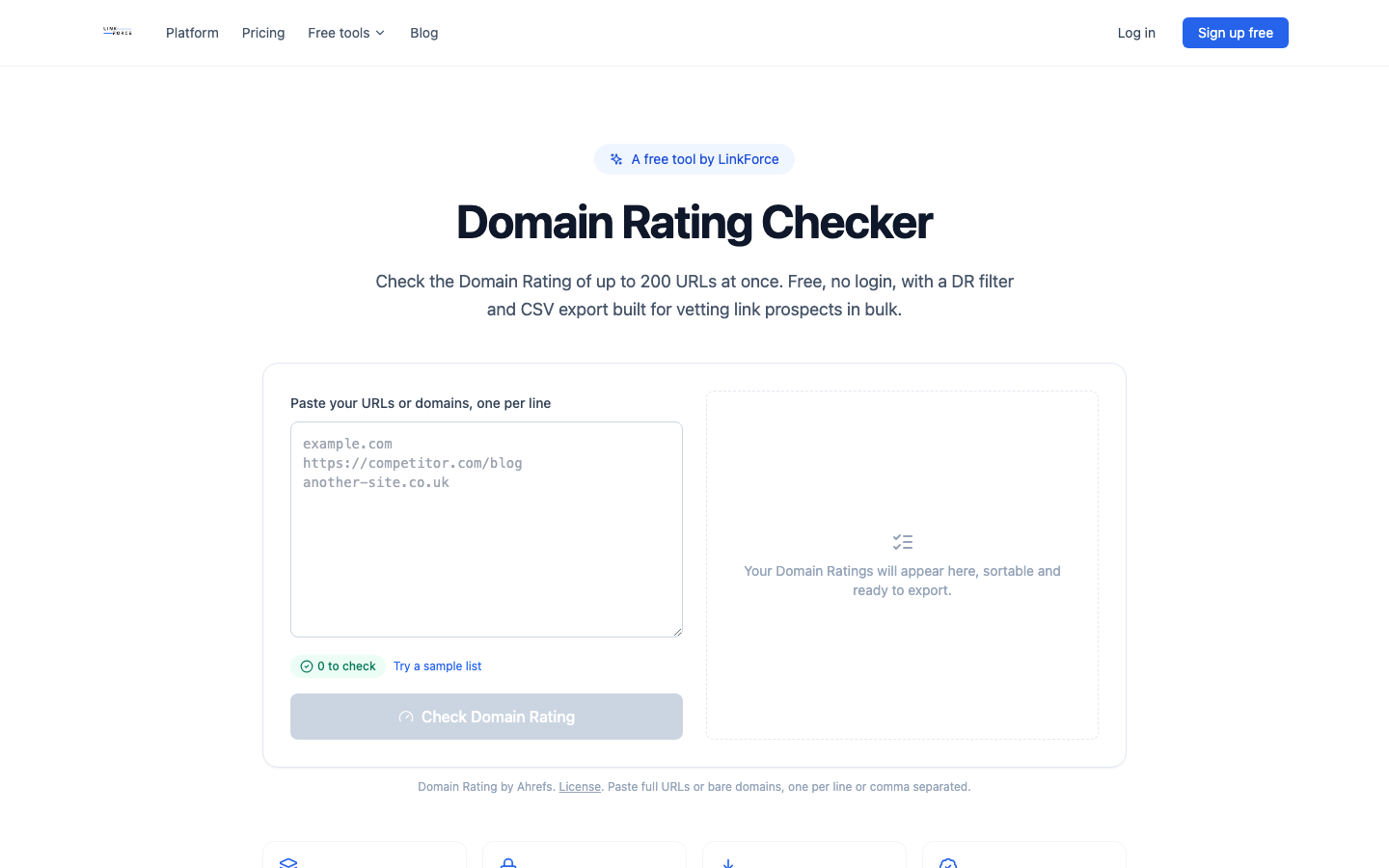
For a small link profile, Google Search Console plus LinkForce's free Domain Rating Checker covers the basics: which domains link to you, and roughly how strong they are. If you ever need to clean up a genuinely toxic batch of links, the free Disavow File Generator builds a correctly formatted file from a pasted list of domains or URLs.
Once you're tracking enough links that a spreadsheet stops being practical, it's worth comparing dedicated monitoring platforms side by side rather than picking one at random, whether that's a backlink-focused SEO suite like Ahrefs, Moz, or Semrush, or a tool built specifically for ongoing monitoring. Our backlink checker tool comparison breaks down the main options and what each one is actually good at.
800+ SaaS marketers swap partner, integration and content links on LinkForce.
FAQ
How often should you check your backlinks?
Checking about once a month is a reasonable baseline. Tighten that to every one to two weeks while you're actively running an outreach campaign or publishing in a competitive niche, and a small, stable site that isn't actively building links can usually get by with a check every three months. Set up automated alerts for your highest-value links once you have a tool that supports them, so you're not relying on memory between checks.
Is backlink monitoring the same as a backlink audit?
Definitely not. An audit is a one-time, point-in-time review of your current link profile. Monitoring is the ongoing habit of checking what's changed since the last review, which is what actually catches a lost or altered link while it's still fixable.
Do a few bad backlinks hurt your rankings?
Usually not. A handful of low-quality links rarely triggers a penalty on their own. The real risk is a large, obvious pattern of manipulative links, which is also exactly the case Google's disavow tool exists for. If you want to check whether Google has actually taken action against your site rather than guessing from ranking swings, Search Console's Manual Actions report will say so directly.