
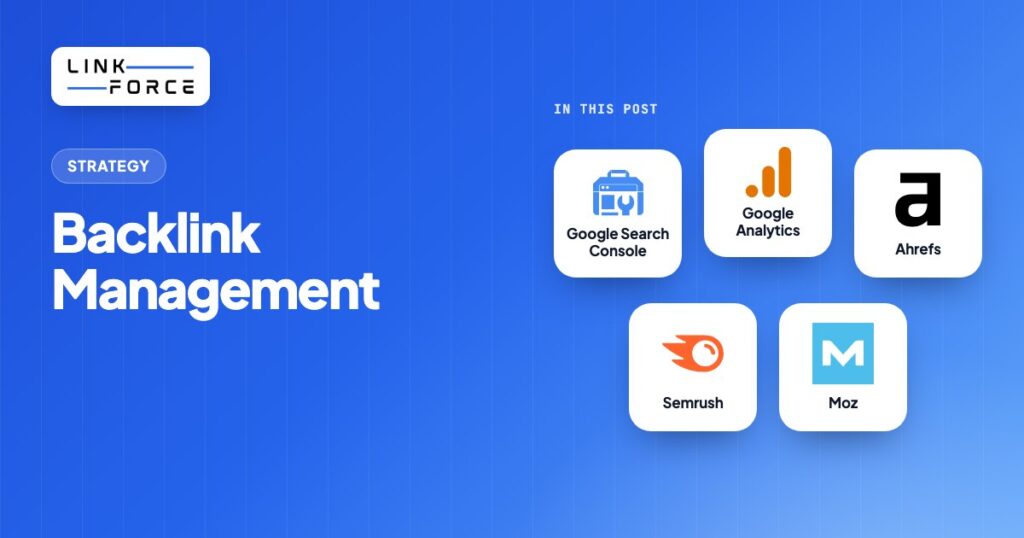
Backlink management is the ongoing work of tracking, auditing, monitoring and disavowing the links pointing to your website. The goal is simple: keep your link profile helping your rankings instead of quietly working against them.
Most teams build links and then forget about them. That's a mistake. The sites that keep ranking well are the ones that treat their existing backlinks as an asset worth maintaining, not just a number that should go up.
Key Takeaways
- Backlink management isn't link building. It's the ongoing audit-monitor-disavow work on links you already have.
- Run a full backlink audit on a fixed cadence. Quarterly is a reasonable baseline, monthly if you're in a competitive niche or recovering from a penalty.
- Most sites don't need to disavow anything. Google's own guidance says it can usually judge which links to trust without help.
- A mix of free tools (Google Search Console, Google Analytics) and paid tools (Ahrefs, Moz, Semrush) covers most needs.
- Monitoring and competitor gap analysis belong in the same recurring workflow, not two separate projects.
What Is Backlink Management?
Backlink management is the ongoing process of tracking, auditing, monitoring and disavowing the backlinks already pointing to your site. The goal is to keep your link profile healthy and free of the links that can drag your rankings down.
That's a genuinely different job from link building, which is about earning new links. Backlink management starts after a link already exists.
It typically includes:
- Auditing your current link profile for broken, lost, or toxic links.
- Monitoring for new links, lost links, and changes to existing ones.
- Disavowing links that are clearly harmful, through Google's disavow process.
- Keeping your anchor text and overall link mix looking natural, not manipulated.
A site can build genuinely excellent links and still, quite clearly, lose rankings if nobody manages what happens to those links afterward. Pages get taken down. Link farms attach spammy links to pages that never asked for them. A once-good link quietly turns into a 404, and nobody notices for months.
Why Backlink Management Matters
A healthy backlink profile is still one of the clearest trust signals search engines use to rank a page, and that signal cuts both ways. Well-managed, relevant, authoritative links support your rankings. An unmanaged profile full of broken links, lost links, or spammy attachments can actively work against you.
The defensive case matters just as much as the offensive one. Links decay. Pages get deleted, domains expire, and sites get hit by negative SEO campaigns that quietly attach low-quality links to a competitor's site. None of that shows up on its own. It only shows up if someone's actually watching for it, and that's exactly what backlink management catches before it turns into a ranking problem or a manual action.
Backlink Management Tools: Free vs. Paid
You don't need every tool on this list. Start with the free ones, and add a paid platform once you're tracking more links than you can reasonably check by hand.
| Tool | Cost | Best for |
|---|---|---|
| Google Search Console | Free | Seeing which links Google itself recognizes, straight from the source |
| Google Analytics | Free | Tracking referral traffic from your backlinks, not just whether they exist |
| LinkForce Domain Rating Checker | Free | Bulk-checking the authority of domains linking to you or a prospect list |
| LinkForce Disavow File Generator | Free | Building a correctly formatted disavow.txt file, no manual formatting errors |
| Ahrefs | Paid | Large-scale link discovery, competitor backlink analysis, lost-link alerts |
| Moz | Paid | Spam Score and Domain Authority tracking alongside link monitoring |
| Semrush | Paid | Combining backlink monitoring with keyword and competitor research |
Google Search Console won't show you every backlink that exists, only the ones Google's own crawlers have actually recognized. That's exactly why it's worth checking first: it shows you the links that count. A paid crawler like Ahrefs indexes far more of the web than Search Console surfaces on its own, which is worth paying for once you're tracking more links than Search Console alone can show you. Paid tools add broader discovery, historical data, and alerting on top of that baseline.
How to Audit Your Backlink Profile (Step by Step)
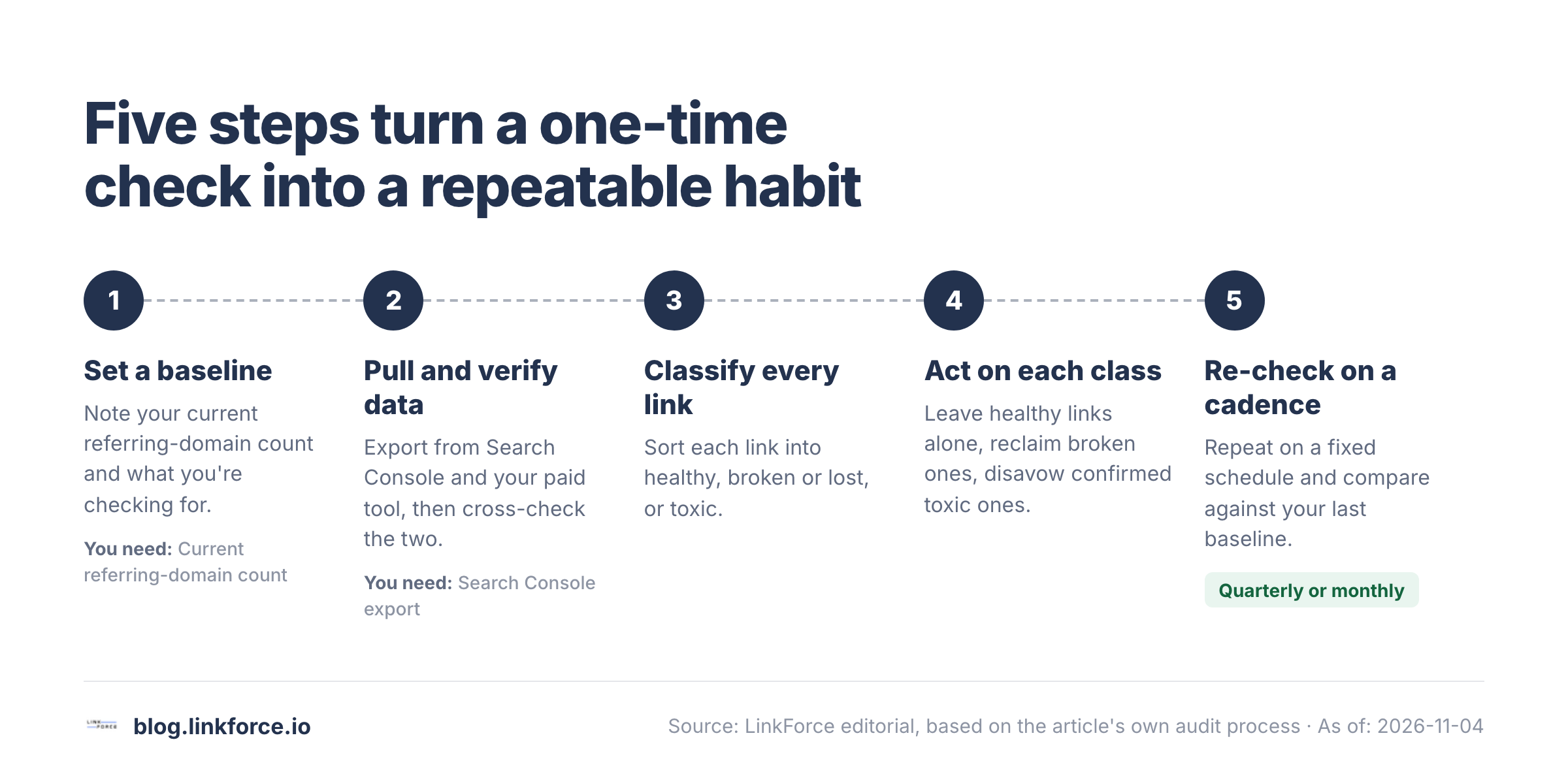
A backlink audit is the core habit of backlink management. Run it on a fixed schedule, not just when something looks wrong.
1. Set a baseline and goals
Know what you're checking for before you start: lost links, toxic links, anchor-text balance, or all three. Note your current referring-domain count so you can tell whether a drop next month is a real problem or just normal churn.
2. Pull and verify the data
Export your backlink data from Google Search Console and, if you use one, your paid tool. Cross-check the two. A link that disappears from one report but not the other is worth a manual look before you act on it.
3. Classify every link
Sort what you find into three groups. Healthy: relevant, from a legitimate site, still live. Broken or lost: 404, redirected away, or no longer carrying the link. Toxic: spammy, from a link farm, or using manipulative anchor text.
4. Act on each class
Leave healthy links alone. For broken or lost links, decide whether the link is worth reclaiming (more on that below). For toxic links, follow the disavow process in the next section, but only after you've confirmed the link is genuinely harmful, not just unfamiliar.
5. Re-check on a cadence
A one-time audit tells you almost nothing about trend. The real value comes from repeating it on a fixed schedule and comparing against your last baseline. How often depends on how fast your link profile actually changes:
| Site situation | Recommended audit cadence |
|---|---|
| Stable site, slow link growth | Quarterly |
| Active link-building campaign running | Monthly |
| Competitive or fast-moving niche | Monthly |
| Recovering from a manual action or suspected negative SEO | Monthly, or more often until stable |
The free Disavow File Generator formats domains and URLs for Google Search Console.
How to Handle Toxic or Spammy Backlinks
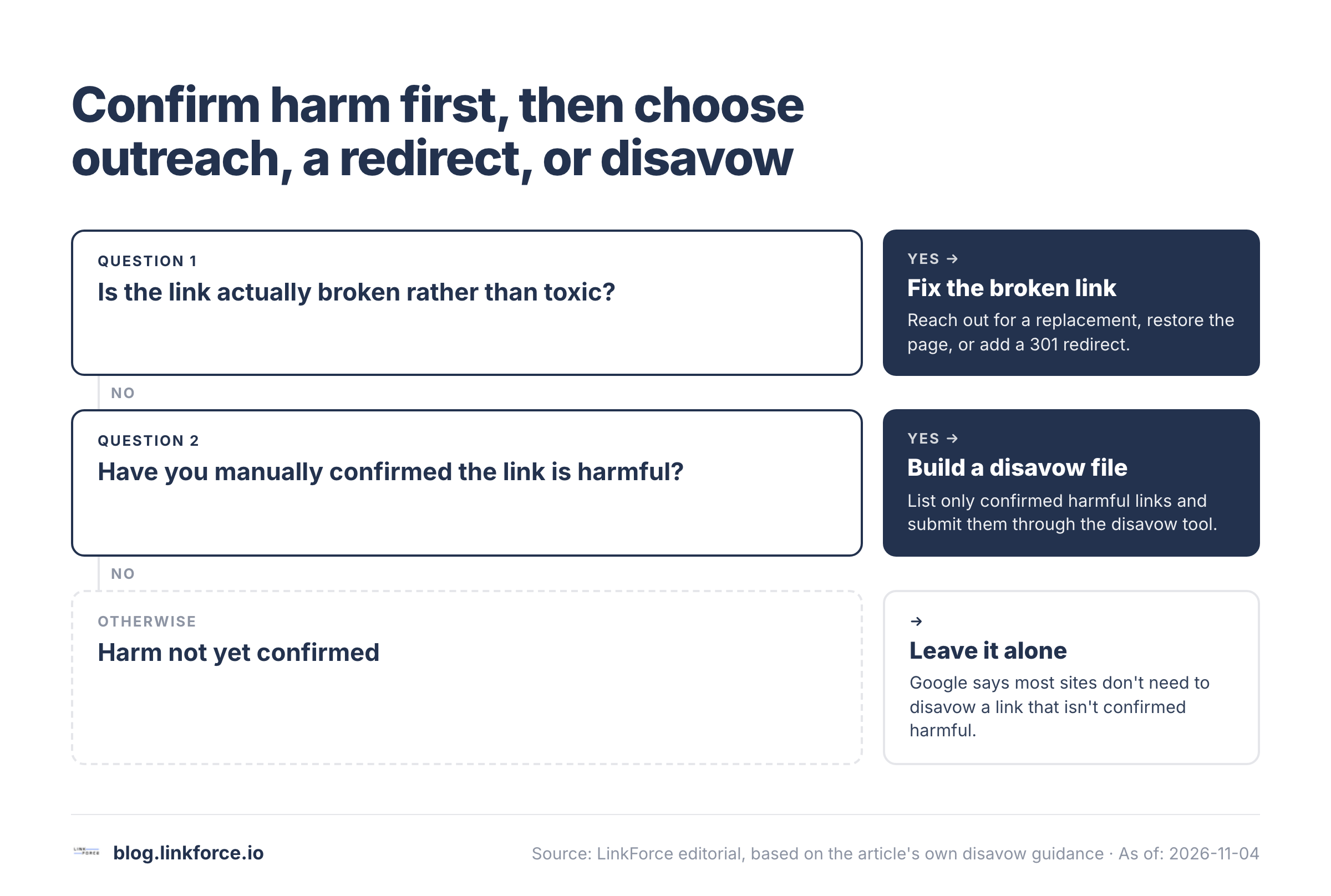
Most sites don't have a toxic-link problem, and Google says so directly. In its own disavow tool documentation, Google states that "in most cases, Google can assess which links to trust without additional guidance," and that most sites won't need the tool at all. Treat disavowing as a targeted fix for confirmed harm, not routine maintenance.
Signs a link is toxic
- It comes from a site with no topical relevance to yours whatsoever.
- It sits on a page with hundreds of unrelated outbound links.
- It reuses the same exact-match commercial anchor text over and over.
- It comes from a domain with a history of manual penalties or link-network membership.
- It uses manipulative techniques such as hidden text or cloaking.
Building and submitting a disavow file
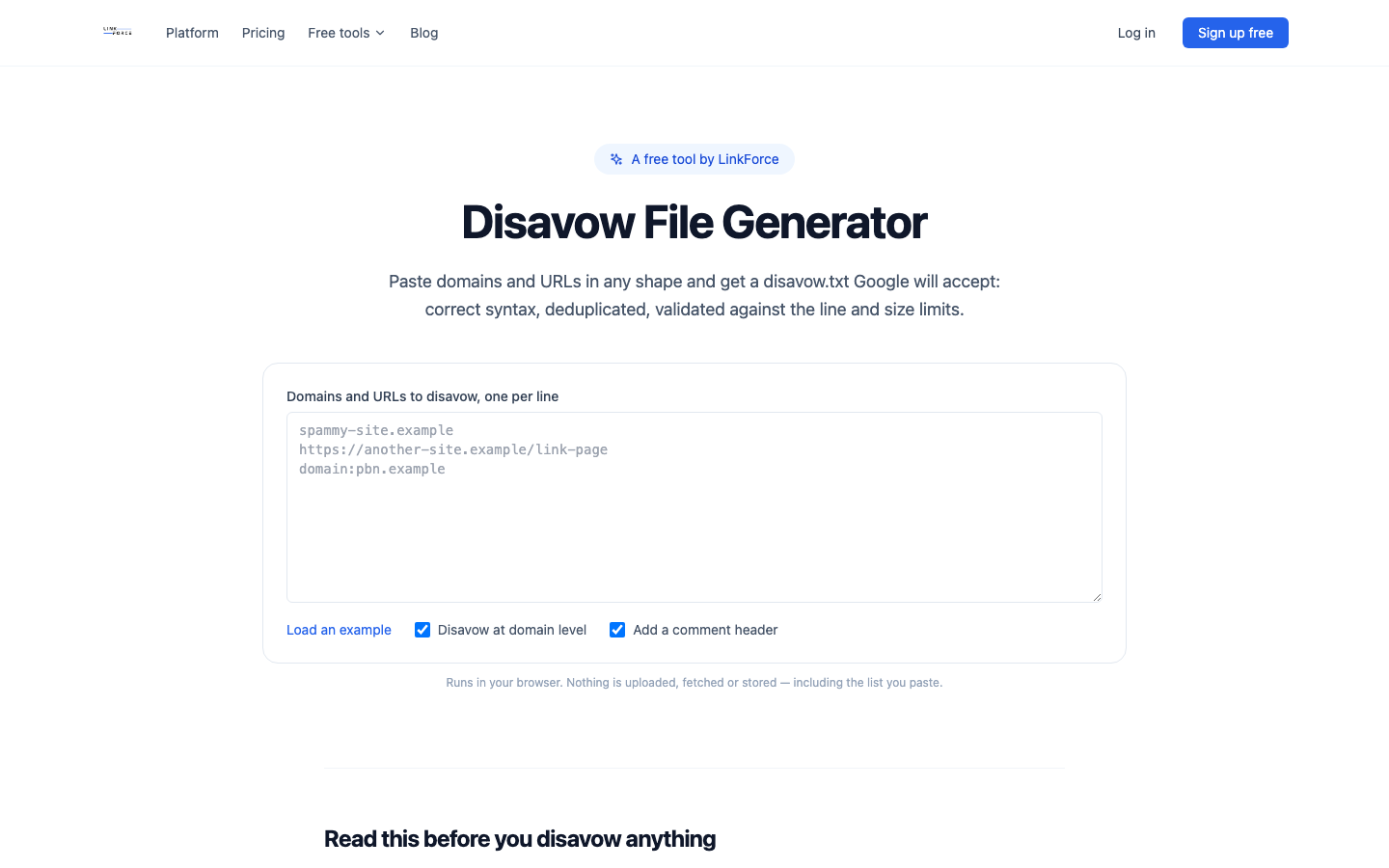
If you've confirmed harmful links, Google's process is specific about the format. It's a plain-text file: one URL or domain per line, domains prefixed with domain:, comment lines starting with #, saved as UTF-8 or 7-bit ASCII with a .txt extension. Google caps each file at 2,048 characters per URL, 100,000 lines, and 2MB total, far more than most sites will ever need. You upload it through the disavow links tool for a specific URL-prefix property; Domain properties aren't supported.
Google is explicit that this is "an advanced feature" that "should only be used with caution," because disavowing a link by mistake removes whatever value it was passing. Build your list from links you've manually confirmed are harmful, not from an automated toxicity score alone. LinkForce's free disavow file generator handles the formatting and checks the file against Google's size and line limits before upload, so a stray character doesn't get your whole file rejected.
If a link is broken rather than toxic, you've got cheaper options first: reach out to the site owner with a replacement link, restore the missing page if it was yours, or set up a proper 301 redirect to the closest live equivalent. Only move to disavowing once outreach and redirects haven't resolved the problem and the link is confirmed harmful.
800+ SaaS marketers swap partner, integration and content links. Free plan, no credit card.
Keeping Your Anchor Text Profile Healthy
Anchor text is the clickable text of a link, and it's one of the signals search engines use to judge whether a link looks natural or manipulated. A healthy anchor text profile leans toward branded mentions (your brand name, with or without a keyword attached) and naked URLs, with exact-match commercial anchors used sparingly rather than as the default. If the same exact-match phrase shows up across most of your backlinks, that pattern looks exactly like a manipulative link scheme to a search engine, even when every individual link is perfectly legitimate.
Monitoring and Competitive Intelligence
Backlink management doesn't stop once an audit is done. The same workflow that catches lost and toxic links can also surface new opportunities, as long as you build it to run continuously instead of as a one-off project.
Setting up alerts
Most backlink tools, free and paid, support automated alerts for link changes. Set these up once so you're notified when you gain or lose a backlink, instead of discovering it three months later during your next scheduled audit.
Competitor backlink gap analysis
Finding competitor backlinks you don't have yet is one of the most efficient ways to find new link opportunities. You already know those sites link out to pages like yours, so a gap-analysis report tells you exactly where to look. Run this as a recurring check, not a one-time research project. Competitors keep earning new links after you look the first time.
Reclaiming unlinked mentions
Not every mention of your brand comes with a link. Search for your brand name across the web periodically, and when you find an unlinked mention, a short, specific outreach request asking the site to add a link is often enough. It's a genuinely low-effort way to turn existing visibility into an actual backlink.
Measuring the ROI of Backlink Management
The point of managing your backlink profile isn't the audit itself. It's what the audit protects and improves. Three numbers tell you whether the work is actually paying off:
- Organic traffic, tracked in Google Analytics: the outcome metric that ties backlink health to real visitors.
- Ranking movement, tracked in Google Search Console or a paid rank tracker: shows whether cleaning up or growing your link profile moved specific queries.
- Referral traffic, tracked in Google Analytics: the only metric that shows a backlink working directly, independent of search rankings.
If you're running regular audits and these three numbers are flat or improving while your known-toxic link count goes down, the management work is doing its job.
Backlink Management Mistakes to Avoid
- Ignoring lost and broken links. A link that quietly turns into a 404 stops passing any value. The audit process above is what catches this before it compounds across your whole profile.
- Over-disavowing. Submitting a disavow file for links that are merely unfamiliar, not confirmed harmful, can obviously remove value you were already getting. Run through the signs-of-toxicity checklist above before you disavow anything.
- Letting anchor text drift toward one exact-match phrase. Keep the mix natural, as covered above, instead of defaulting to the same commercial phrase on every new link.
- Treating monitoring and competitor analysis as separate projects. They should run on the same recurring schedule. The tools and the review cadence are the same either way.
- Measuring effort instead of outcomes. Track organic traffic, rankings, and referral traffic. Not just how many audits you've run.
FAQ
How often should you audit your backlinks? Quarterly is a reasonable baseline for a stable site. Move to monthly if you're actively building links, operating in a competitive niche, or recovering from a manual action.
Do you need a paid tool to manage backlinks? No. Google Search Console and Google Analytics, plus free tools like LinkForce's domain rating checker and disavow file generator, cover the core workflow pretty well on their own. A paid platform like Ahrefs, Moz, or Semrush adds broader discovery and historical data once you're managing more links than you can track by hand.
What's the right way to deal with a toxic backlink? Confirm it's actually harmful using the signs above. Try outreach or a redirect first if it's broken rather than spammy. Only build and submit a disavow file for links you've manually confirmed are damaging.
Is backlink management the same as link building? No, and that distinction really matters. Link building is earning new links. Backlink management is the ongoing work of auditing, monitoring, and protecting the links you already have.