

A no follow link is a hyperlink that includes the rel=”nofollow” attribute in its HTML code, instructing search engines not to pass PageRank to the linked page. You have probably seen them in backlink audits, SEO guides, and Google’s own documentation — but what do they mean for your site’s rankings, and when should you use them?
This guide covers everything: how nofollow links work at a technical level, how they compare to dofollow links and the newer sponsored and ugc attributes, how to detect them, and the real answer to whether they move the needle for SEO.
Whether you are building a link acquisition strategy, auditing your current backlink profile, or trying to understand why certain links in your Ahrefs or Semrush dashboard appear as nofollow, this is the reference you need.
What Are No Follow Links?
A no follow link is any hyperlink that carries the rel=”nofollow” attribute in its anchor tag. Here is what the HTML looks like:
<a href="https://example.com" rel="nofollow">Anchor text here</a>Without that attribute, the link is a standard dofollow link by default. Search engines treat dofollow links as votes of confidence and use them to help determine how pages rank. When a link carries rel=”nofollow”, the historic instruction was for search engines not to follow the link and not to count it as a ranking signal.
In practice, “nofollow” does not make the link invisible. The linked page can still be discovered through other means. The attribute is a signal about link equity — it tells search engines not to pass PageRank (sometimes called link juice) through that connection.
Nofollow links appear across the web in places where the publisher does not want to editorially endorse every outbound link. Blog comment sections, forum posts, social media platforms, Wikipedia and press release distribution sites all apply nofollow to most or all of their outbound links.
Be clear about what nofollow does not do. It does not hide the linked page from Google, prevent Google from ever visiting it, or remove the link from your site’s HTML. Search engines can still see the link exists. The attribute is purely a signal about link equity — that this link should not be counted as an editorial endorsement.
That distinction matters when you make decisions about your link building strategy and your own outbound link hygiene.
Nofollow vs. Dofollow Links: What’s the Difference?
The term “dofollow” is not an actual HTML attribute — it means the absence of nofollow. Any link without a rel attribute passes PageRank by default. For a deeper look at how dofollow links work and when the distinction matters most in a link building context, see our guide to dofollow and nofollow links.
Beyond nofollow and dofollow, Google introduced two additional rel values in September 2019: rel=”sponsored” for paid and affiliate links, and rel=”ugc” for user-generated content. All three are treated as hints by Google since March 2020 (more on that below).
Here is how all four link types compare:
| Attribute | Passes PageRank | How Google treats it | Best used for |
|---|---|---|---|
| None (dofollow) | Yes | Ranking signal | Editorial links you vouch for |
| rel=”nofollow” | Not guaranteed | Hint since March 2020 | General untrusted or unendorsed links |
| rel=”sponsored” | Not guaranteed | Hint since March 2020 | Paid links, affiliate relationships |
| rel=”ugc” | Not guaranteed | Hint since March 2020 | Blog comments, forum posts |
The key point: Google does not guarantee it ignores any of these attributes. It uses them as signals to inform its crawl and indexing decisions, but it can choose to follow and pass value through a nofollow link if it determines the link is genuinely editorial despite the nofollow tag.
For most site owners, the practical implication is clear. Editorial links pointing to your site are still your most valuable asset. Nofollow links from high-traffic sources can drive referral visitors and build brand awareness — they just should not be your primary link building strategy for ranking improvement.
How to Check If a Link Is Nofollow
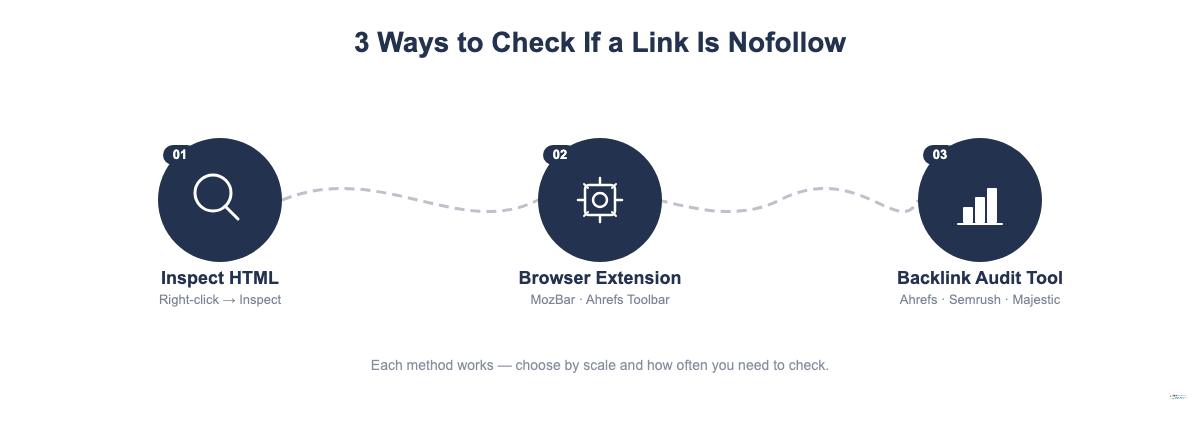
There are three reliable ways to determine whether a link is nofollow.
Method 1: Inspect the HTML
Right-click on any link in your browser and choose “Inspect” or “Inspect Element.” Look at the anchor tag. If you see rel=”nofollow”, rel=”sponsored”, or rel=”ugc”, the link is marked accordingly. If you see only an href attribute without a rel, the link is dofollow by default.
<!-- Nofollow link -->
<a href="https://example.com" rel="nofollow">Link text</a>

<!-- Dofollow link (no rel attribute) -->
<a href="https://example.com">Link text</a>
Method 2: Use a browser extension
Several free SEO browser extensions highlight nofollow and dofollow links on the page. Popular options include:
- Ahrefs SEO Toolbar (highlights nofollow links in orange by default)
- MozBar (shows follow/nofollow status in the toolbar)
- Check My Links (highlights valid and nofollow links in different colors)
These extensions are useful when auditing a specific page and you want a quick visual map of which outbound links carry nofollow.
Method 3: Use a backlink audit tool
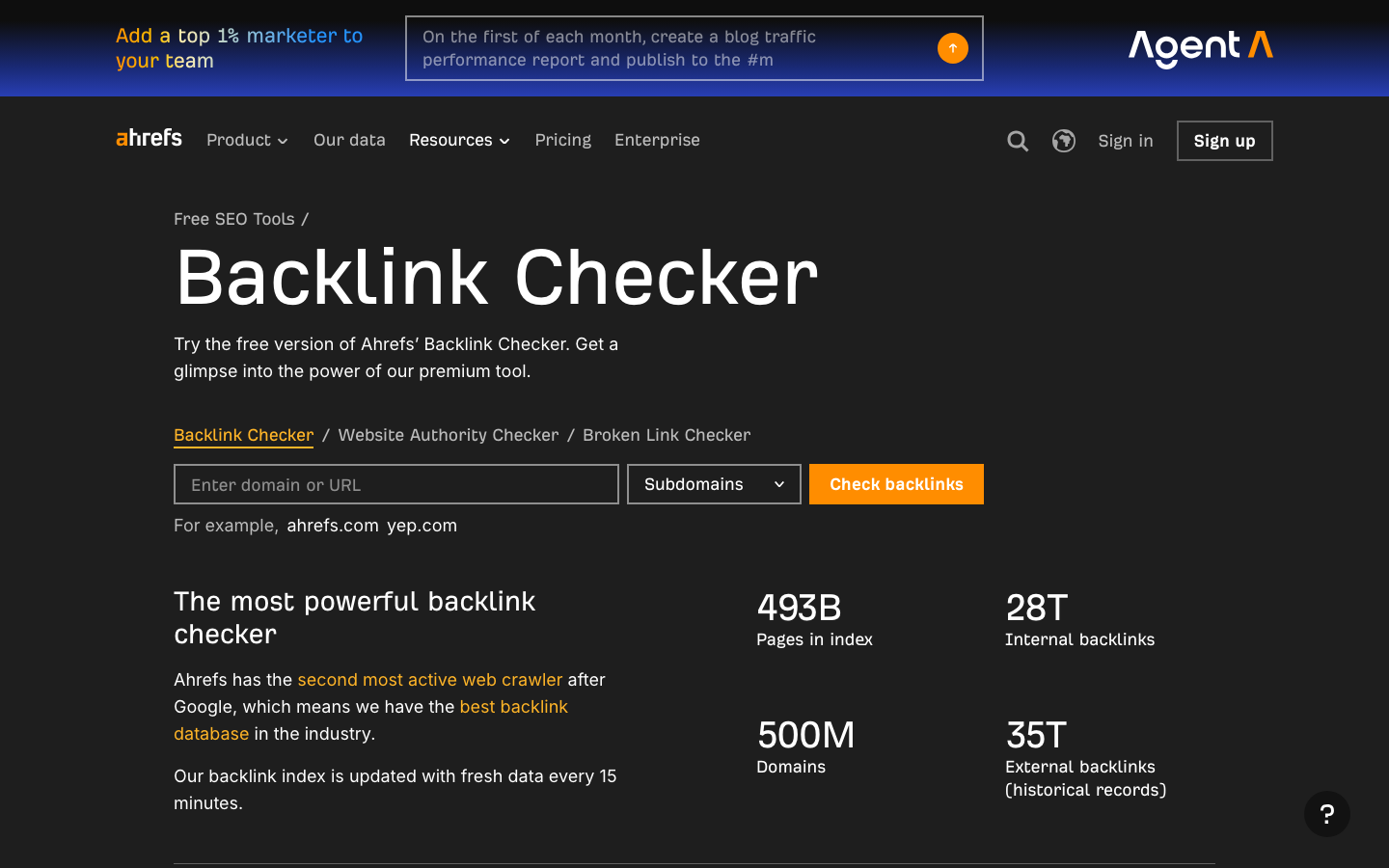
To audit your own site’s inbound backlink profile, tools like Ahrefs Site Explorer, Semrush Backlink Audit and Majestic let you filter backlinks by follow vs. nofollow status. This is the most scalable method when you have thousands of backlinks to review.
In Ahrefs Site Explorer, navigate to the Backlinks report and use the “Link type” filter to show only dofollow or only nofollow links. This gives you a clear picture of what proportion of your link profile is passing equity.
A rough benchmark: most healthy link profiles have a natural mix of dofollow and nofollow links. If 100% of your inbound backlinks are dofollow, that can signal an artificial profile. Sites that attract links naturally get them from a variety of sources — including many that apply nofollow by default.
Why Was the Nofollow Attribute Created?
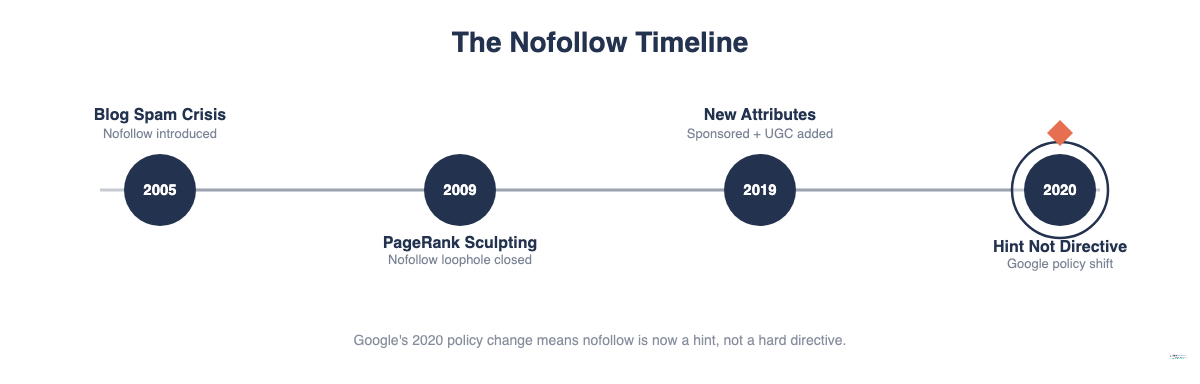
Google introduced the nofollow attribute in January 2005 to address a specific problem: blog comment spam.
In the early 2000s, spammers discovered that posting links in blog comment sections was a way to build links and manipulate rankings. Because most blog software allowed anyone to post comments with live links, and because those links passed PageRank, the incentive for mass comment spamming was significant.
Google’s Matt Cutts and Blogger’s Jason Shellen proposed the nofollow attribute as a technical solution. The idea was clear: if publishers could mark comment links as nofollow, spammers would lose the ranking benefit. Microsoft (MSN) and Yahoo adopted the attribute within weeks of Google’s announcement.
The rollout had a measurable effect. Comment spam did not disappear, but the SEO incentive for low-effort comment link building was removed. Over time, most major platforms applied nofollow to user-generated links.
Today, platforms including Wikipedia, Reddit, Quora, YouTube and virtually all major social media sites apply nofollow to most or all outbound links by default. This is not because they distrust every site they link to — it is because these platforms cannot editorially vet every link their users post.
The result is that a large portion of the web’s link graph is nofollow. When you run a backlink report on any established site, you will find a significant share of nofollow links alongside dofollow links — this is the normal shape of an organic link profile. Not an anomaly.
One nuance worth noting: the nofollow attribute only works as a spam deterrent if publishers implement it. The rapid adoption by Microsoft and Yahoo in early 2005 was critical — it created a unified signal that spammers could not game by targeting only Google. That cross-search-engine consensus was what gave the attribute its teeth.
Google’s 2020 Update: Nofollow as a Hint, Not a Directive
For nearly 15 years after its introduction, the nofollow attribute worked as a hard directive. Google would not follow the link and would not pass PageRank through it.
That changed in September 2019, when Google announced a policy shift effective March 1, 2020.
Under the updated policy, Google treats rel=”nofollow” as a hint rather than a rule. This means Google can choose to crawl a nofollow link, index the destination page through it, and pass ranking signals through it if Google’s systems determine the link looks editorial despite the nofollow tag.
The practical implications for most site owners are limited — Google stated it would only use this flexibility where it believes the nofollow attribute was applied incorrectly or where the linked content is genuinely valuable. But it has two important consequences:
- You cannot rely on nofollow to block PageRank transfer in all cases.
- Nofollow links from authoritative, high-traffic sites may carry more SEO value than they did under the old strict interpretation.
In the same September 2019 announcement, Google introduced rel=”sponsored” and rel=”ugc” to give publishers more granular ways to describe their outbound links. All three attributes — nofollow, sponsored and ugc — are now treated as hints under the same policy.
What does this mean for link builders? A nofollow link from a site with strong topical relevance and high authority might carry more value than it would have before the policy change. Google has more discretion to use these links as signals where it judges the underlying relationship to be editorial in substance, even if it was labeled otherwise.
It also means you should not try to game the system by labeling paid links as nofollow and hoping Google treats them as editorial. Google’s systems are sophisticated enough to assess the context of a link placement. The hint model gives Google more flexibility — it does not reduce the importance of labeling your links accurately.
For standard site owners who are not engaged in complex link manipulation, the March 2020 change is a background detail. The recommended behavior is the same: mark paid links and UGC links with the appropriate rel values, and build editorial dofollow links as your primary ranking strategy.
rel=”sponsored” and rel=”ugc”: The Other Link Attributes
Google’s 2019 expansion of the rel attribute ecosystem gave publishers two more tools beyond the general nofollow.
rel=”sponsored”
Use rel=”sponsored” on any link that exists because of a paid relationship: paid placements, affiliate links, sponsored content and advertiser links all qualify. Google had always required that paid links carry nofollow — the sponsored attribute gives publishers a more precise way to communicate that relationship.
<a href="https://partner.com/product" rel="sponsored">Check pricing</a>rel=”ugc”
Use rel=”ugc” on links that appear in user-generated content: comments, forum replies, community posts and anywhere users can post links you have not reviewed. This lets Google distinguish between a link you placed in your editorial content and a link a user inserted in a comment.
<a href="https://userlink.com" rel="ugc">User's link text</a>Combining attributes
You can apply multiple rel values to a single link. If a paid link also appears in a comment section, you can use:
<a href="https://example.com" rel="nofollow sponsored">Link text</a>Google’s documentation states that using any one of nofollow, sponsored or ugc is sufficient for signaling that the link should not be treated as a standard editorial link. Combining attributes where both conditions apply is more precise and future-proof.
When to use each:
- Paid placement or affiliate link: rel=”sponsored” (or rel=”nofollow sponsored”)
- Comment or forum link: rel=”ugc” (or rel=”nofollow ugc”)
- General untrusted external link: rel=”nofollow”
- Editorial link you vouch for: no rel attribute (dofollow by default)
Do No Follow Links Help With SEO?
This is the question that generates the most confusion. The honest answer: it depends on what you mean by “help.”
The Direct Benefit
On the question of PageRank transfer, nofollow links do not deliver it the way dofollow links do. That is still the default expectation, even under the hint model. If your goal is to build links that improve your domain’s authority and ranking power, dofollow editorial links from relevant, authoritative sources remain the priority.
The Indirect Benefits
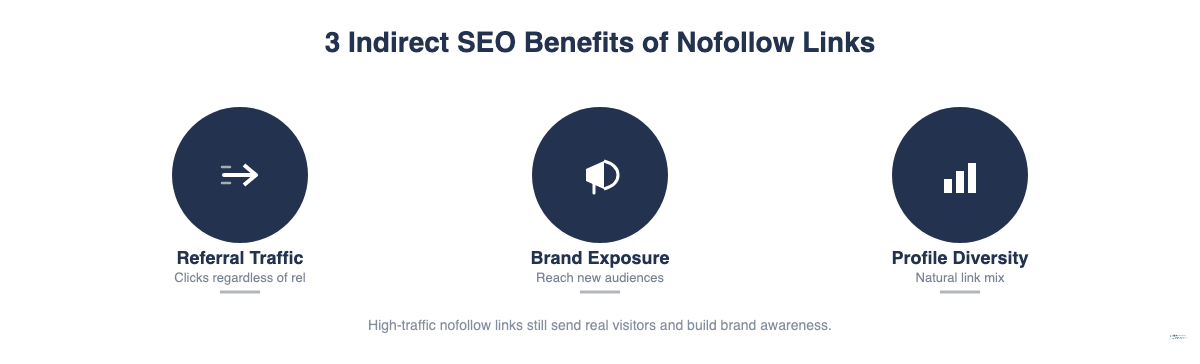
That said, dismissing nofollow links entirely would be a mistake. Three indirect benefits make them worth pursuing from the right sources:
Referral traffic. A nofollow link from a page with significant traffic can still send visitors to your site. A link from a popular Reddit thread, a high-traffic Wikipedia article, or a major social media post can drive real visitors regardless of its nofollow status. That traffic is valuable: it can convert, generate engagement signals, and lead to further natural links from other publishers who discover your content through that initial placement.
A high-traffic nofollow placement on a major industry publication can send hundreds or thousands of referral visitors in a short window. Those visitors may share, link from their own sites with dofollow links, subscribe, or convert. The nofollow attribute on the original link does not prevent any of that downstream value from occurring.
Brand exposure. Nofollow links from authoritative sites build brand familiarity. Being cited on an industry publication, even with nofollow, puts your content in front of a relevant audience. That exposure can result in branded search growth, direct visits, and editorial links from other publishers who find your content through that initial mention.
Backlink profile diversity. A link profile consisting entirely of editorial dofollow links is not how natural link profiles look. Real sites attract links from Wikipedia, news aggregators, directories and social media — most of which apply nofollow. A healthy mix of dofollow and nofollow links looks more natural and is less likely to raise algorithmic red flags. Our guide to backlinks analysis covers how to audit and interpret your full link profile, including the follow/nofollow breakdown.
The practical stance: pursue editorial links as your primary strategy, but do not turn down nofollow placement opportunities on high-traffic, authoritative sites. The referral and brand value is real.
One way to think about it: the question is not “is this link nofollow?” but “does this placement put my content in front of the right audience?” If the answer is yes, the link has value regardless of its rel attribute.
When Should You Use Nofollow Links?
When building outbound links on your own site, use nofollow in these situations:
- Paid or sponsored links. Google’s guidelines require that paid links carry rel=”sponsored” or rel=”nofollow”. Failing to mark paid links violates Google’s link spam policies and can result in a manual action against the linking site. If you are buying a sponsored post placement or paying for a link to appear, mark it.
- Affiliate links. Affiliate links are a commercial arrangement where you earn a commission if users click and convert. They qualify as sponsored links under Google’s guidelines. Mark them with rel=”sponsored” or rel=”nofollow” on every instance.
- User-generated content. If you run a blog with comments, a forum, or any platform where users can post links, apply rel=”ugc” or rel=”nofollow” to those links. This protects you from having your site’s link equity redistributed to sites you never reviewed or endorsed.
- Links to sites you do not vouch for. If you link to an external source for reference but do not want to endorse it editorially — for example, a site with questionable content that you are citing as an example of what not to do — apply rel=”nofollow”.
- Press release links. If you distribute press releases through newswire services or publish them on your own site, Google has treated links in press releases as manipulative. Use nofollow on these links.
- Login pages or utility URLs. If you have links to internal or external login pages, account management pages, or other utility destinations that have no ranking value, nofollow can prevent unnecessary crawl budget allocation, though this is a minor factor for most sites.
When NOT to Use Nofollow Links
There are common misuses of the nofollow attribute that create problems rather than solving them.
Do not nofollow your internal links. Applying nofollow to links between your own pages is almost never the right move. Internal links help Google understand the structure of your site and distribute PageRank between your pages. Nofollowing internal links can cause important pages to receive less internal equity and rank below where they should. There are very rare edge cases (login pages, low-value utility pages), but these should be the exception.
Do not use nofollow for PageRank sculpting. In the mid-2000s, some SEOs applied nofollow to certain internal or external links to “sculpt” PageRank flow — trying to concentrate link equity on specific pages. Google addressed this in 2009: when you nofollow a link, the PageRank that would have flowed through it is not redistributed. It does not add equity to other pages. PageRank sculpting with nofollow no longer works and was never a long-term strategy.
Do not apply nofollow to all outbound links by default. Blanket nofollowing of every external link on your site strips your content of trust signals and makes your link profile look unnatural. If you write a useful article and link to an authoritative source, there is no good reason to nofollow that link. Mark paid links, UGC links and untrusted links — not every outbound link.
Nofollow Link Attribute vs. Meta Robots Nofollow
These two uses of “nofollow” are frequently confused, and they do very different things.
rel=”nofollow” on a link applies at the individual link level. It tells Google not to pass PageRank through that specific hyperlink. Everything else on the page is unaffected.
<a href="https://example.com" rel="nofollow">Link text</a>meta name=”robots” content=”nofollow” in the page head applies at the page level. It tells Google not to follow any links on the entire page — every outbound link on that page is treated as if it carried nofollow.
<meta name="robots" content="nofollow">This distinction matters because applying the wrong one can have unintended consequences. If you want to nofollow one specific sponsored link on a page, use the link-level attribute. If you accidentally add the meta robots nofollow tag to your page header, you have nofollowed every single link on that page, including internal navigation links and editorial citations.
There is also a meta robots “noindex” directive, which tells Google not to index the page itself. Noindex and nofollow are independent: a page can be indexed but have its links nofollowed, or can be noindexed but have its links followed.
Use the meta robots nofollow tag only when you want to block all link following from a specific page. For everything else, use the link-level rel=”nofollow” attribute.
A common mistake is applying the meta robots nofollow tag to a page that contains a navigation menu or breadcrumb links. In that case, you are telling Google to ignore your internal navigation links from that page — which can hurt how well Google understands your site structure. Always verify what links exist on a page before applying a page-level nofollow directive.
Frequently Asked Questions About No Follow Links
Do nofollow links pass PageRank?
Under Google’s current policy (since March 2020), nofollow links are treated as hints rather than hard directives. Google can choose to pass PageRank through a nofollow link, but it does not guarantee this. The practical default is still that nofollow links do not reliably transfer ranking equity the way dofollow links do.
Are nofollow links bad for SEO?
No. Nofollow links from high-traffic, authoritative sites deliver real referral traffic, brand exposure and a more natural-looking backlink profile. They are not the primary driver of ranking improvements, but they are a normal and valuable part of a healthy link profile.
What is the difference between nofollow, sponsored and ugc?
All three signal that the link should not be treated as a standard editorial endorsement. The difference is specificity: nofollow is the general signal, sponsored tells Google the link exists because of a paid relationship, and ugc tells Google the link was placed by a user rather than the site publisher. Google’s guidelines require sponsored and ugc where applicable, but using nofollow alone still meets the requirement.
Should I nofollow all external links on my site?
No. Only apply nofollow to links that are paid (use sponsored), user-generated (use ugc), or links to sites you cannot vouch for. Editorial links to authoritative sources are better left as dofollow — they help your content look credible and trustworthy.
Can nofollow links help me rank?
Indirectly, yes. Nofollow links from high-traffic sources drive referral visitors who may engage with your content, share it, and link to it with dofollow links from their own sites. Nofollow coverage on major platforms also contributes to brand signals that Google may factor into quality assessments. Building nofollow links from authoritative sources remains a worthwhile activity, even if the mechanism differs from direct PageRank transfer.