
Outreach email software is a category of tools built to help sales teams, link builders, and PR professionals send personalized cold email campaigns at scale without losing deliverability or spending hours in their inbox. The right tool automates follow-up, manages multiple sending inboxes, and tracks replies so you can focus on conversations rather than chasing down prospects manually.
Cold email open rates typically range from 30 to 50 percent for well-targeted campaigns. Response rates — the metric that actually matters — hover between 1 and 3 percent for untargeted cold outreach and climb to 5 to 15 percent when targeting is sharp and email deliverability is clean. The software you choose has a direct impact on where your cold campaigns land within that range.
This guide covers the eight best outreach email software tools ranked by use case, with full reviews, honest pros and cons, pricing, and a dedicated section for link builders who need a different feature set than sales teams. Once you have picked a platform, see what separates a reply from a delete before your first send.
If you are just starting with cold outreach, jump straight to the Quick Picks table to find the right tool for your use case. If you are evaluating multiple platforms before switching, start with the feature breakdown and comparison table.
What Is Outreach Email Software?
Outreach email software automates the process of sending personalized cold emails, managing cold email sequences, and tracking responses across multiple prospects and campaigns. Unlike newsletter platforms like Mailchimp or Klaviyo, which are designed for subscribers who have opted in, outreach email software is built for one-to-one cold outreach at scale.
The category also goes by “cold email software,” “cold outreach tool,” or “cold email platform” — all of these refer to the same technology. The defining difference from newsletter tools is the intent: outreach email software sends unsolicited first-touch emails to people who have not opted in, then automates follow-up until they respond or the sequence ends.
The core problems cold email automation solves:
- Sending individual emails manually does not scale past 20 to 30 prospects per day
- Gmail and Outlook flag mass-sending from a single address and throttle delivery
- Follow-up timing matters and tracking it manually wastes hours
- Prospects go cold when responses are not handled quickly
- Email deliverability degrades when sending volume spikes without warmup
A modern outreach email platform handles all of this by combining sequence automation, inbox rotation, deliverability monitoring, reply detection, and reporting into one interface. Some platforms also include email finders and verifiers so you can prospect and send from one place.
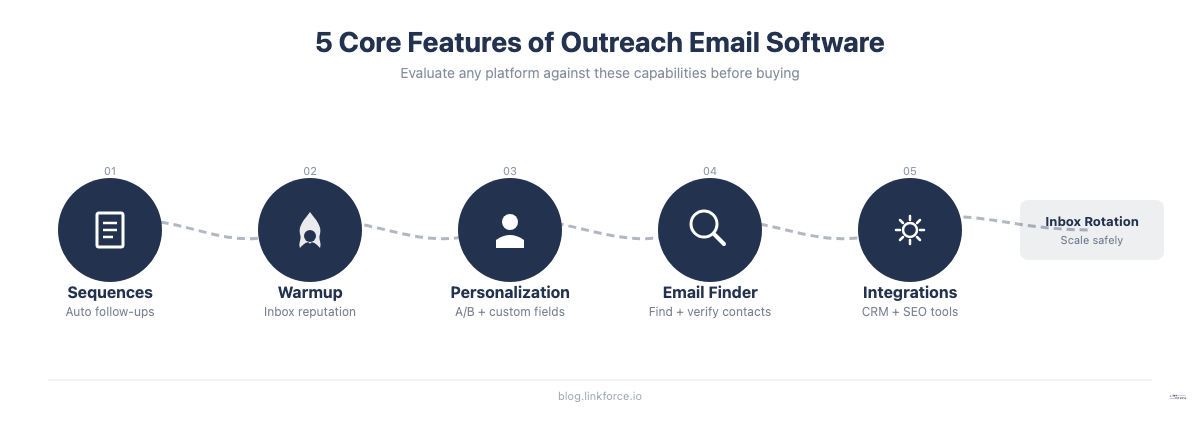
Key categories of functionality to expect from any outreach email software:
- Cold email sequence builder with if/then branching and follow-up steps
- Email warmup tools to protect sender reputation before and during cold email campaigns
- Inbox rotation to spread sending volume across multiple addresses
- A/B testing for subject lines, copy variations, and send times
- Open and click tracking with reply detection to stop sequences automatically
- Personalization fields with spintax support for variation at scale
- Reporting dashboards for campaign performance, email deliverability, and reply rates
Quick Picks: Best Outreach Email Software by Use Case
| Use Case | Best Tool | Why | Starting Price |
|---|---|---|---|
| High-volume cold email | Saleshandy | Unlimited inboxes, affordable, built for scale | $36/mo |
| Agencies managing multiple clients | Instantly | Flat-rate pricing for unlimited email accounts | $47/mo |
| All-in-one (find, verify, send) | Hunter Sequences | Email finder + verifier + sequences in one platform | Free / $49/mo |
| Personalization-heavy outreach | Lemlist | Image and video personalization, LinkedIn integration | $79/user/mo |
| Gmail users starting out | GMass | Chrome extension, no learning curve, Gmail-native | ~$20/mo |
| Established sales teams | MailShake | Agency reporting, CRM integrations, calendar view | $29/user/mo |
| Variable sending volume | Woodpecker | Usage-based pricing, reliable delivery | $29/mo |
| Link building outreach | Pitchbox | Purpose-built for SEO, integrates with Ahrefs and Moz | $195/mo |
Key Features to Look for in Outreach Email Software
Not all outreach tools are equal, and the right feature set depends on your volume, budget, and primary use case. Here is what matters most and why.
Email Sequences and Follow-Up Automation
Every outreach email platform should include a cold email sequence builder that lets you define a series of emails with time delays between each step. The best platforms support conditional branching, where a follow-up step changes based on whether someone opened the previous email, clicked a link, or replied.
Cold email sequences typically run three to seven steps over two to four weeks. Each step can have a different subject line, sending delay, and conditional logic. For example, a sequence might send a first email on day one, a follow-up referencing the first email on day four if there was no reply, a softer nudge on day nine, and a final breakup email on day fourteen.
Automatic reply detection is essential. When a prospect responds, the cold email sequence should stop automatically so they do not receive another follow-up after already engaging. Without this, you burn relationships and invite spam reports.
The number of steps you can create in a sequence matters for longer cold outreach campaigns. Link building campaigns often need five to seven touchpoints over three to four weeks to get a response from a publisher. Sales campaigns for high-ticket products often run even longer. Make sure your platform supports the sequence length your typical campaign requires.
Email Warmup and Deliverability
Email warmup is the practice of gradually increasing your sending volume from a new or cold domain before running cold email campaigns. When you send 200 cold emails from a fresh inbox on day one, email providers flag the behavior as spam. Warmup tools automate the process by sending small numbers of emails daily, increasing volume over two to four weeks, and simulating normal inbox activity including opens, replies, and inbox movement.
Email deliverability is the single most important technical variable in cold outreach. A campaign with a 30% open rate that lands in spam is worth nothing. A campaign with a 10% open rate that reliably hits the inbox beats it every time. Good email deliverability depends on several factors: sender reputation (how old the domain is and how it has been used), authentication (SPF, DKIM, DMARC properly configured), bounce rate (keep it below 2%), and sending patterns (consistent volume growth, no sudden spikes).
Most outreach email platforms include built-in warmup or integrate with a dedicated warmup service like Mailreach or Instantly’s warmup network. Inbox rotation, where your cold email campaign is distributed across multiple sending addresses, is equally important once you scale past about 50 emails per day per inbox. Staying below that threshold per inbox is the standard guideline for protecting sender reputation.
Deliverability features to look for include SPF, DKIM, and DMARC setup assistance, bounce handling and automatic suppression, unsubscribe management, and a deliverability health score dashboard. The best outreach platforms surface these metrics proactively so you catch problems before they kill a campaign rather than after.
Personalization and A/B Testing
Basic personalization in cold email campaigns uses custom fields like first name or company name. Advanced personalization goes further with spintax (random variation within a set of alternatives to make each email unique at scale), personalized images where a visual element includes the recipient’s name or company logo, and even video thumbnails that reference the prospect’s website or LinkedIn profile.
Spintax works by wrapping alternative phrases in curly braces with pipe separators: {Hi|Hey|Hello} {[first_name]|there}. The platform picks one combination per send, making emails statistically unique and harder for spam filters to pattern-match.
A/B testing lets you send two versions of a subject line or email body to a subset of your list, then automatically shift sending to the better-performing variant. For cold email campaigns at volume, even a two-percentage-point improvement in reply rate compounds significantly over a large list — moving from 2% to 4% reply rate doubles your conversations from the same number of sends.
Email Finder and Verification
Some platforms bundle an email finder (database-based or real-time scraping) and email verifier into the same tool, which removes the need for a separate prospecting workflow. Hunter.io is the clearest example: the same platform finds contact emails, verifies them, and runs the cold email sequences. Saleshandy and Instantly also include lead finder databases.
Email verification matters because sending to invalid addresses increases bounce rates, which damages your sender reputation and email deliverability. A bounce rate above two percent is enough to start affecting inbox placement with major providers. Verifying a list before launching cold email campaigns can reduce bounces from 10-15% (typical unverified list) to under 1% (verified list).
Two types of email verification exist: syntax checking (does the address format look valid) and deliverability verification (does the mail server actually accept mail for that address). The second type is more reliable but slower. Most email verifier tools do both. Some platforms do real-time verification as you add contacts; others run a batch verification job before campaign launch.
CRM and Integration Ecosystem
For sales teams, CRM integration with HubSpot, Salesforce, or Pipedrive determines whether outreach email software fits into the existing stack or creates a separate silo. Two-way sync is preferable over one-way activity logging, because it lets you see cold outreach history directly in the CRM contact record without switching tools.
For link builders and SEO teams, CRM integrations are less critical. What matters more is whether the cold email platform integrates with Ahrefs, SEMrush, or Moz to pull domain authority and traffic data into the prospecting workflow. Pitchbox does this natively; most general cold email tools require a manual export/import step.
Zapier and native webhook support extend any platform’s ecosystem for teams building custom cold email automation workflows — for example, automatically adding new form submissions to a nurture sequence, or pulling data from Google Sheets into personalized outreach campaigns.
Also check: API availability (for teams building internal tools), Google Analytics or UTM parameter support (for attributing traffic from cold outreach), and whether the platform supports team collaboration with role-based access.
Comparison: Best Outreach Email Software at a Glance

| Tool | Best for | Starting price | Free trial | Key differentiator |
|---|---|---|---|---|
| Saleshandy | High-volume cold email | $36/mo | Yes | Unlimited email accounts |
| Instantly | Agencies, multi-inbox | $47/mo | Yes | Flat-rate unlimited accounts |
| Hunter Sequences | All-in-one prospecting | Free / $49/mo | Yes (free plan) | Email finder + verifier + send |
| Lemlist | Personalization-first | $79/user/mo | 14-day trial | Image/video personalization |
| GMass | Gmail power users | ~$20/mo | Yes | Gmail-native, no setup |
| MailShake | Sales teams, agencies | $29/user/mo | No | Agency reporting and CRM depth |
| Woodpecker | Variable volume | $29/mo | Yes | Usage-based, reliable delivery |
| Pitchbox | Link building, SEO | $195/mo | No | SEO tool integrations |
The 8 Best Outreach Email Software Tools Reviewed
1. Saleshandy — Best for High-Volume Cold Email
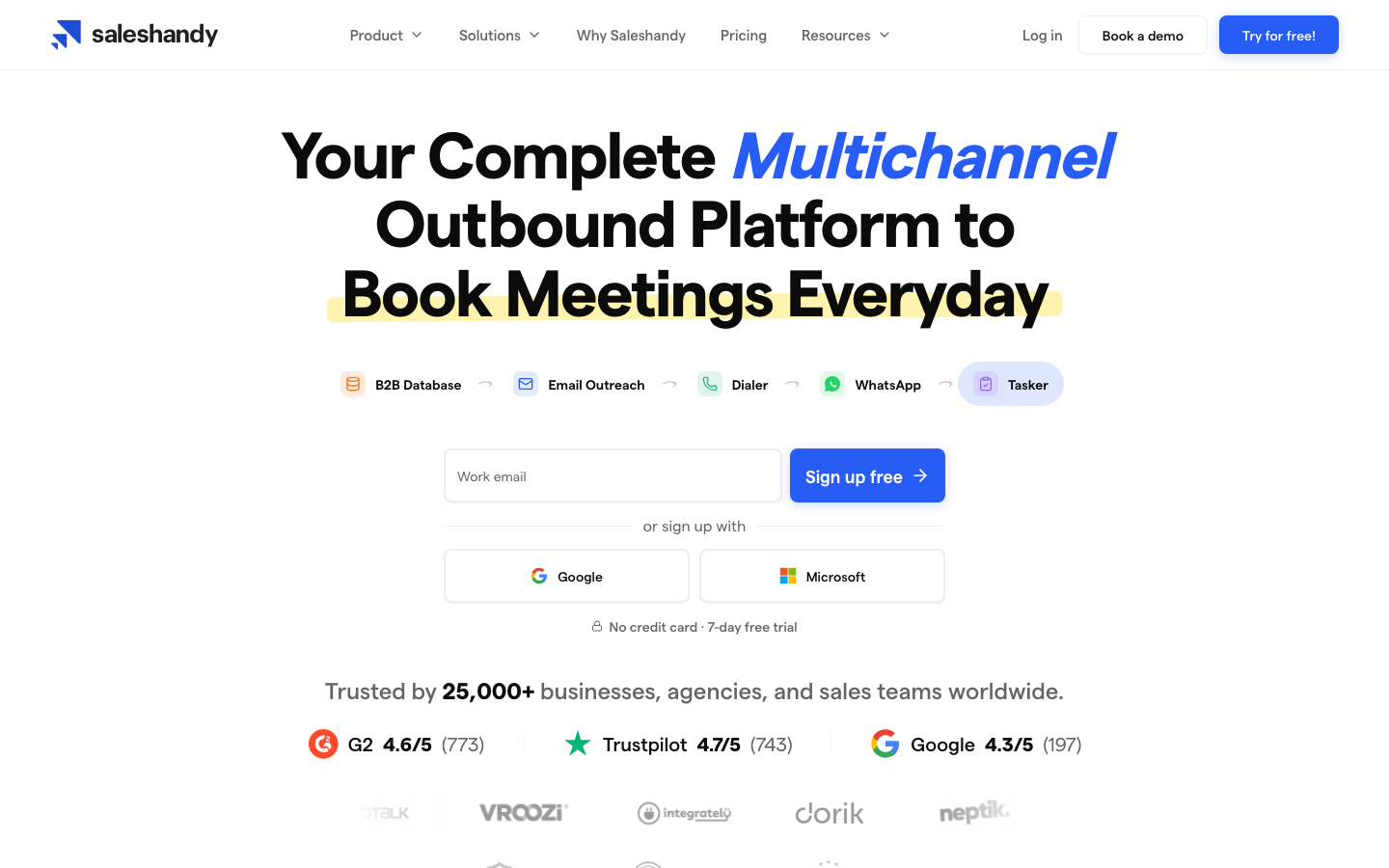
Saleshandy is an AI-powered cold email outreach platform built for teams that need to send at volume without paying per inbox. Founded in 2015 by Dhruv Patel, the platform has grown into one of the most popular choices for B2B sales teams and link building agencies that run thousands of cold emails per month.
The core advantage is cost structure. Most outreach tools charge per email account connected, which means costs escalate quickly when you need ten or twenty inboxes for proper inbox rotation. Saleshandy’s flat-rate pricing includes unlimited email accounts, which makes it unusually affordable for high-volume cold email campaigns.
The platform includes a lead finder database for prospecting, built-in A/B testing for up to 26 variations, spintax support for cold email personalization at scale, automated cold email sequences with reply detection, and email warmup through a partner tool. The sequence builder supports up to 26 follow-up steps and conditional logic.
Saleshandy’s cold email automation handles inbox rotation automatically once you connect multiple addresses, distributing your campaign sends across accounts to protect email deliverability. The platform also monitors bounce rates and flags accounts approaching unsafe sending levels.
Pros
- Unlimited email accounts included in all plans — no per-inbox fees
- Affordable entry-level pricing at $36/month for cold email campaigns
- Lead finder database built in for prospecting without switching tools
- A/B testing supports up to 26 subject line and body variations
- Spintax support for cold email variation at volume
- Reply detection stops cold email sequences when a prospect responds
- Inbox rotation managed automatically across connected email accounts
Cons
- Support team is based in India, which can mean response delays for US and EU users
- Email warmup is provided through a third-party integration, not natively built in
- Some users report email deliverability issues when using the warmup tool at aggressive settings
- User interface feels slightly dated compared to newer cold email platforms like Instantly
Pricing
Saleshandy starts at $36/month for the Outreach Basic plan. Higher tiers add features like the lead finder database, more prospects per month, and advanced analytics. A free trial is available.
2. Instantly — Best for Agencies Managing Multiple Client Inboxes
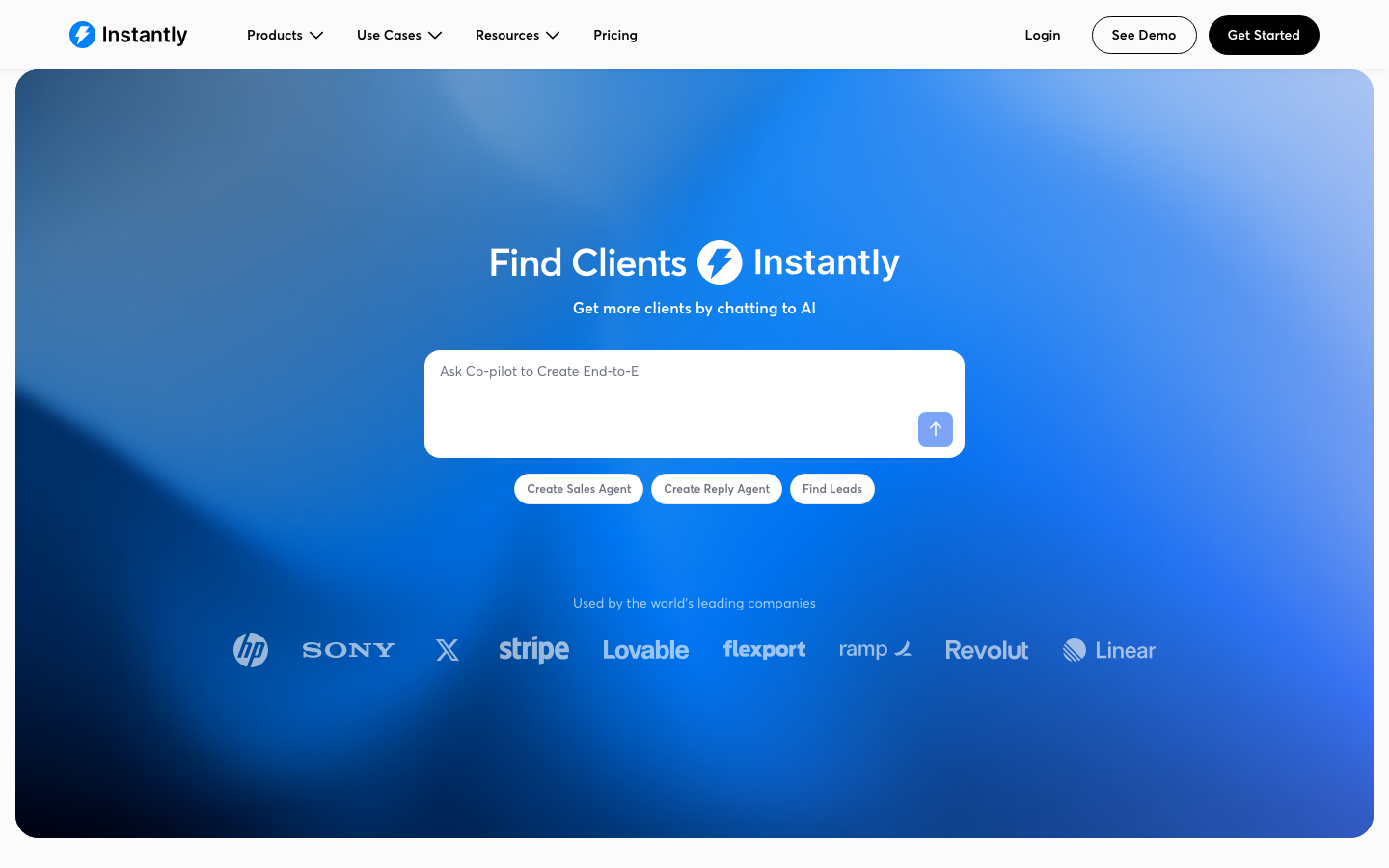
Instantly was founded in 2021 by Raul Kaevand after he identified that most cold email tools were priced incorrectly for agencies running high-volume cold email campaigns for multiple clients. The result is a platform where agencies can manage unlimited email accounts at a flat monthly rate, rather than paying per account.
The pricing model is the primary differentiator for cold outreach agencies. An agency managing ten clients, each with five to ten sending inboxes for proper inbox rotation, would pay a large per-account fee with most cold email platforms. Instantly’s flat rate removes that constraint entirely. You can add as many sending addresses as your campaign volume requires.
Beyond pricing, Instantly has one of the better user interfaces in the category, built-in email warmup through its own warmup network, an AI cold email campaign writer, and advanced email service provider matching — a feature that optimizes which sending address contacts receive emails from based on their own email provider. The theory is that a Gmail-hosted sending address performs better when emailing other Gmail users.
The platform has expanded into a more comprehensive cold outreach tool with its own B2B lead database (Instantly Leads), allowing agencies to prospect and send cold email sequences from one interface. Email deliverability monitoring is integrated into the dashboard with per-inbox health scores.
Pros
- Flat-rate unlimited email accounts — ideal for agencies running multi-client cold email campaigns
- Modern, clean interface with short learning curve
- Built-in email warmup through Instantly’s warmup network included in all plans
- Advanced email deliverability features including ESP matching
- AI cold email campaign writer to speed up content creation
- B2B lead database included in higher-tier plans
Cons
- Active lead limits restrict the number of prospects in active cold email campaigns at any tier
- CRM integrations with HubSpot, Salesforce, and Pipedrive are available but activity sync is one-way on entry plans
- Less suited to teams sending 50 carefully targeted emails per week — the platform is optimized for cold outreach volume
- Requires a custom domain and dedicated sending inboxes; does not work well with personal Gmail accounts
Pricing
Instantly starts at $47/month ($37.60/month billed annually). A free trial is available. Higher plans unlock the lead database, AI features, and advanced campaign analytics.
3. Hunter Sequences — Best All-in-One (Find + Verify + Send)
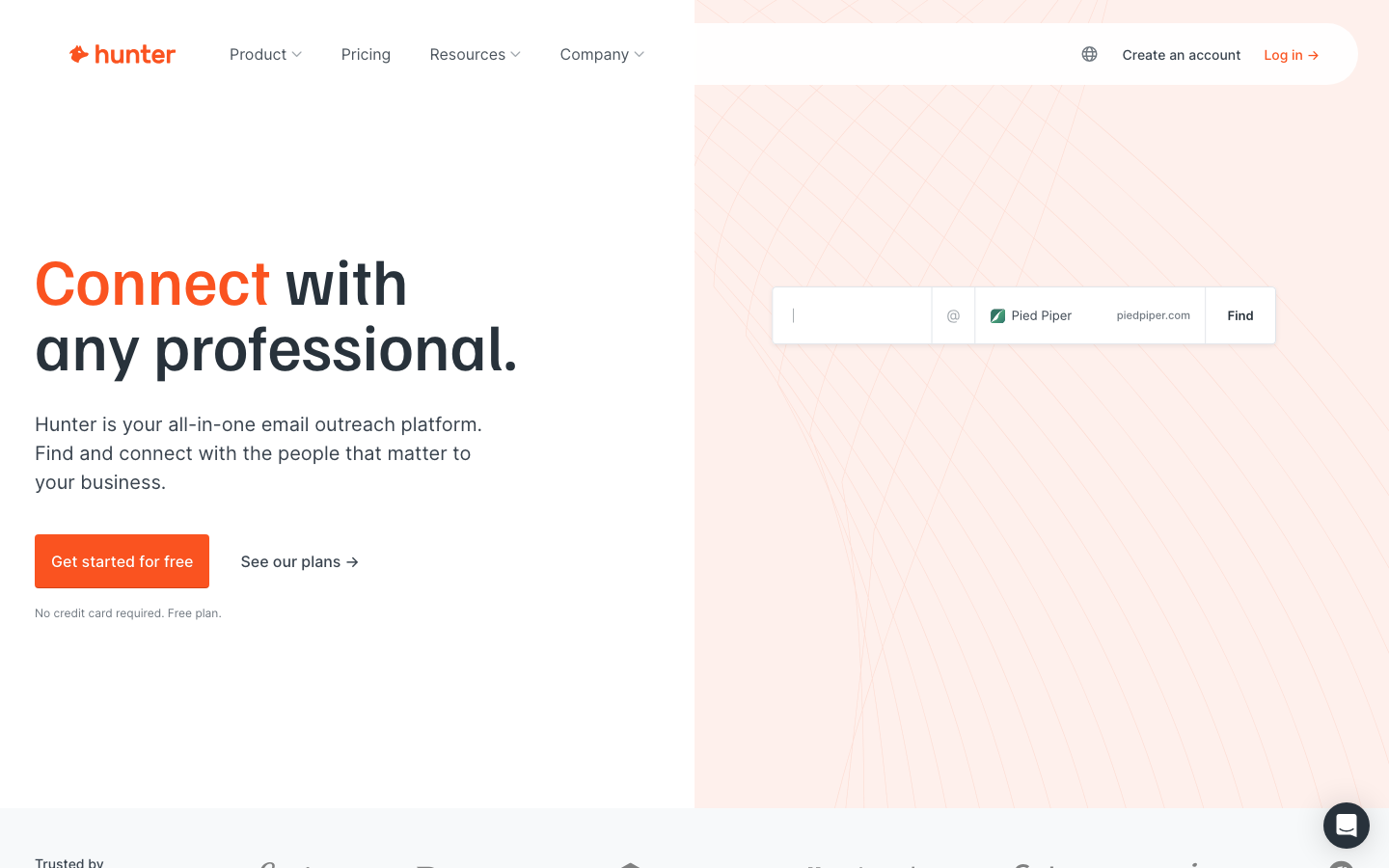
Hunter Sequences is part of the Hunter.io platform, which built its reputation as an email finder and verifier before adding sequences in 2019. The result is one of the few outreach email platforms where you can discover a prospect’s email address, verify it, and add them to a sequence without switching tools.
The free plan is notably generous: one connected inbox, five follow-up steps per sequence, open and click tracking, and up to 500 recipients per campaign. This makes Hunter Sequences one of the only options with real sending capability at zero cost.
The platform is deliberately simple. It is built for quality over quantity, which means some features that volume-focused tools include, like spintax and aggressive inbox rotation, are intentionally absent. This makes it less suitable for teams pushing 1,000 emails per day but ideal for teams that send 50 to 200 highly targeted emails per week.
Pros
- Email finder and verifier built into the same platform
- Generous free plan with real sending capability (500 recipients, 5 follow-up steps)
- Simple interface with short learning curve
- SPF, DKIM, and DMARC setup assistance included
- Good for teams that prioritize reply quality over sending volume
- Hunter’s email database has strong coverage for business email addresses
Cons
- Not designed for high-volume sending (no spintax, limited inbox rotation)
- Inbox Protection (deliverability monitoring) is a paid add-on
- Less depth in reporting compared to Instantly or Saleshandy
- Best suited to Gmail and Outlook users
Pricing
The free plan covers one connected inbox and 500 recipients per campaign. Paid plans start at $49/month and add A/B testing, AI writing assistance, inbox rotation, link tracking, and additional email finder credits.
4. Lemlist — Best for Personalized Multichannel Outreach
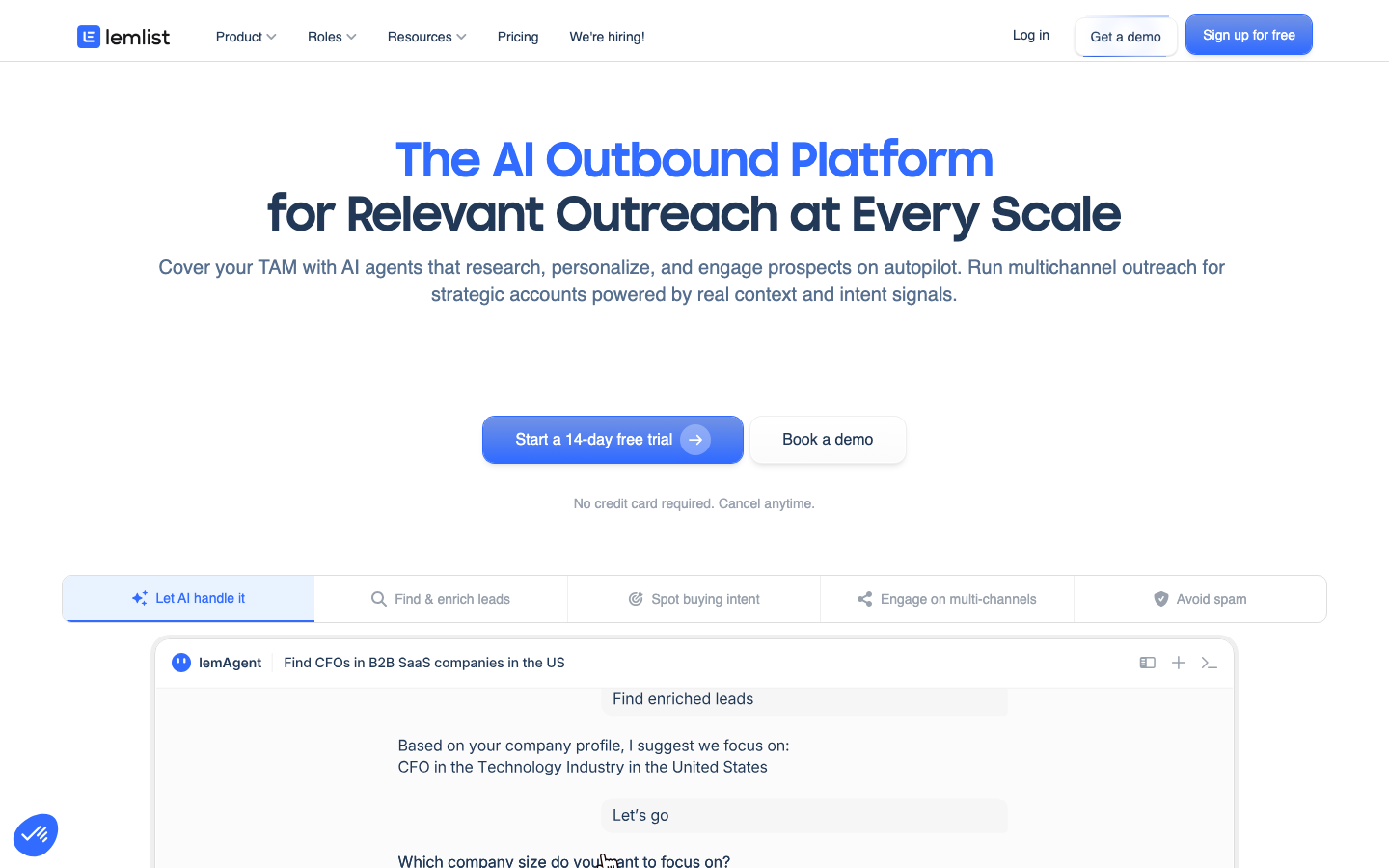
Lemlist was founded in 2018 by Guillaume Moubeche with a specific mission: make cold emails feel personal. The platform pioneered features like personalized images, where each email contains a visual element that includes the recipient’s name, company logo, or website screenshot. It has since expanded to video personalization and LinkedIn outreach steps.
If your outreach relies on standing out through customized presentation rather than volume, Lemlist is the most capable platform in the category. Its liquid syntax personalization lets you create dynamic paragraphs that change based on the prospect’s attributes, not just simple field substitutions.
The platform includes a lead finder, A/B testing, email warmup through its lemwarm tool, and multichannel sequences that combine email and LinkedIn steps in one campaign.
Pros
- Industry-leading personalization including personalized images and videos per prospect
- Multichannel sequences that combine email and LinkedIn outreach
- Lead finder database built in
- Email warmup tool (lemwarm) included
- AI copy generation for faster campaign creation
Cons
- More expensive than most competitors, especially for multi-inbox setups
- User interface can feel complex and unintuitive for new users
- Pricing scales per user, which adds up quickly for larger teams
- Some reviews flag navigation as inconsistent between features
Pricing
Lemlist offers a 14-day free trial. Paid plans start at $79/user/month for Email Pro (monthly billing) or $63/user/month with annual billing. Multichannel plans that include LinkedIn steps are priced higher.
5. GMass — Best for Gmail Users Starting Out
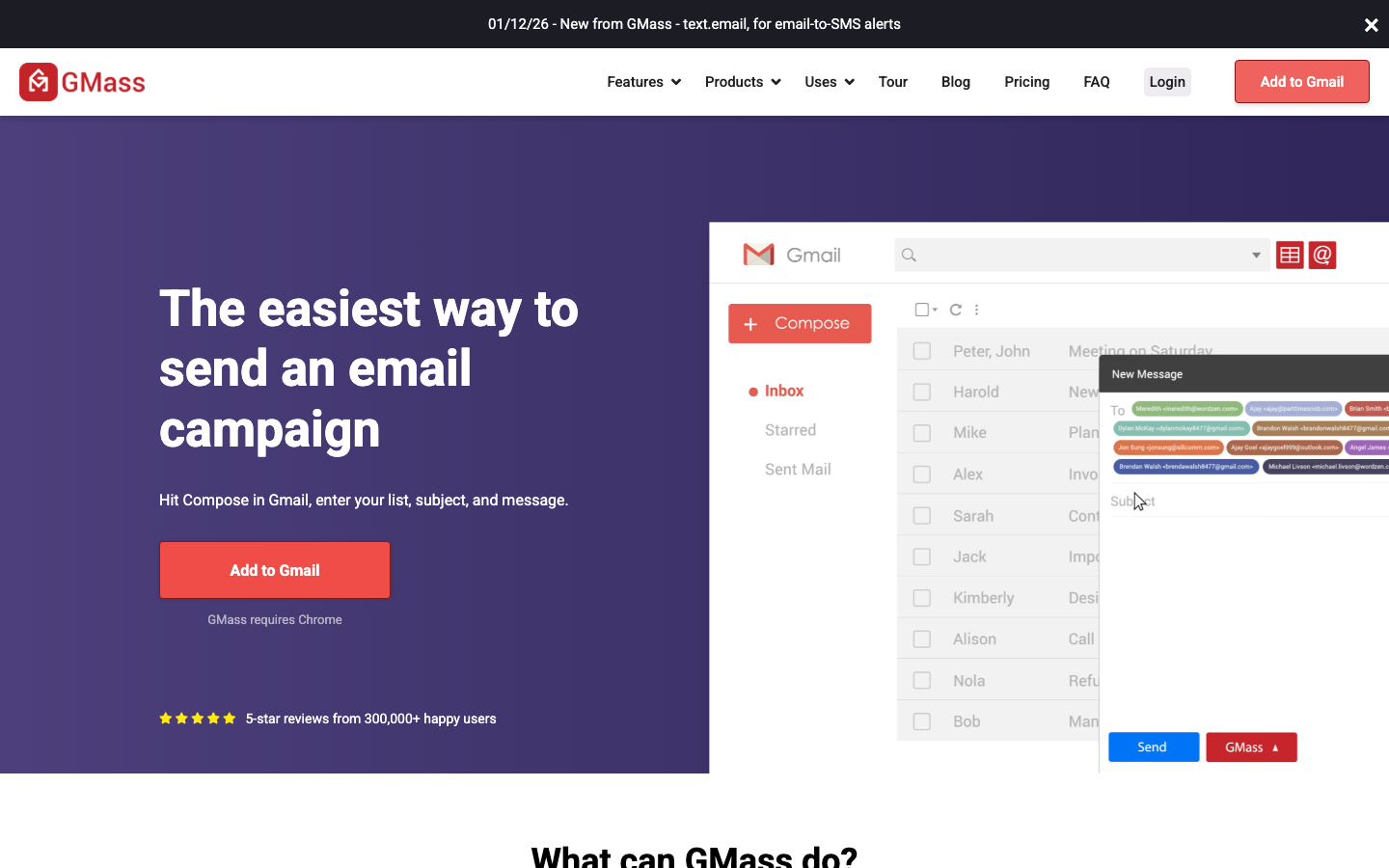
GMass is a Chrome extension that turns Gmail into a cold email outreach tool. It integrates directly with Gmail, uses Google Sheets as a contact source, and lets users send personalized mass emails from inside their existing Gmail interface.
The approach is different from every other tool on this list. There is no separate platform to log into, no learning curve for a new interface, and no setup complexity. If you already live in Gmail, GMass works from day one.
The trade-off is that it is fundamentally constrained by Gmail’s sending limits. Gmail accounts are capped at 500 emails per day for regular accounts and 2,000 per day for Google Workspace accounts. For teams that need to scale past those limits, GMass requires multiple Gmail accounts managed in parallel, which quickly becomes manual work.
Pros
- No new platform to learn — works entirely inside Gmail
- Google Sheets integration for contact lists and personalization
- Automated follow-up sequences with reply detection
- Affordable starting price around $20/month
- Strong open and click tracking
- Good option for solopreneurs doing low-volume targeted outreach
Cons
- Limited by Gmail’s daily sending caps (500 personal, 2,000 Workspace)
- Lacks advanced deliverability tools like inbox rotation across custom domains
- No built-in email warmup
- Requires the Chrome browser
- Fewer integration options compared to dedicated outreach platforms
Pricing
GMass starts at approximately $19.99/month for individual accounts. Team plans with additional features and sending capacity are available at higher tiers.
6. MailShake — Best for Established Sales Teams
MailShake has been in the cold email category since 2015, starting as a tool for content marketing outreach and evolving into a full sales engagement platform. It is one of the most recognized names in the space and remains a strong choice for established sales teams with complex reporting needs.
The platform includes email outreach, phone dialing, LinkedIn automation, and CRM integrations in the same interface. The reporting is notably more advanced than most competitors, with a calendar view that shows exactly when each email in your campaigns will go out. Agency teams can handle client onboarding and campaign reporting from one place.
The main friction points are the lack of a free trial and pricing that can get expensive when managing multiple sending accounts.
Pros
- Robust CRM integrations with HubSpot, Salesforce, and Pipedrive
- Agency-friendly reporting and client onboarding features
- Calendar view shows future email send times across all active campaigns
- Phone dialing and LinkedIn automation built in for multichannel outreach
- Long track record and established reputation in the category
- Strong customer support quality noted frequently in user reviews
Cons
- No free trial available, which is a meaningful barrier when evaluating
- Pricing can become expensive for teams managing many email accounts
- User interface feels dated compared to newer competitors like Instantly
- New feature additions for sales engagement have made the platform more complex
Pricing
MailShake’s Starter plan is $29/user/month ($25 annually). Email Outreach is $49/user/month ($45 annually). Sales Engagement is $99/user/month ($85 annually). No free trial is offered.
7. Woodpecker — Best for Reliable Delivery with Variable Volume
Woodpecker focuses on doing a smaller set of things very well rather than competing on feature count. The platform’s reputation is built on deliverability consistency and a usage-based pricing model that scales down when your sending volume drops.
The tool lacks some of the advanced features in Instantly or Lemlist, like built-in email warmup or advanced personalization, but the core sequence, follow-up, and deliverability infrastructure is reliable. Teams that send campaigns in batches rather than continuously benefit from Woodpecker’s pricing structure more than from fixed-rate competitors.
Pros
- Usage-based pricing works well for variable sending volume
- Strong core deliverability
- Simple interface with low learning curve
- Good A/B testing for subject lines and email variants
- Well-regarded by teams that prioritize reliability over feature depth
Cons
- Fewer advanced features compared to Instantly or Lemlist
- No built-in email warmup tool
- Limited personalization options compared to Lemlist
- Fewer native integrations than MailShake or Hunter
Pricing
Woodpecker starts at approximately $29/month for a single user. Pricing scales based on prospects contacted rather than a fixed plan tier.
8. Pitchbox — Best Outreach Email Software for Link Building
Pitchbox is purpose-built for SEO link building outreach. While every other tool on this list started with cold sales email and may support link building as a use case, Pitchbox started with link building and SEO agencies in mind.
The platform connects directly with Ahrefs, Moz, SEMrush, and Majestic to pull backlink and authority data into the prospecting workflow. You can build prospect lists inside Pitchbox using keyword and competitor data from your SEO tools, qualify targets by metrics like domain rating, and launch email sequences all from one interface.
The CRM-like prospect management is designed for how link builders actually work: tracking conversations across hundreds of publishers, managing follow-up timelines, reporting placements to clients, and logging relationships for future campaigns.
Pros
- Native integrations with Ahrefs, SEMrush, Moz, and Majestic
- Built-in prospecting using keyword and competitor data from SEO tools
- CRM-like pipeline management designed for link building workflows
- Agency reporting and client management features
- Email sequence automation with follow-up and reply detection
- Filtering by domain authority and traffic to qualify prospects during prospecting
Cons
- Expensive — starting around $195/month, impractical for solopreneurs
- No free trial; entry cost is high for teams still evaluating the tool
- Steeper learning curve than general-purpose cold email tools
- Overkill for simple outreach campaigns that do not need SEO tool integrations
Pricing
Pitchbox pricing starts at approximately $195/month for the Explorer plan. Agency plans are priced higher and typically require a custom quote.
Other Tools Worth Evaluating
The eight tools above are the strongest picks across the main use cases. Several other platforms deserve mention depending on your workflow:
- Apollo — combines a large B2B contact database with cold email sequences and LinkedIn outreach. Strong for sales teams that need prospecting and sequencing in one platform, though the database-first focus makes it heavier than pure cold email tools.
- Smartlead — a newer entrant built for agency-scale sending. Supports unlimited inboxes via rotating SMTP and has strong AI-powered email warmup. Often compared with Instantly for high-volume agency cold campaigns.
- Snov.io — email finder plus multi-channel outreach (email + LinkedIn). Similar to Hunter.io in the finder + sequences model but with a broader automation scope and drip campaign builder.
- QuickMail — focused on deliverability-first cold email with built-in inbox rotation and warmup via their own warmup network. Favored by agencies that prioritize response rates over volume.
- Klenty — CRM-native sales engagement platform with strong HubSpot and Salesforce integration. Better fit for sales teams with established CRM workflows than for link building or PR outreach.
- Clay — a workflow automation tool that enriches contact data from multiple sources and pushes it into outreach sequences. Not a cold email platform itself, but increasingly used to build the prospecting layer before sequences run in tools like Instantly or Lemlist.
How to Choose Outreach Email Software for Your Use Case
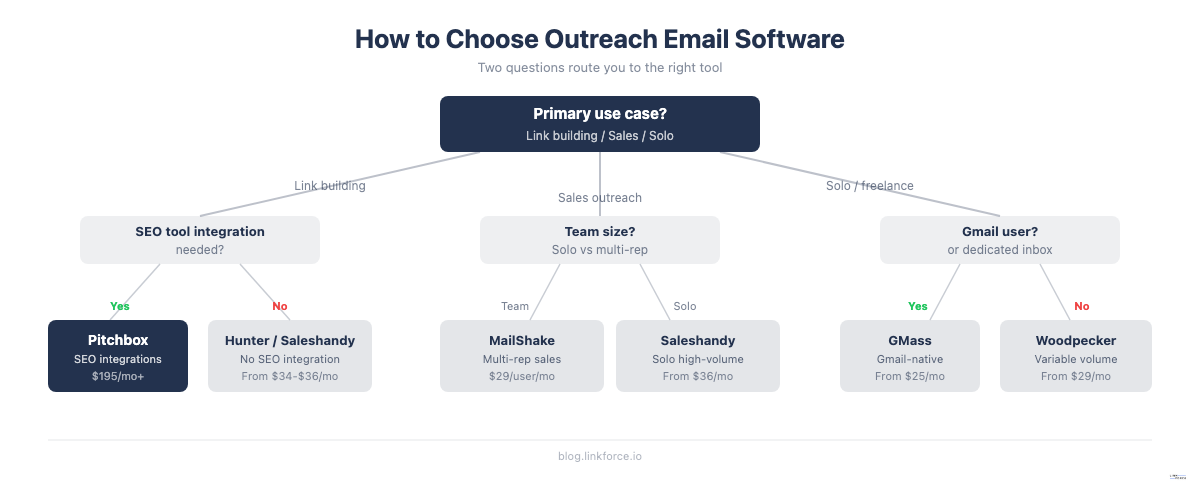
The right outreach email software depends on four factors: your primary use case, your sending volume, your team size, and your budget. No single tool is best for everyone.
For Link Builders and SEO Agencies
Link building outreach has different requirements from cold sales email. You are typically reaching out to website owners, bloggers, and editors rather than decision-makers at companies. Your goals are relationship-focused rather than pipeline-focused, and your sequences tend to be shorter and more conversational.
The most important features for link building outreach: clean deliverability so your pitch lands in the inbox, multi-step sequences with follow-up over two to four weeks, the ability to personalize at scale without sounding automated, and ideally a connection to your prospecting workflow via Ahrefs or SEMrush data.
Recommendations by budget:
- Under $50/month: Hunter Sequences (find and send in one platform) or Saleshandy (unlimited inboxes, affordable)
- $50 to $100/month: Instantly (if you run multiple campaigns or client accounts)
- Over $195/month: Pitchbox (if you need SEO tool integrations and CRM-style pipeline management)
For Sales Teams and Lead Generation
B2B sales outreach typically involves higher volume, more complex sequences, and CRM integration requirements. Deliverability at scale and reporting that connects to revenue metrics matter more than they do for link building.
Recommendations by daily volume:
- Under 200 emails/day: Hunter Sequences, GMass, or MailShake
- 200 to 1,000 emails/day: Saleshandy or Instantly with inbox rotation across multiple addresses
- Over 1,000 emails/day: Instantly with multiple sending domains, or Saleshandy with a dedicated warmup partner
For Solopreneurs and Freelancers
Solo operators benefit from simplicity and low cost over feature depth. The learning curve and setup time for enterprise outreach tools are wasted on campaigns of 20 to 50 emails per day.
Recommendations:
- GMass for anyone already in Gmail doing targeted outreach under 200 emails/day
- Hunter Sequences free plan for outreach under 500 contacts that includes email finding
- Woodpecker for freelancers with variable sending volume who want reliable delivery without a monthly commitment during slow periods
Frequently Asked Questions About Outreach Email Software
Is outreach email software the same as cold email software?
Outreach email software and cold email software refer to the same category of tools. Cold email software is the more common term in sales contexts, while outreach email software is used more broadly to include link building outreach, PR pitching, and partnership outreach. The underlying technology is identical: sequence automation, inbox rotation, deliverability management, and reply detection.
What is email warmup and why does it matter?
Email warmup is the process of gradually increasing your sending volume from a new inbox or domain before running full campaigns. Email providers like Gmail and Outlook monitor sending patterns, and a new address that suddenly sends 500 emails on day one triggers spam detection. Warmup tools simulate natural inbox activity over two to four weeks, increasing your daily send count slowly while generating engagement signals like opens and replies. Skipping warmup significantly increases the chance your emails land in the spam folder.
Can I use outreach email software for free?
Hunter Sequences offers a genuinely functional free plan that includes one connected inbox, five follow-up steps per sequence, and up to 500 recipients per campaign. GMass also has a free tier, though it limits the number of emails per day. Most other tools offer free trials of 14 days rather than ongoing free plans. Saleshandy, Instantly, and Lemlist all offer trials but require payment after the trial period.
How many emails can I send per day with outreach software?
Daily sending limits depend on your tool and your email setup. Gmail accounts are capped at 500 emails per day for personal accounts and 2,000 per day for Google Workspace accounts. Platforms that use dedicated sending infrastructure like Instantly and Saleshandy can scale significantly higher, but the recommended guideline is to stay under 50 emails per day per individual inbox to protect sender reputation. With inbox rotation across multiple addresses, you can scale total volume while keeping each inbox under the safe threshold.
What is the best outreach email software for link building?
Pitchbox is the purpose-built choice for link building outreach, with native integrations with Ahrefs, SEMrush, and Moz that allow you to pull domain rating and traffic data into your prospecting workflow. Hunter Sequences is the best free-to-start option for link builders who also need to find contact emails. Saleshandy is the best value option for high-volume link building campaigns where you need unlimited inboxes at an affordable price. The right choice depends on your budget, team size, and whether you need SEO tool integration or are comfortable managing prospecting separately.