

A reverse email lookup and an email verification tool are not the same thing. A reverse lookup answers who — the person’s name, job title, company, and social profiles. An email verification answers whether — whether the address is valid and the mailbox exists. This distinction matters before you choose a tool or method.
This guide covers all three use cases the SERP mixes together: finding the person behind a B2B email address, checking whether an unknown email is a scam, and running an OSINT investigation on an address. Both free methods and paid tools are covered.
What Is a Reverse Email Lookup?
A reverse email lookup is a process in which you enter an email address and retrieve the identity behind it. The tool cross-references the address against public records, social media profile databases, commercial data vendors, and spam blacklists, then returns whatever it can match: the person’s name, job title, employer, LinkedIn profile, and sometimes phone number or location.
The lookup works best on professional email addresses tied to a company domain (e.g., john.smith@acmecorp.com) because those addresses are more likely to appear in LinkedIn, professional directories, and company websites. Personal addresses (Gmail, Yahoo, Hotmail) return results far less reliably because users do not typically link those addresses to public professional profiles.
Reverse Email Lookup vs. Email Verification
These two tools are frequently confused because they share a similar interface (paste an email, get a result), but they answer different questions.
A reverse email lookup tells you who owns the address: the identity, social footprint, and background of the person or organization behind it.
An email verification tool tells you whether the address is valid: whether the syntax is correct, whether the domain has valid mail exchange records, and whether the specific mailbox exists and can receive messages.
Use a reverse lookup when you want to identify a sender or enrich a contact record. Use email verification when you want to confirm that an address is deliverable before sending a campaign or outreach sequence.
What Data Does a Reverse Email Lookup Return?
Results vary by tool and by how findable the address owner is online, but a professional-grade reverse lookup typically returns some or all of the following:
- Full name
- Job title and employer
- LinkedIn profile URL
- Other social media profiles (Twitter/X, Facebook, GitHub)
- Location (city and country)
- Phone number (where publicly available)
- Alternate email addresses associated with the same person
- Spam and blacklist status (whether the address or domain appears on known spam registries)
- Domain registration data (for company domain addresses)
No tool returns all fields for every address. Company domain emails return results 60 to 80 percent of the time on professional tools. Personal addresses (Gmail, Yahoo) return results much less reliably — often under 20 percent.
Who Uses Reverse Email Lookup — and Why
Sales Teams and Recruiters (Contact Enrichment)
Sales teams and recruiters use reverse email lookups to enrich inbound leads and append missing data to CRM records. When an inbound inquiry arrives from john@acmecorp.com with no other context, a lookup confirms the sender’s name, job title, and LinkedIn profile in seconds — before the rep writes a response. Recruiters use the same workflow to verify that a candidate’s email matches their stated employer before scheduling a call.
Email append is a related use case: teams upload a list of email addresses and run bulk lookups to fill in missing name, title, and company fields. Services like PeopleSmart explicitly offer this as a feature.
Security and Fraud Teams (Spam and Scam Detection)
Finance teams, operations managers, and IT security professionals use reverse lookups to verify unexpected senders. If an email arrives claiming to be from a CEO requesting an urgent wire transfer, a lookup on the sender address can reveal whether the domain is newly registered (a major red flag), whether the address appears on spam blacklists, or whether the identity matches the claimed sender.
Example: a finance team receives an invoice from cfo-payments@acme-corp.net. A lookup reveals the domain was registered two days ago, no person is associated with the address, and the domain does not appear in any public registry as belonging to Acme Corp. That is sufficient to flag the email as a likely BEC (business email compromise) attempt without opening any attachments.
Investigators and OSINT Researchers
Cybersecurity professionals, journalists, due diligence researchers, and HR investigators use reverse lookups as part of a broader OSINT workflow. An email address is often the first data point in an investigation: looking it up reveals connected social media accounts, forum registrations, linked phone numbers, and the address’s broader digital footprint. Tools like Epieos are built specifically for this use case and correlate an address across Google, social platforms, and public breach databases.
How Does a Reverse Email Lookup Work?
Reverse email lookup tools aggregate data from multiple sources and cross-reference the submitted address against all of them simultaneously:
- Social media databases — LinkedIn, Twitter/X, Facebook, and GitHub all link profile data to verified email addresses. Tools that have built or licensed access to these link maps can return accurate name and profile data for any address its owner has used to register a public profile.
- Public records and commercial data vendors — Data brokers compile name, address, employment, and contact records from county records, voter registrations, business filings, and commercial sources. Tools like PeopleSmart draw on these sources.
- WHOIS and domain registration data — For company domain addresses, WHOIS returns the registered organization, registrant contact, and registration date. This is useful for validating whether a domain belongs to the company it claims to represent.
- Spam and blacklist registries — Databases like Spamhaus, Barracuda, and Spamcop track addresses and domains reported for spam or phishing. Tools that check these registries can flag a suspicious address in seconds.
- Breach databases — Services like Have I Been Pwned track email addresses that have appeared in known data breaches. An address that appears in multiple breaches may indicate a long-lived account with a real identity behind it.
Results depend on how much of the above the tool has access to and how recently the data was refreshed.
Six Free Ways to Do a Reverse Email Lookup Without a Tool
If you want a quick result without signing up for any service, these methods work for many addresses:
- Google the address in quotes — Search
"john.smith@acmecorp.com"in Google. Public forum posts, directory listings, conference registrations, and other pages that display email addresses in plain text will appear. This catches addresses their owners posted publicly. - Google Meet name lookup — Create a Google Meet event and invite the address. Before the meeting starts, Google may display the account holder’s name and profile photo if their Google Account is publicly discoverable. This works for Gmail addresses and Google Workspace addresses.
- LinkedIn direct search — Paste the email address into LinkedIn’s search bar. If the address is linked to a LinkedIn profile, the profile will appear in results. This works reliably for professional addresses on company domains.
- Gravatar lookup — Visit
en.gravatar.com/site/checkand enter the email address. Gravatar links profile images and display names to email addresses for bloggers and developers. Many technical users and WordPress contributors have a Gravatar linked to their primary email. - Have I Been Pwned — Search the address at
haveibeenpwned.com. If the address appears in known breach databases, you know the address is real, long-lived, and linked to an actual account — useful for confirming the address is not throwaway or brand-new. - WHOIS lookup — If the email uses a company domain (anything other than Gmail, Yahoo, Hotmail), search the domain on
who.isorwhois.domaintools.com. The WHOIS record returns the registered organization, registrant contact, and creation date. A domain registered within the last 30 days is a strong red flag for impersonation.
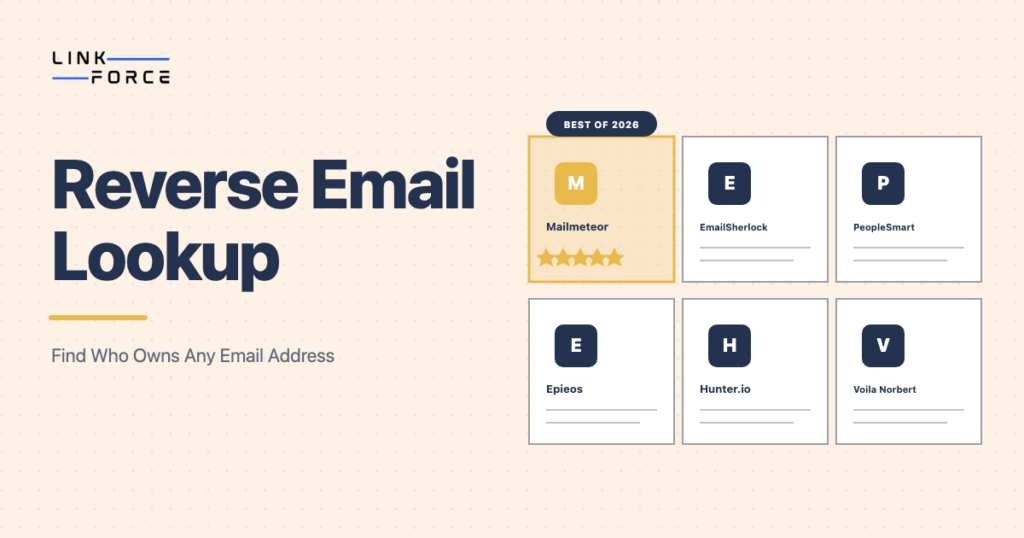
Best Reverse Email Lookup Tools Compared
| Tool | Free Plan | Best For | Accuracy |
|---|---|---|---|
| Mailmeteor | Yes, no signup required | B2B contact enrichment (name, title, company) | Good for professional emails |
| EmailSherlock | Yes, no signup required | OSINT and free method guidance | Moderate; best as a starting point |
| PeopleSmart | Paid (subscription) | Consumer records, email append for CRM | High for US public records |
| Epieos | Yes, no signup required | OSINT investigation, email and phone cross-reference | Strong for social footprint mapping |
| Hunter.io | Freemium (25 searches/month free) | Verified B2B email finding and verification | High for professional domain emails |
| Voila Norbert | Pay-per-lookup | High-accuracy B2B enrichment for recruiting and sales | High; best accuracy for professional addresses |
Mailmeteor is the easiest starting point for B2B use cases. It is free, requires no account, and returns name, job title, and company for most professional email addresses. Best for one-off lookups and sales enrichment.
EmailSherlock is useful when you also want manual method guidance alongside the lookup. Its editorial content explains what each result means and how to follow up manually if the tool returns nothing.
PeopleSmart is the strongest option for US consumer records and email append at scale. It is subscription-based and draws on commercial data vendors and public records, making it better for B2C enrichment than B2B.
Epieos is the best free tool for OSINT. It cross-references an email across Google, social platforms, and public sources and returns a broader digital footprint than B2B enrichment tools.
Hunter.io combines reverse lookup with email verification, making it useful when you need to both identify a contact and confirm the address is deliverable before outreach.
Voila Norbert charges per lookup but returns the highest accuracy for professional B2B addresses. Best for recruiting workflows where accuracy matters more than volume.
How Accurate Is a Reverse Email Lookup?
Accuracy depends on several factors, not just the tool you use:
- Email type: Company domain emails (name@company.com) return results 60 to 80 percent of the time on professional tools. Personal emails (Gmail, Yahoo) return results less than 20 percent of the time on most tools.
- Data freshness: Commercial databases update quarterly or less frequently. A contact who changed jobs in the last three months may still show their previous employer in lookup results.
- Public footprint: People who maintain active LinkedIn profiles, public GitHub accounts, or professional directory listings are significantly more findable than those who maintain minimal online presence.
- Tool quality: Tools that license data from multiple commercial vendors return more complete profiles than tools that rely on a single source.
For B2B outreach, always cross-reference results from two tools before using them in a workflow. If both tools agree on the name and employer, the result is reliable. If they disagree, verify manually via LinkedIn before sending.
Privacy and Legal Considerations
Reverse email lookup tools use publicly available data, which makes the practice legal in most jurisdictions for legitimate business purposes. There are, however, important boundaries:
- GDPR (EU): If you collect and store personal data returned by a lookup about an EU resident, you must have a lawful basis under Article 6 of GDPR. Legitimate interest applies in many B2B contexts, but you must document your purpose and provide opt-out options.
- FCRA (US): Tools like PeopleSmart and Spokeo that draw on consumer public records are governed by the Fair Credit Reporting Act when used for background checks, employment decisions, or credit purposes. Specific disclosures and consent requirements apply.
- General use: Do not use lookup results to spam, harass, or contact people who have asked not to be contacted. OSINT investigators using results in legal proceedings should document the source and methodology to support chain-of-custody requirements.
For standard B2B outreach and lead enrichment, reverse email lookup is straightforwardly legal. The restrictions above apply to specific regulated use cases.
Frequently Asked Questions
What information does a reverse email lookup return?
A reverse email lookup typically returns the person’s full name, job title, employer, LinkedIn profile, location, and — in some cases — phone number, alternate email addresses, and spam blacklist status. Results vary by tool and depend on how publicly findable the email address owner is.
Is a reverse email lookup free?
Yes. Several tools offer free lookups with no account required: Mailmeteor, EmailSherlock, and Epieos all provide free results for individual lookups. Paid tools like PeopleSmart, Hunter.io, and Voila Norbert offer higher accuracy and bulk lookup capabilities for higher volumes.
How do I find out if an email is a scam?
Run the address through EmailSherlock or Epieos to check for associated identity data. Search the domain on a WHOIS tool — a domain registered within the last 30 days is a strong fraud signal. Check the address on Have I Been Pwned and against spam blacklists like Spamhaus. A legitimate address from a real company will return consistent identity data across multiple sources.
Can someone find my name from my email address?
Yes, if your email address is linked to any public profile — LinkedIn, GitHub, Gravatar, forum accounts, or public directories. To limit exposure, use a separate alias for public registrations and keep your primary professional email off public-facing websites wherever possible.
What is the difference between reverse email lookup and email verification?
A reverse email lookup tells you who owns an address — their identity and contact details. Email verification tells you whether an address is valid — whether the syntax is correct, the domain has mail exchange records, and the specific mailbox exists. These tools serve different purposes and are not interchangeable.
Is reverse email lookup legal?
Yes, in most jurisdictions and for most legitimate business purposes. Using publicly available data to identify a B2B contact is legal in the US, UK, and EU. GDPR governs how results can be stored and processed in the EU. The FCRA applies to consumer background checks in the US. Do not use results for harassment, spam, or any purpose that requires regulated data handling without following the applicable compliance requirements.
For a broader overview of how to find and verify professional email addresses at scale, see our email finder guide.